Managing Your Account Preferences
You can manage your account details and notification preferences from the My Account page.
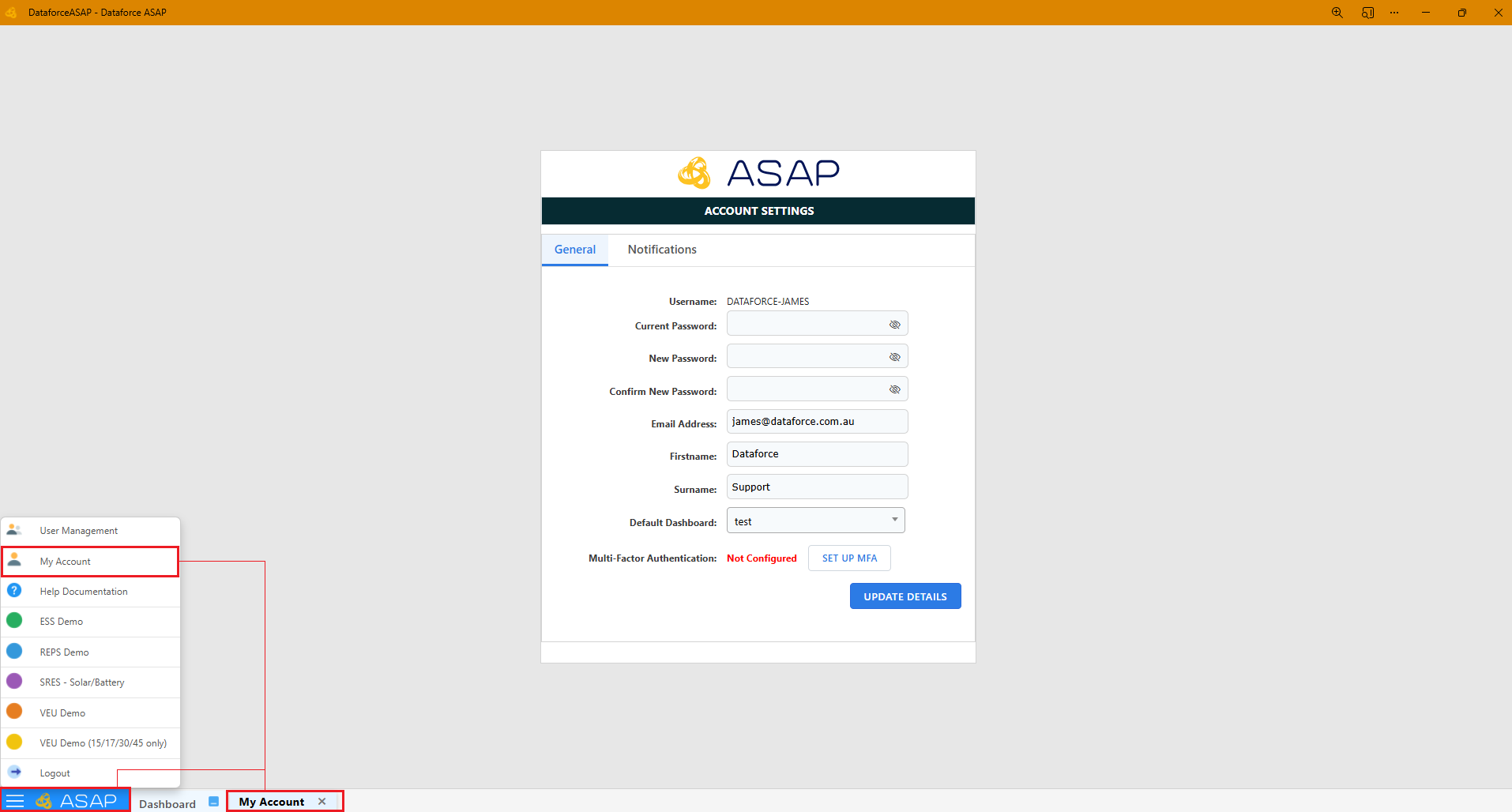
To access this page:
- Click the ASAP start button
- Select My Account under User Management
Setting Notification Preferences
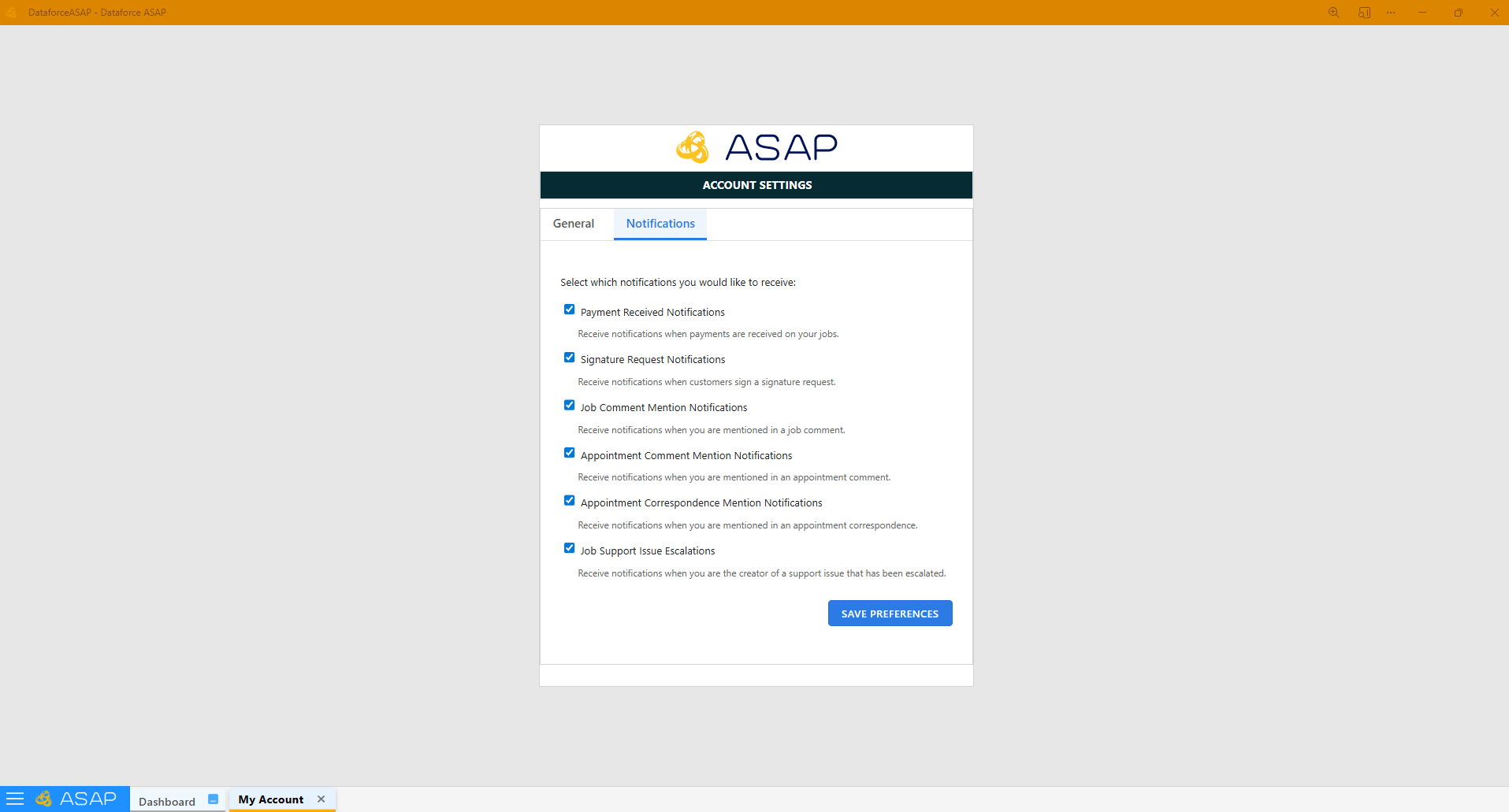
- Open the Notifications tab next to General within Account Settings
- Select the notifications you want to receive
- Click Save Preferences to apply your changes