Overview
Stock Return Reasons are lookup values that can be used when returning stock from
- A Field worker to a Warehouse
- A Warehouse to a Supplier
The return reason is selected when recording a return on the Stock Management screen’s New Stock Movement tab - refer to Recording Stock Movements.
Add Stock Return Reasons
-
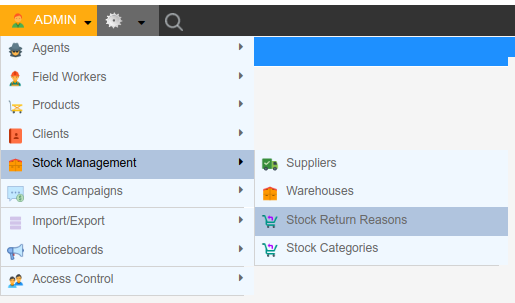
Open the Stock Return Reasons screen by clicking Admin Stock Management Stock Return Reasons.
-
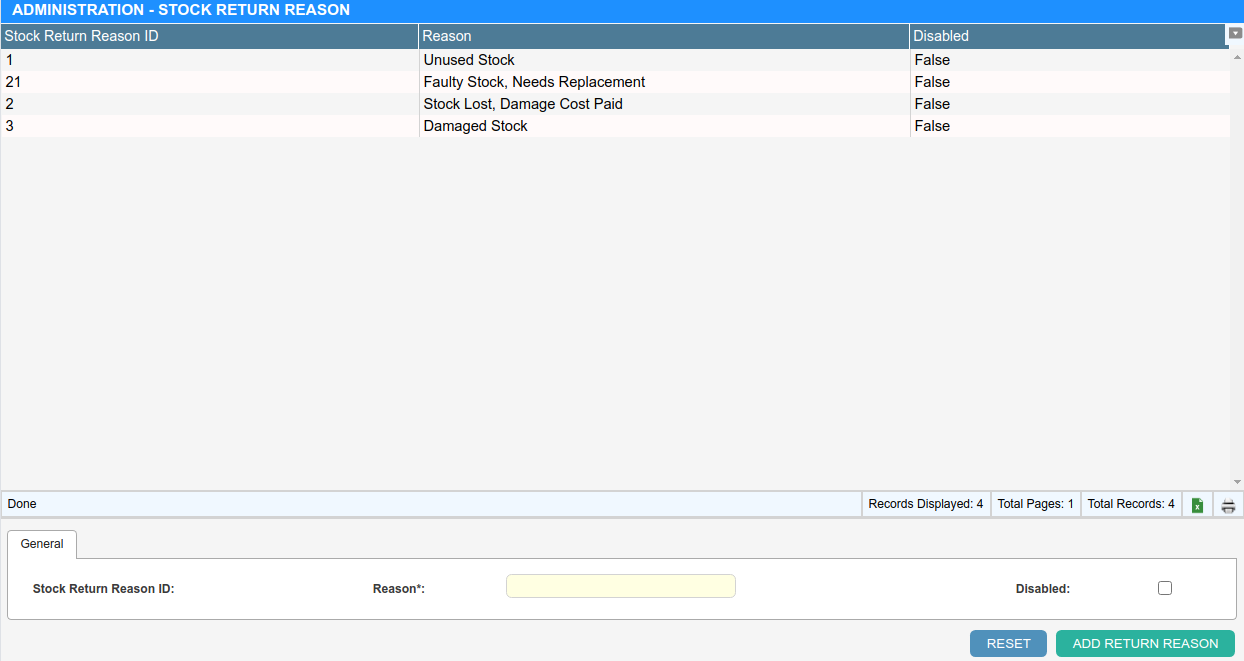
Click ”+ Add Return Reason” and enter the new Reason into the provided field.
-
Click “Add Return Reason” to save.
A reason that is no longer wanted can be marked Disabled - it is hidden from the Return Reason dropdown for new stock returns, and past returns that used it are unaffected.