Overview
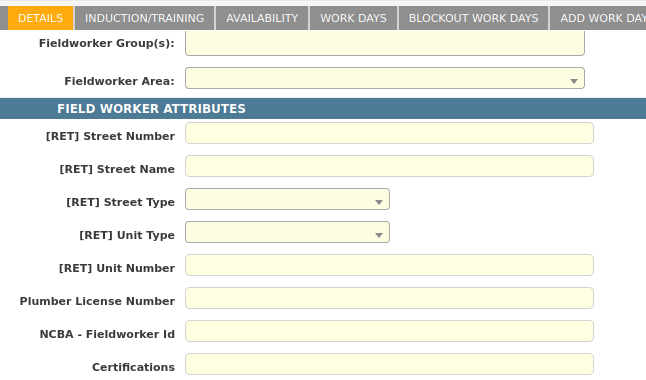
Field Worker attributes are a method of storing custom information relating to a Fieldworker. Example attributes may include:
-
License Numbers
-
Insurance Expiry Dates
-
Preferred Names
Fieldworker attribute values can be also be mapped onto forms and datafiles.
Creating a Field Worker Attribute
-
Open the Field Worker Attribute Management screen.
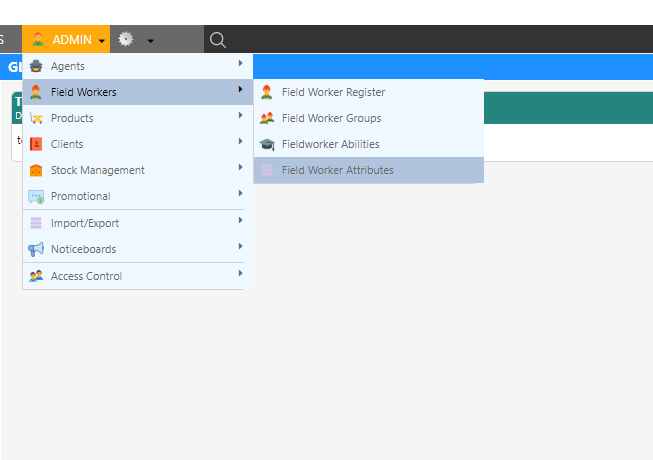
- Fill in the available fields.
- This table gives a description of the available fields.
Field Description Fieldworker Group Select the work type applicable to this fieldworker ability Name Enter a name for this fieldworker attribute Show on Audit Check to make this fieldworker attribute visible on the fieldworker details tab when auditing an appointment Work Assignment Select the work assignment applicable to this fieldworker attribute Optional Check to make this fieldworker attribute an optional field in the fieldworker setup/details screen Disabled Check to make this fieldworker attribute disabled/hidden Work Type Select the work type applicable to this fieldworker attribute Tip: To create a mandatory attribute, leave the optional checkbox blank.Dataforce ASAP supports several field types such as text, numbers, integers, option lists, dates and files.

Please refer to this guide to help you pick the correct field type.
-
Select Add Field worker Attribute.

Modifying a Field Worker Attribute
-
Open the Field Worker Attribute Management screen.
- Select the attribute by clicking the row.
- Change any Field Worker attribute details.

NSW Trade License & ARC License
-
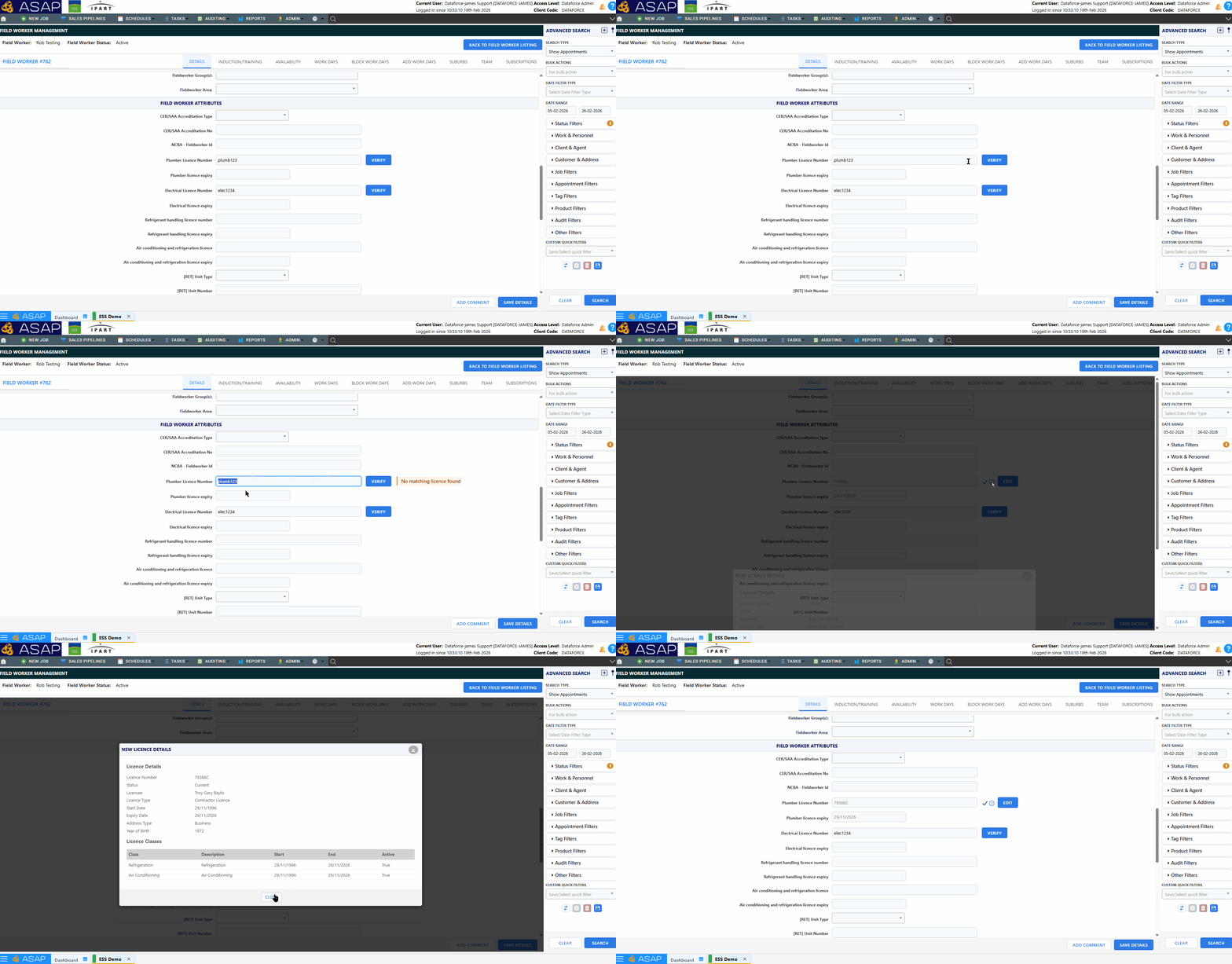
Verification occurs on the NSW Trade License and the ARC License Field Types
-
Additionally, selecting the Field Type “NSW Trade License” will unlock the Linked Expiry Attribute Field.

-
If linked, the License Expiry Date field will auto-populate and become read only once the License Number has been filled.

-
License Details can be viewed by clicking the next to the field

Deleting a Field Worker Attribute
-
Open the ‘Field Worker Attribute’ management screen.
- Select the attribute by clicking the row.
- Select the delete button.

Field Types
| Property | Description |
|---|---|
| Text | Select this if you want to have characters as the value. |
| Integer | Limited to a whole number or integer; decimal numbers are not allowed. e.g. 0, 1, 2, 3, 5 |
| Number | Decimal and negative numbers are allowed in this type. e.g. 2.3, 4.5, 6 |
| Option List | Use this field type if you want to restrict the value to several options. An additional field will pop up as soon as you select this option. Enter the list of options into that field, with one value per line. |
| File | This type will allow your operator to upload an image or pdf as the datafile attribute instead of text. |
| Checkbox | This type will create a tick-box which can be toggled on or off. |
| Date | This type will allow you to select a date |
| Expiry Date | This type will allow you to select an expiry date. This attribute will also appear on the ‘Fieldworker -Expiring Attributes’ Report |
| Expiry Date (Stop Runabout activity) | This type will allow you to select an expiry date, and prevent fieldworkers from syncing Runabout if this date expires. This attribute will also appear on the ‘Fieldworker -Expiring Attributes’ Report |