The following release notes are for the 2026.2 release of Dataforce ASAP. Scheduled for release in September 2026.
🔍 New Audit Screen (Trial)
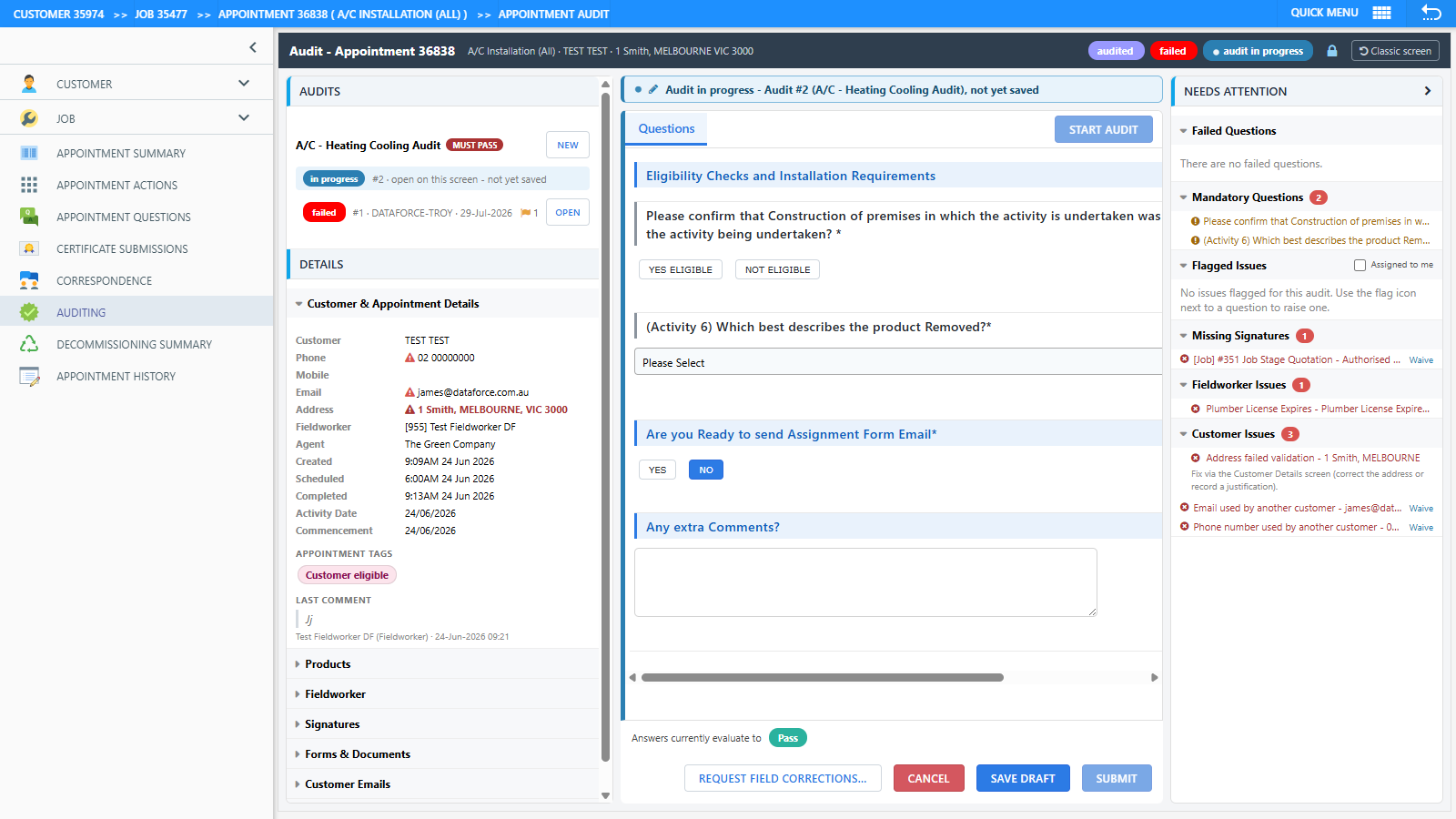
The desktop audit screen has been rebuilt from the ground up, and is available to trial - a banner on the classic audit screen lets each operator opt in (and back out) at any time.
- Photo Review - photos in categories marked Requires Audit must each be passed or flagged, with geotag distance warnings and one-click retake requests.
- Issue flagging and routing - raise an issue against the exact question or photo, categorised and routed to the Fieldworker (included in the corrections request) or to Office staff (creates a linked TODO and a bell notification that deep-links back to the audit).
- Needs Attention panel - failed questions, mandatory questions, flagged issues and missing signatures at a glance, with an Assigned to me filter.
- New submit flow - one Submit Audit dialog showing the evaluated result, an optional status override (with a required reason), and a tick-list of the emails/SMS that will be sent.
- Audit locking - prevents two operators auditing the same appointment at once.
- New Audit Issue Categories admin screen (Admin > Desktop Auditing) with a new role permission.

🗓️ Fieldworker Schedules, Reschedule Board & Manual Scheduler
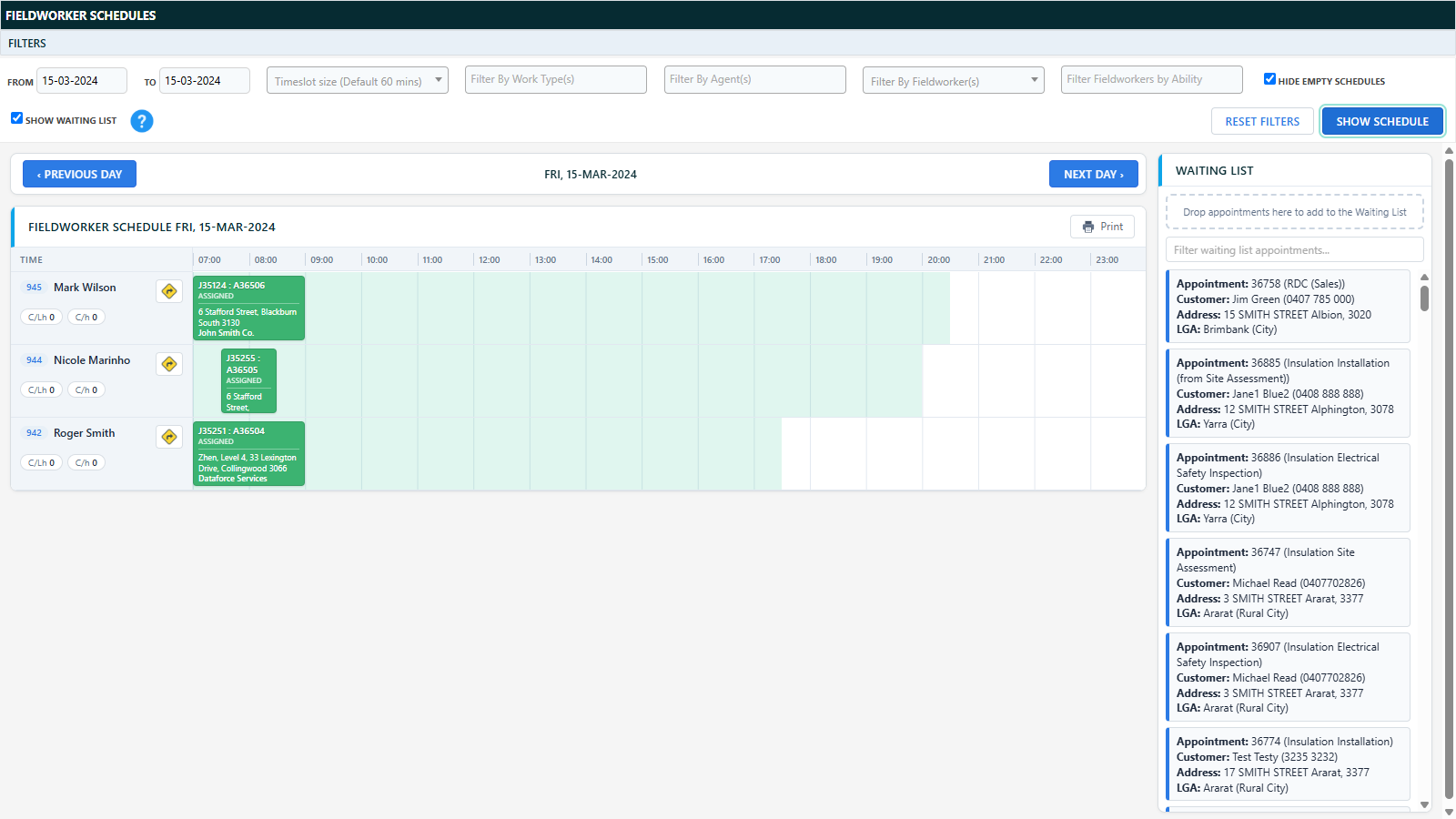
- The scheduling timetable has been rebuilt in-house as Fieldworker Schedules - viewing and drag-and-drop rescheduling now happen on one screen (replacing the separate View / Organise screens), with a sticky day navigation bar, an ability filter, a waiting list panel, and per-day printing.
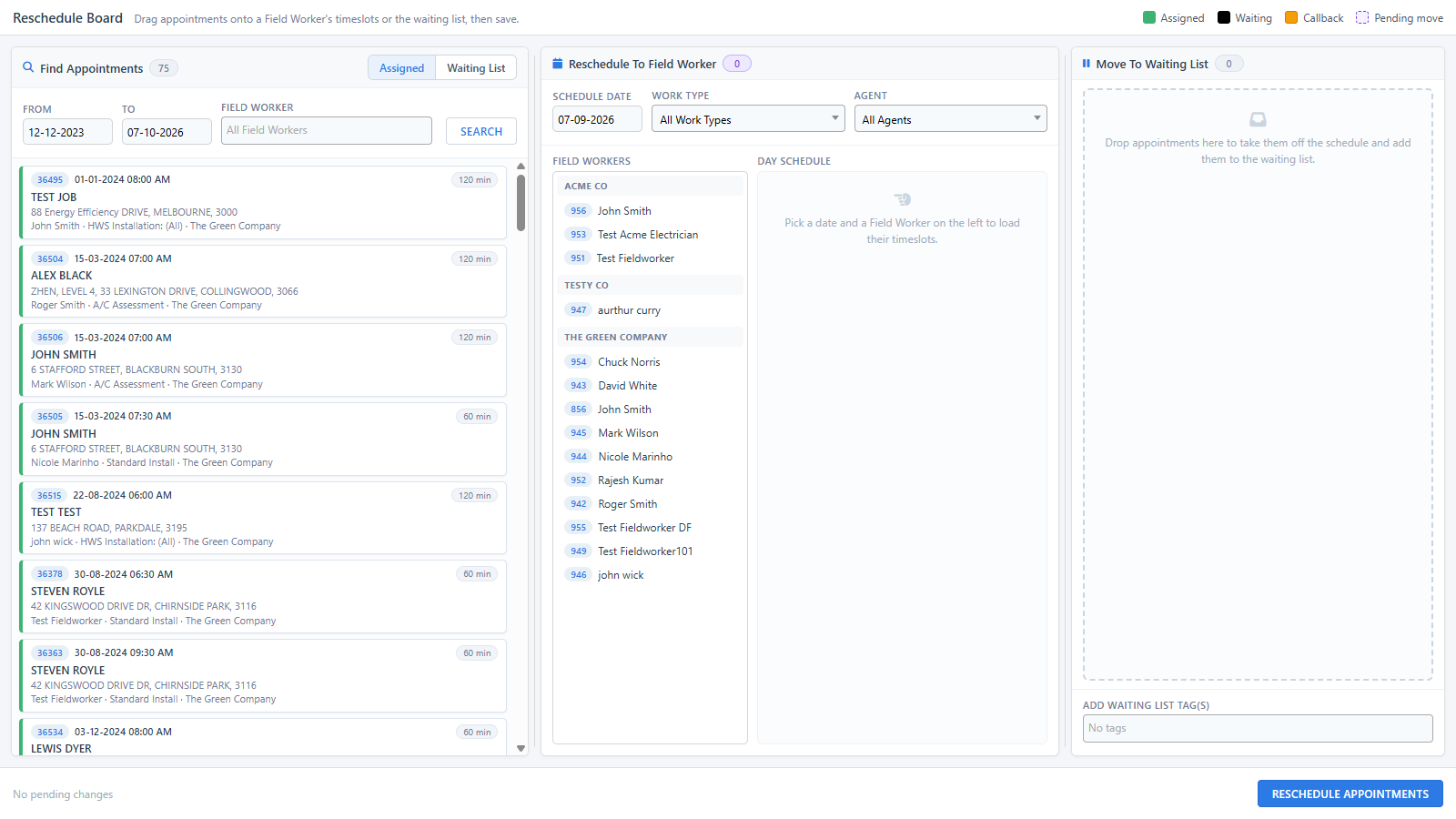
- The mass rescheduler has been rebuilt as the Reschedule Board - three resizable drag-and-drop columns for finding appointments, dropping them onto a fieldworker’s timeslots, or moving them to the waiting list, with all changes saved (and commented) in one confirmed batch.
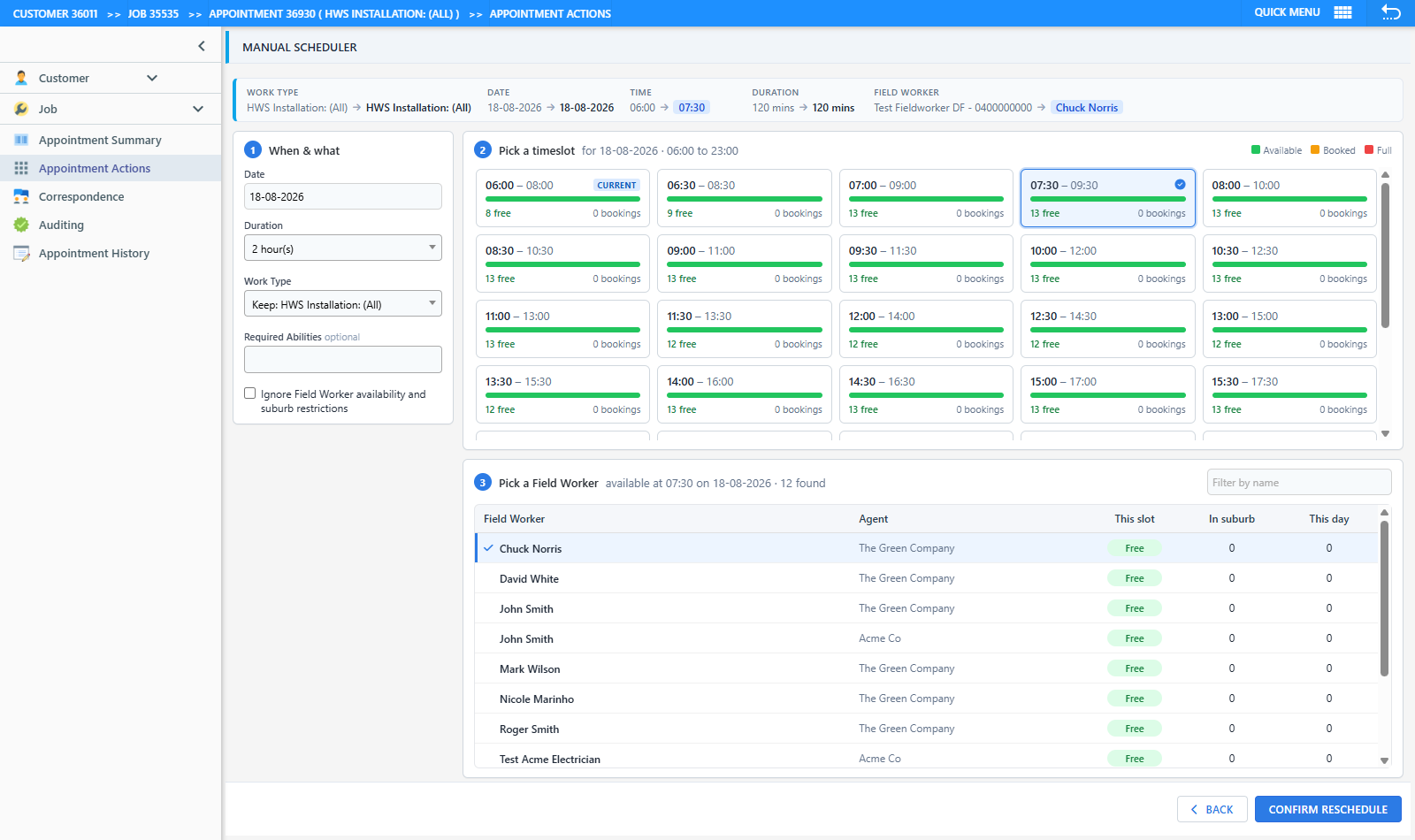
- The Manual Scheduler (Appointment Actions Reschedule Appointment / Change Work Type) has been rebuilt from a nine-step wizard into a single screen - the current booking is pre-selected, timeslot cards show free capacity and existing bookings at a glance, the fieldworker list shows each person’s load for the slot, suburb and day, and the reschedule reason, comment and booking-email option are collected in one confirmation dialog. Fieldworker in-suburb and same-day counts (previously always 0) now show correct figures, and rescheduling an appointment with consumed stock no longer records the comment twice.
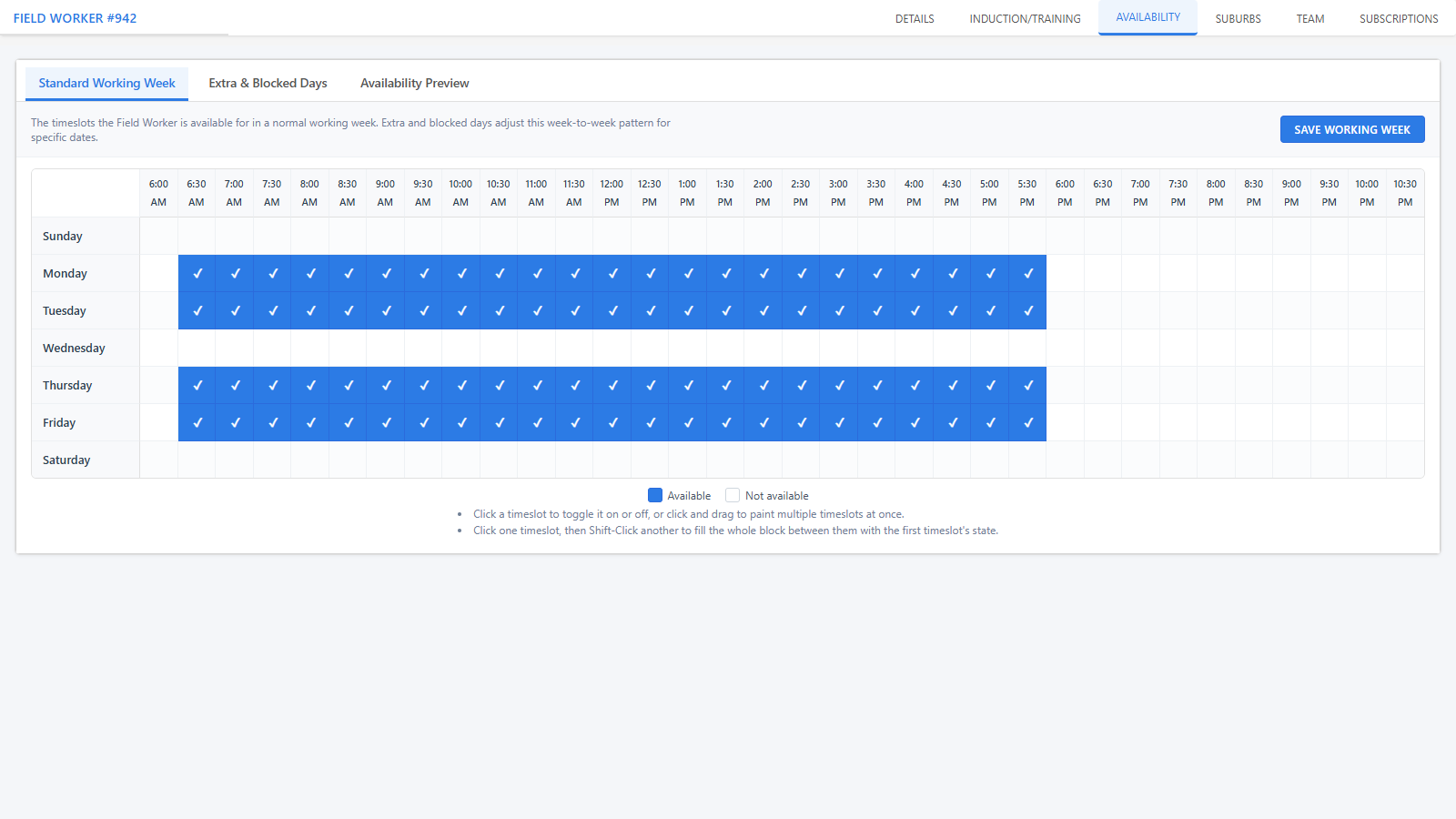
- The fieldworker record’s four availability tabs (Work Days, Block Work Days, Add Work Days, Availability) are consolidated into one Availability tab with three sub-tabs.
📍 Fieldworker Locations
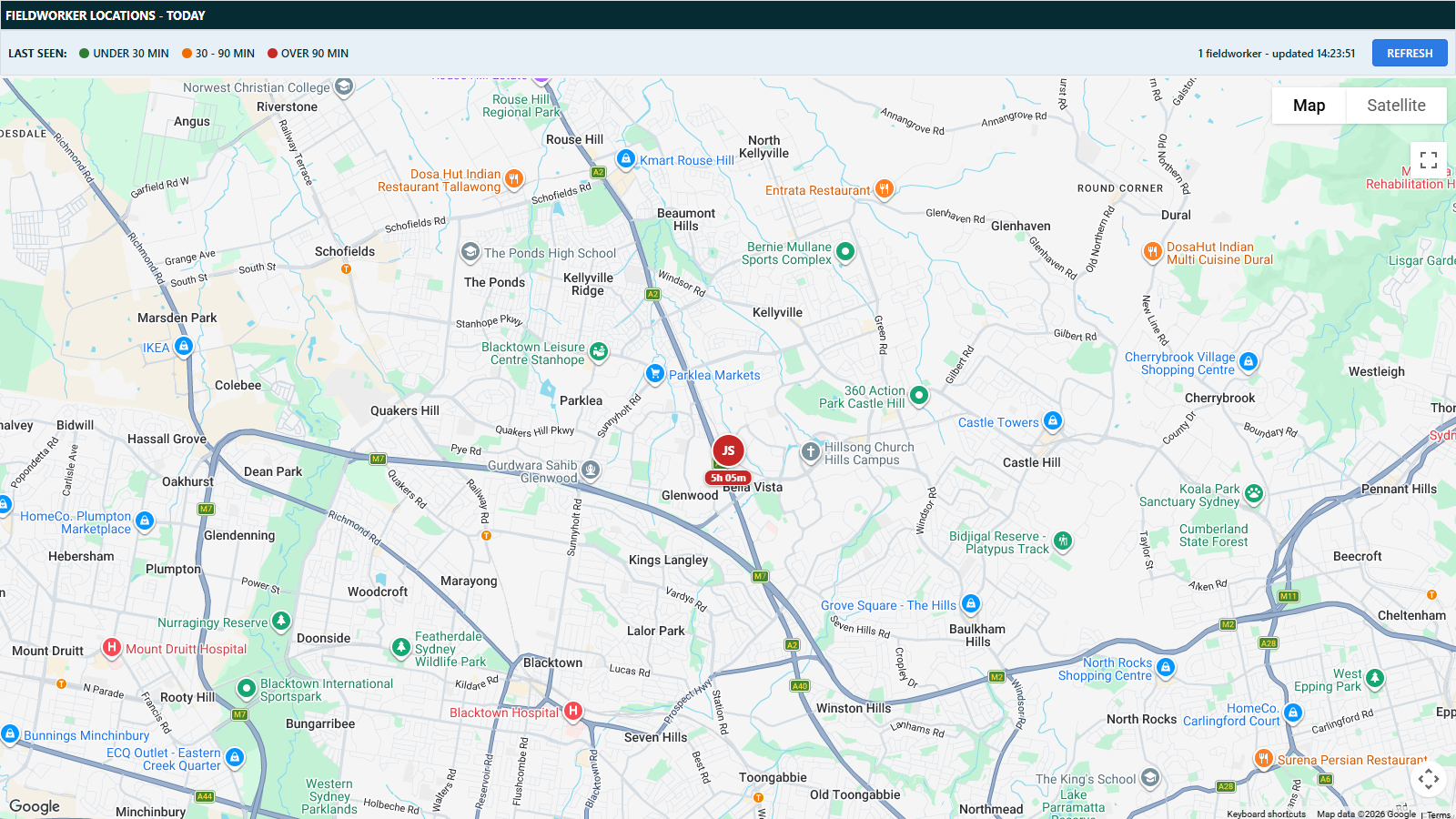
A new map screen (Schedules > Fieldworker Locations) shows each fieldworker’s last known position today, based on their most recent geotagged photo or signature capture - with recency colour-coding and auto-refresh.
📈 Sales Pipeline Updates
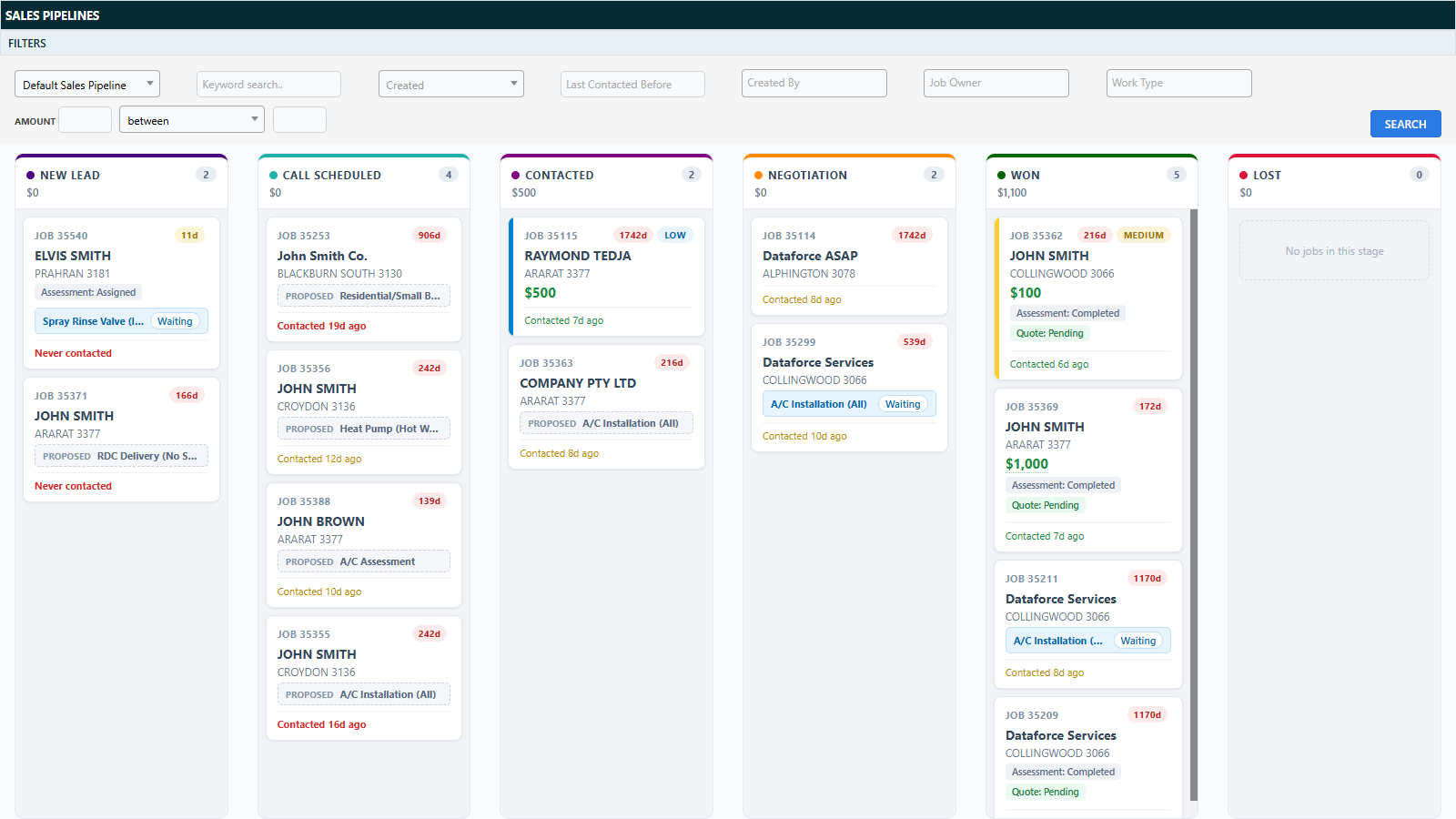
- Redesigned board and cards: stage colour bars with card counts and stage totals, job age and priority chips, quote/assessment badges, contact recency (“Never contacted” flagging) and expected close dates.
- New Work Type filter - matches the job’s appointment work type, or its proposed work type when nothing is booked yet.
- Cards can be dragged into a manual order within a column - the order is saved automatically for everyone.
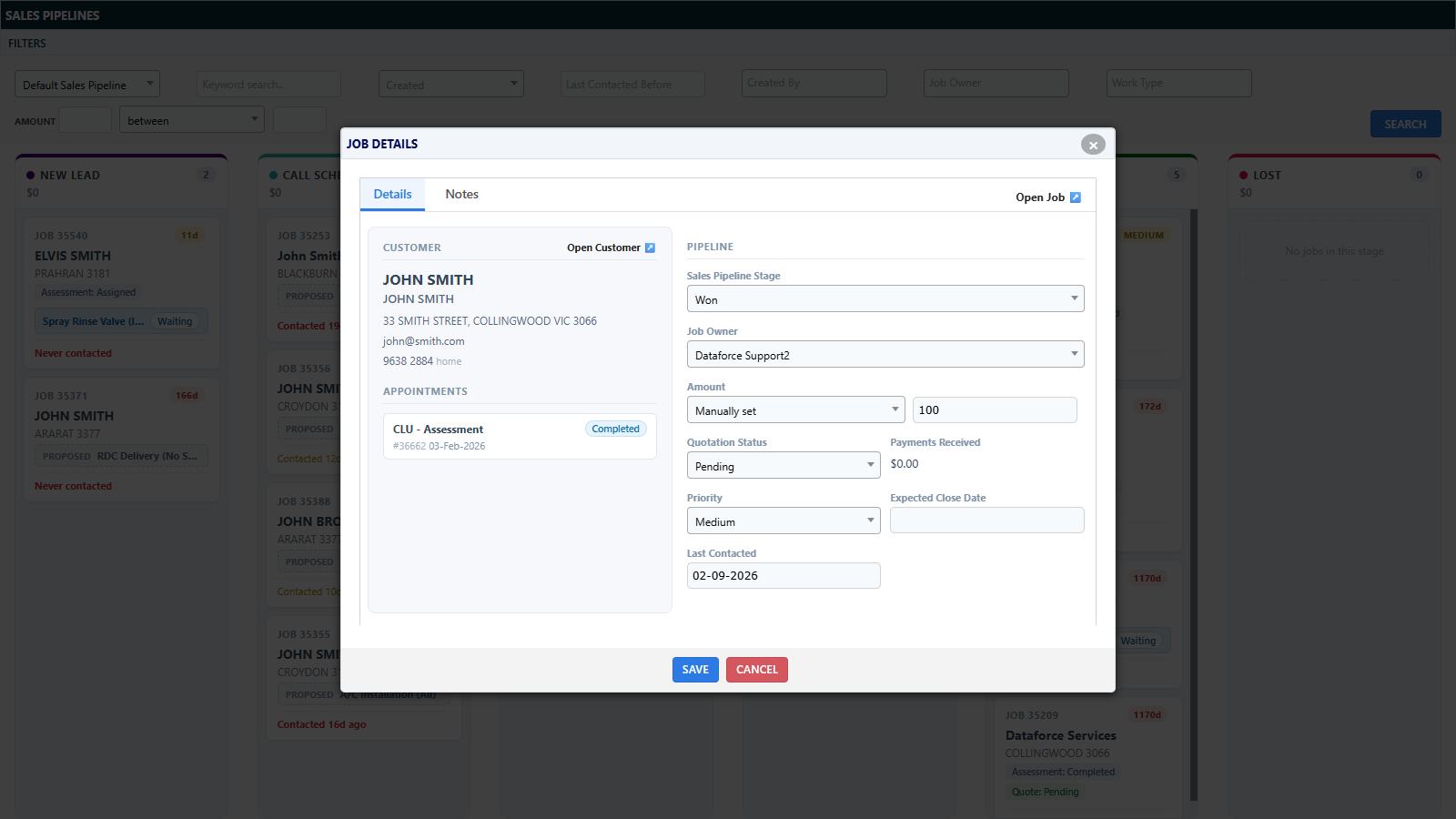
- Reworked Job Details popup with an Open Job link, richer pipeline fields, an appointment list, and a new Notes tab for quick job notes.
🤖 AI Features
- AI Photo Verification - photos captured in the field can now be automatically checked against per-category criteria (“is this a photo of what it should be?”), so a wrong or blurry photo is flagged for a retake while the fieldworker is still on site. Verdicts appear as icons on the Job Files screen. Off by default; a shadow mode allows tuning before going live.
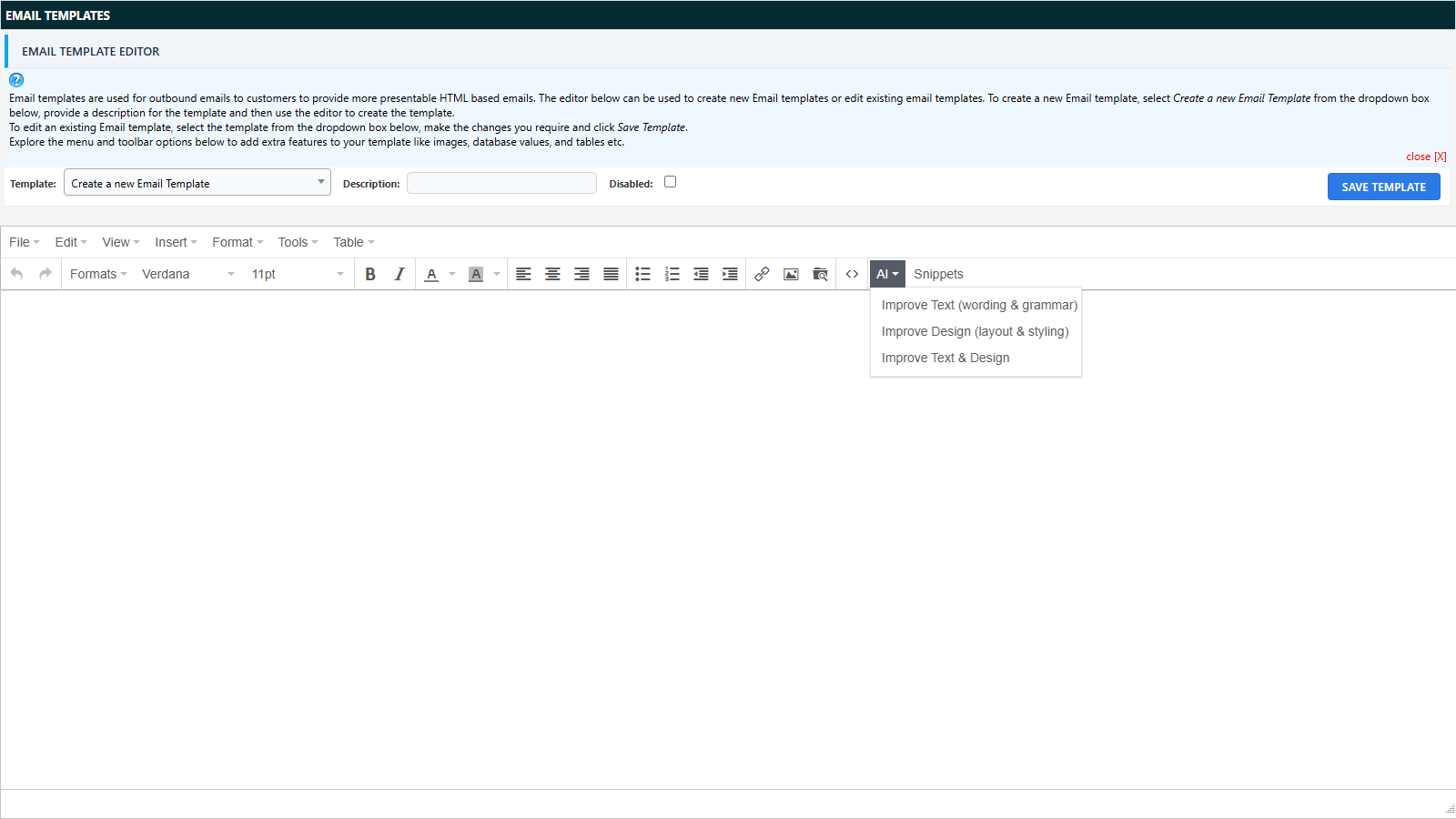
- AI Assist - an AI button on the Email Templates editor to improve a template’s wording, design, or both, with a preview before anything is applied.
- All AI usage is logged, with per-program and per-user daily limits.

✂️ Text Snippets & Mentions
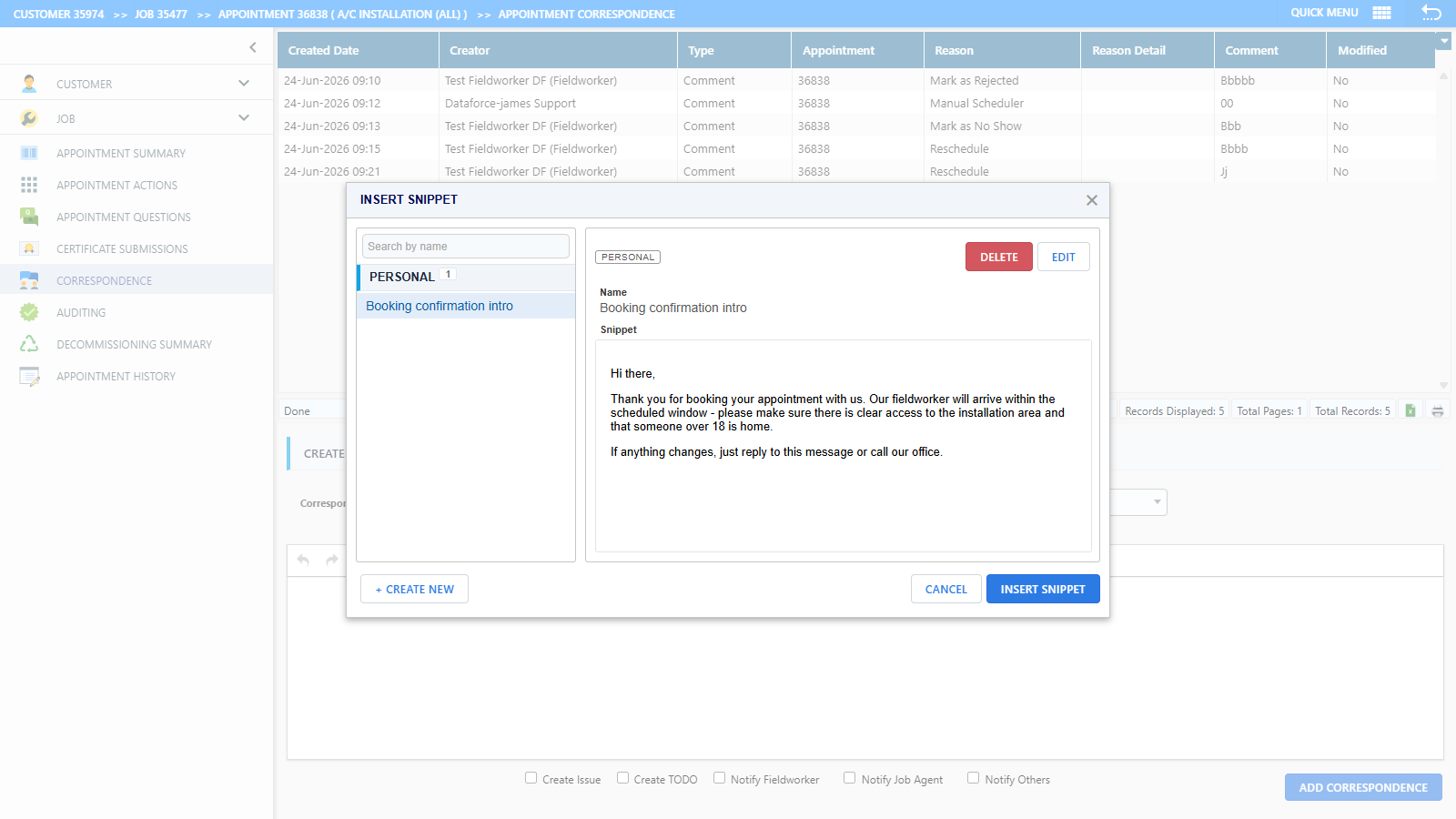
- New Snippets button on the Correspondence, Add Comment and Email Template editors - save reusable blocks of rich text (personal or shared) and insert them with two clicks, with customer/job/appointment variables substituted automatically.
- Typing @ to mention a colleague now also offers a strip of your recently mentioned people for one-click insertion.
🧮 Calculation Simulator
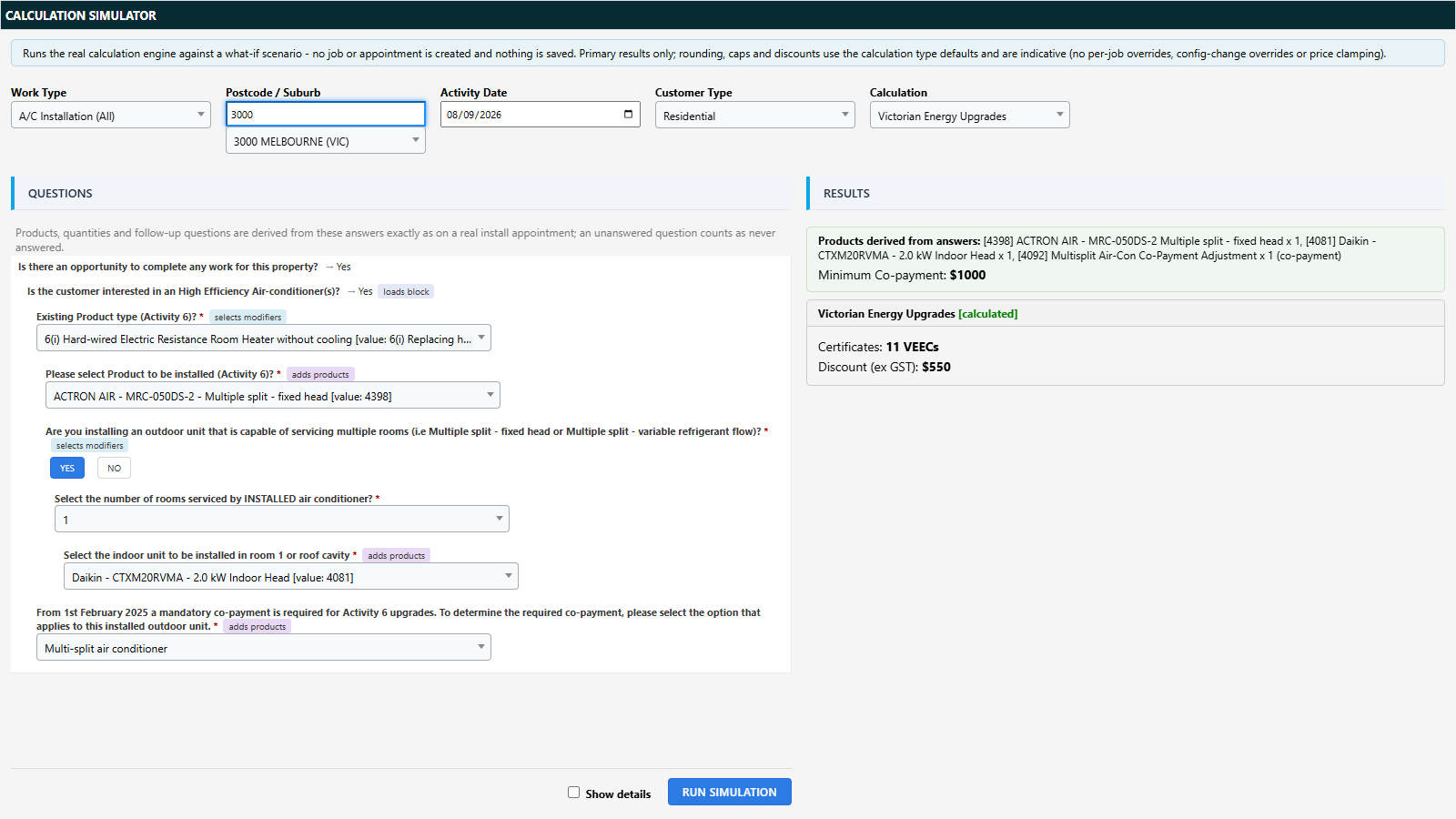
Run the real calculation engine against a what-if scenario - work type, suburb, date and question answers - and see the resulting certificates and indicative discount, without creating a job. The desktop screen (Tasks > Calculation Simulator) presents a side-by-side questions and results workspace, and a mobile version is available for fieldworkers from a Runabout tab.
📦 Stock Management Rebuild
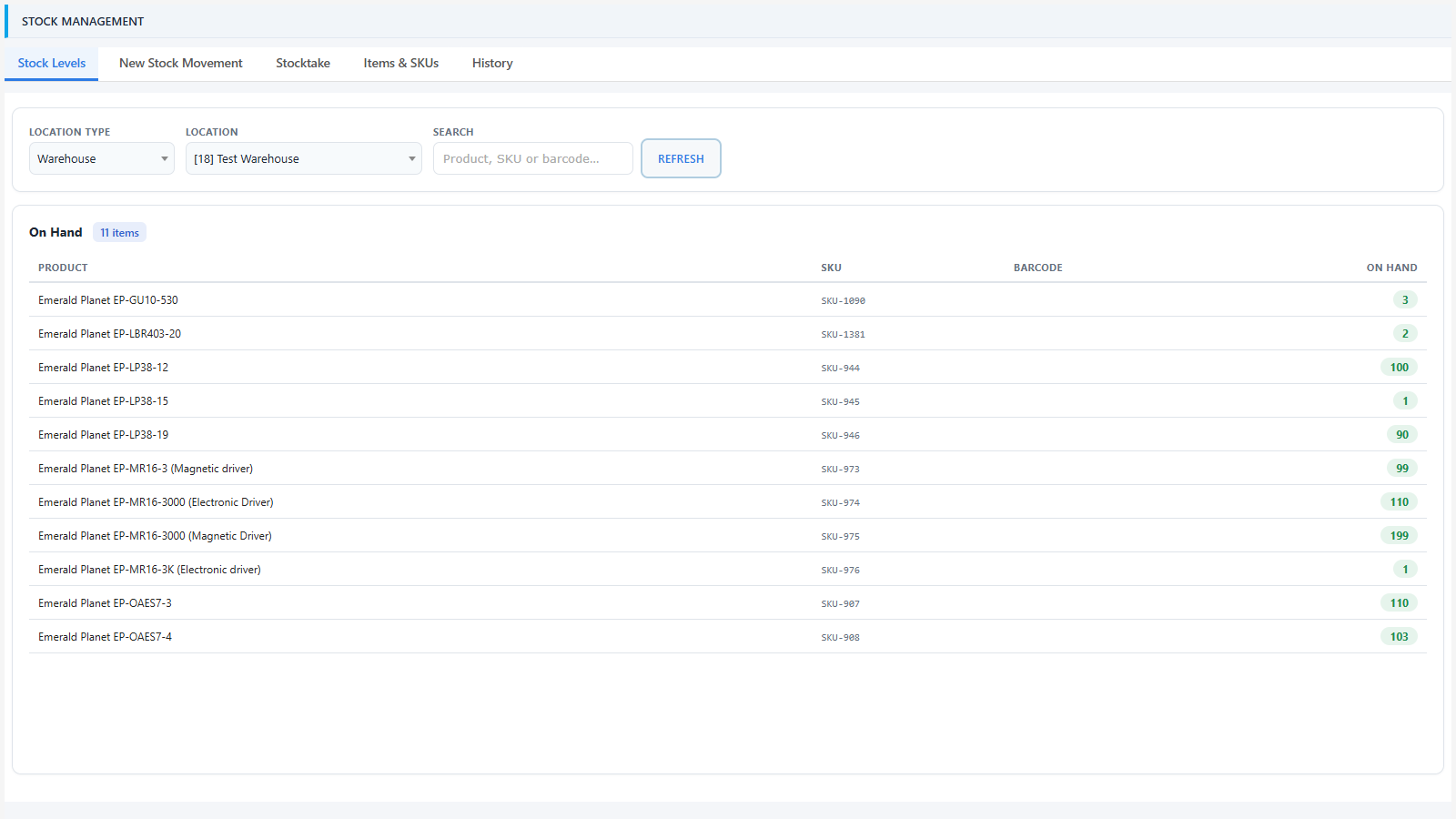
- Stock is now tracked per SKU across a single Stock Management screen with five tabs: Stock Levels, New Stock Movement, Stocktake, Items & SKUs, and History - replacing the five separate legacy stock screens.
- Movements are posted from > to (Receive, Issue, Fieldworker Return, Supplier Return, and Transfers) and are immutable once posted - corrections are made by opposite movements or a stocktake, so the history is always trustworthy.
- All stock reports now read from the new ledger.
- New fieldworker stock report - a Runabout tab showing the fieldworker their own stock on hand and usage summary.

⚡ BCNSW eCert Portal Integration
Submit electrical Certificates of Compliance for Electrical Work (CCEW) to the Building Commission of NSW eCert Portal directly from the job’s new eCert Submissions tab - with pre-submission validation, a data preview before sending, and the returned certificate PDF filed against the job automatically (with a notification to the submitter).
Also included: a BCNSW eCert Submissions report and a Pending BCNSW eCerts dashboard widget that track the 7-day lodgement deadline.

🧾 CCeS Integration (Centrelink Confirmation eServices)
Verify customers’ concession entitlements (Centrelink and DVA) with Services Australia through the CCeS Batch Enquiry service - export a request file from the new CCeS Verification Export screen, upload the response, and track verification status per appointment and per submission batch.

💳 BPAY
- Enable the new BPAY integration to show a BPAY biller code and a per-job Customer Reference Number on invoices and quotations, using your bank-registered CRN rule.
- Import BPAY / BPoint settlement files (CommBank BPoint BAI2 and standard BRF formats, auto-detected) through Transaction Import - payments are matched to jobs by CRN, refunds and corrections are handled, and unmatched credits sit at job level for later assignment.
💳 Credit Card Payment Gateways
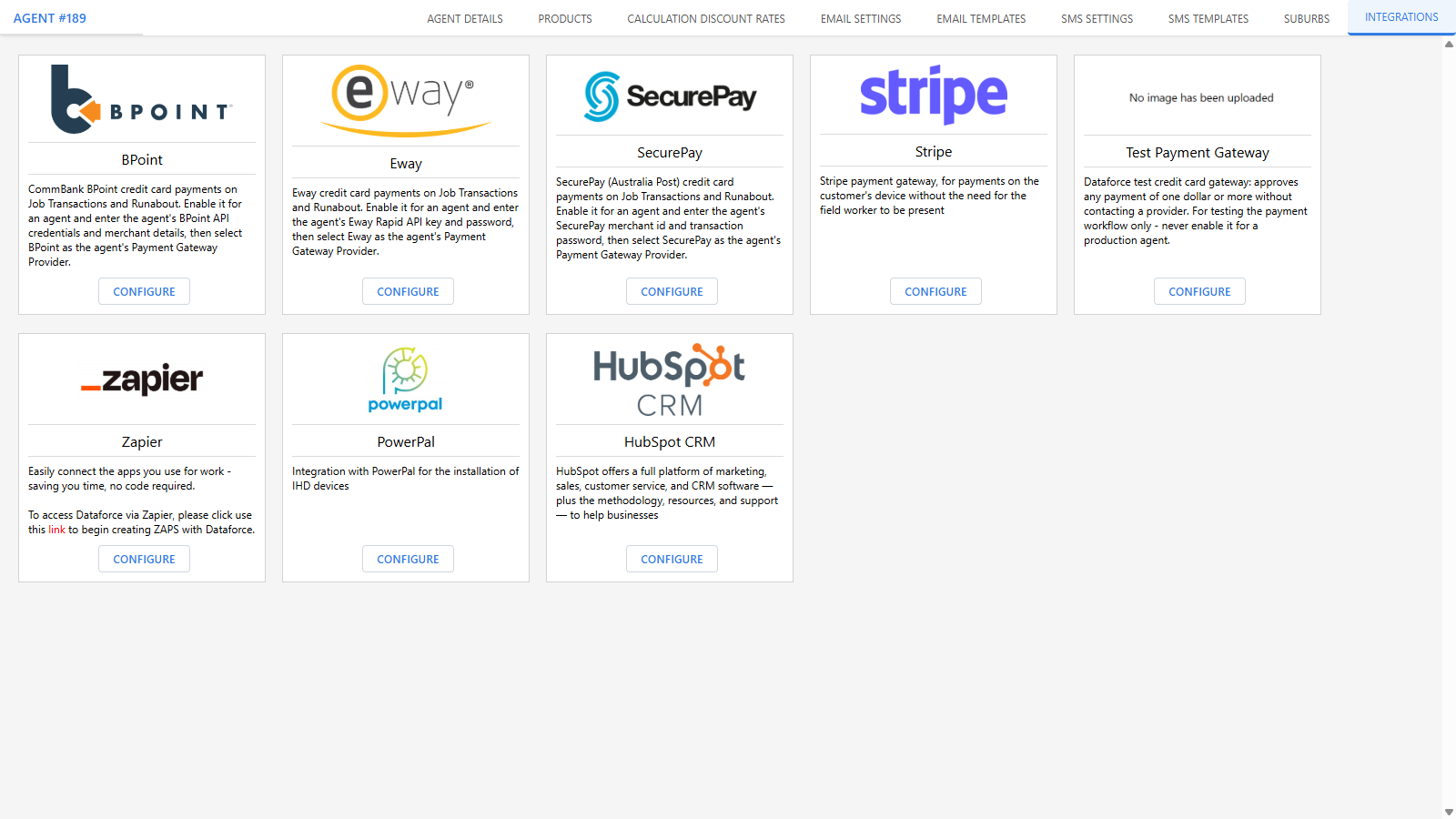
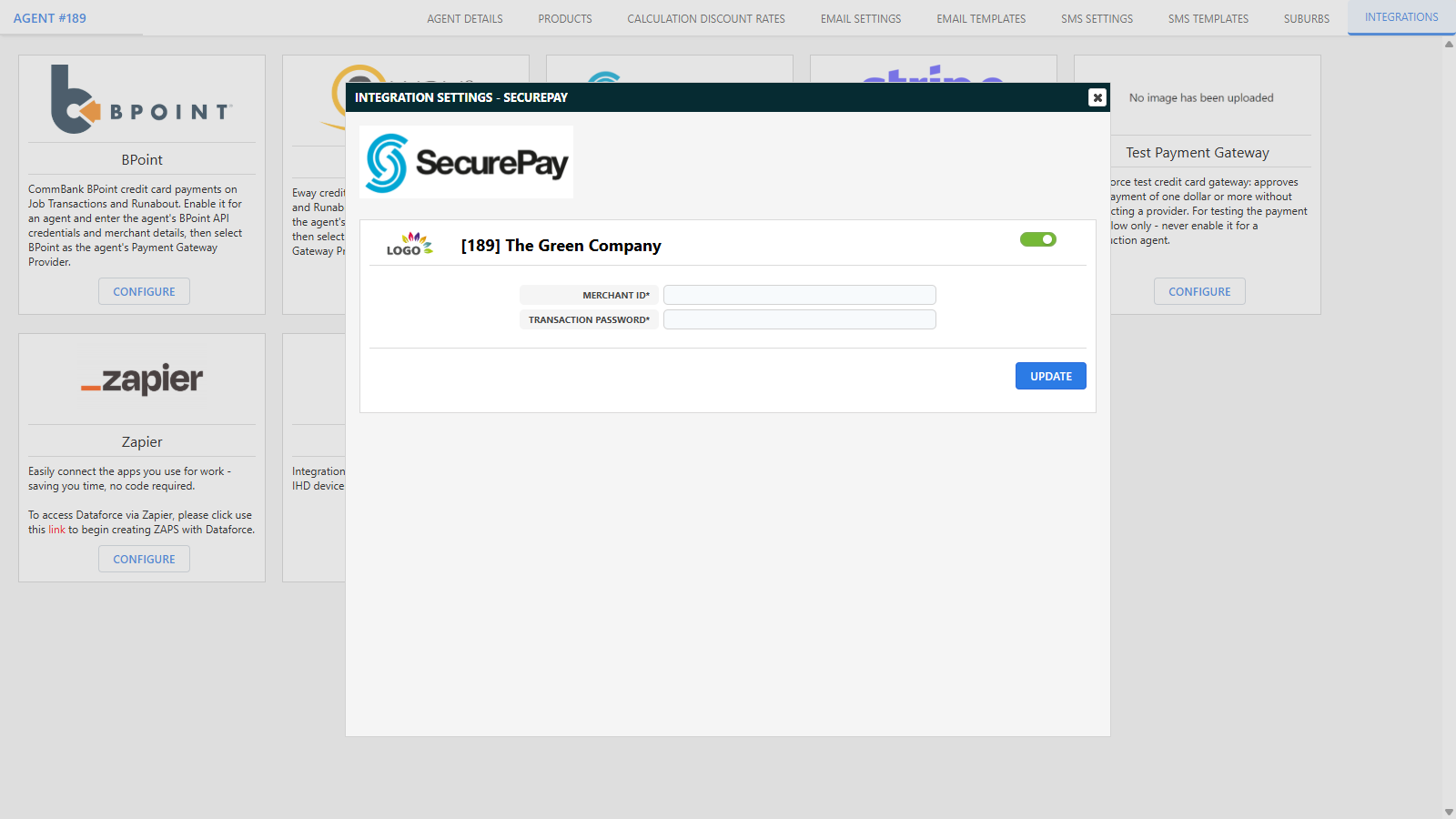
Credit card gateways (SecurePay, Eway and BPoint) are now configured as integrations, the same way as Stripe - the gateway credential fields have been removed from the Agent Details screen.
- Enable and configure a gateway from the agent’s Integrations tab (or program-wide - each gateway can be switched to one program-level connection via a new Integrations category in Program Preferences).
- The Agent Details screen keeps only the Payment Gateway Provider selection, and now lists only gateways whose integration is enabled for that agent.
- Existing configurations are migrated automatically - current gateway credentials are copied onto enabled integrations during the upgrade, and no re-entry is needed.
- BPoint’s hosted and direct variants are now one integration with a Mode setting (Direct - card details entered in ASAP or Hosted - customer redirected to the BPoint payment page).
- BPAY / BPoint settlement file imports now validate merchant ids against the enabled BPoint integrations.
📱 SMS Reply Notifications
- When a customer replies to an SMS you sent, you now receive a bell notification - “SMS Reply Received” - showing the reply text and linking straight to the job. Controlled by a new SMS Reply Notifications preference in My Account (on by default); automated and campaign messages do not trigger notifications.
- New webhook event [SMS] Reply Received for notifying external systems of inbound SMS replies.
- The SMS reply callback URL is now derived automatically - the SMS_WEB_HOOK_URL parameter has been removed, so new and whitelabel instances need no manual reply-callback setup.

☀️ Solar Panel Validation (SPV) Updates
- New appointment search filters under CER Solar Panel Validation (SPV), including Missing Panel Verification.
- An Enable Solar Panel Validation button on the SPV screen for appointments where the SPV question has not been answered.
- Validation statuses can be reset back to Not Validated where verification has not yet completed; once Installation Verification completes, serials and validation are locked.
- New SPV Installation Verification Passed trigger on Email Types - send an email automatically the moment verification passes.
- Panel Validation and Installation Verification now verify the job agent’s name and ABN against the ABR register before submitting to CER.

🛠️ Configuration Editor Screens
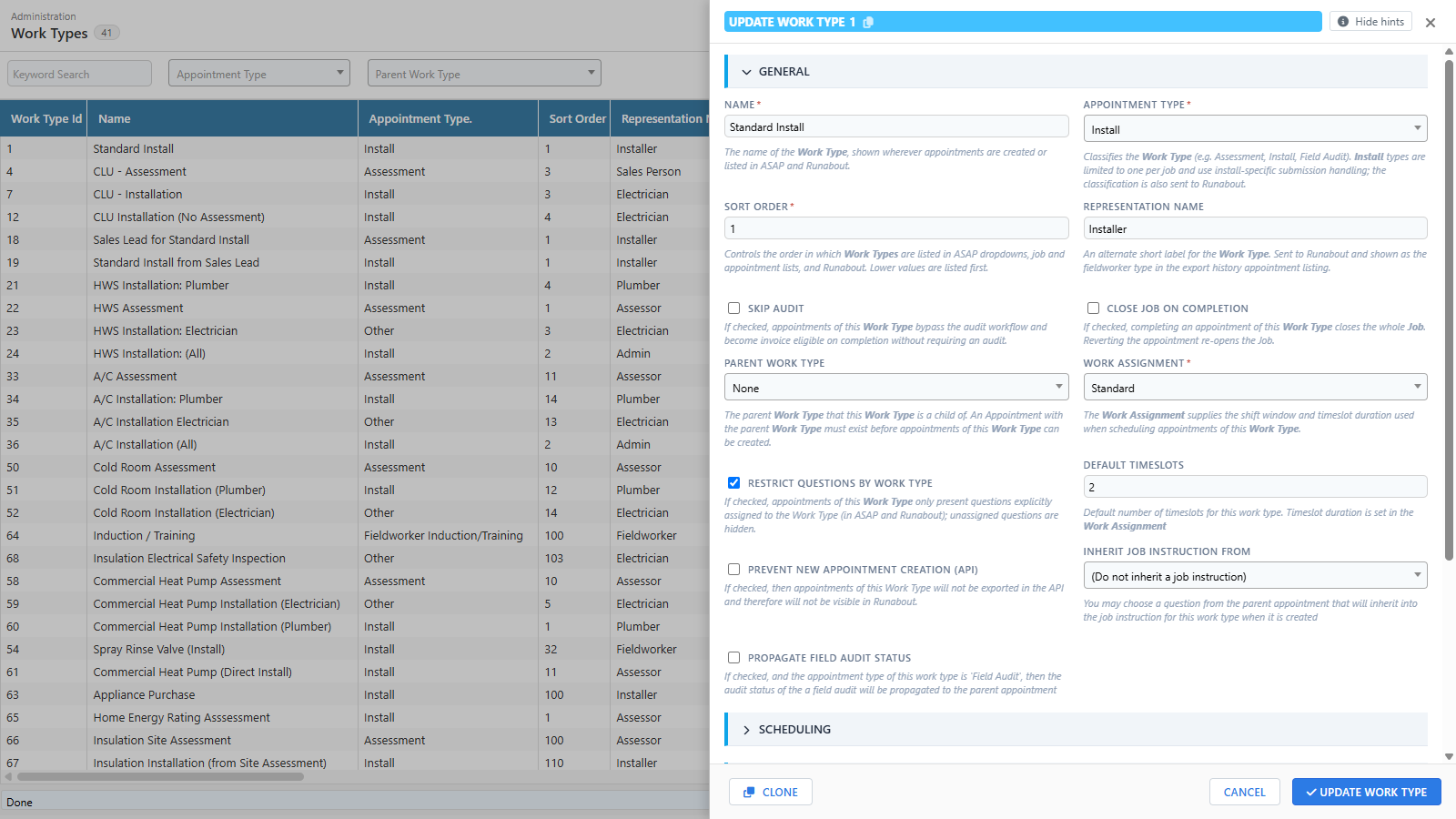
Over 110 configuration screens now use a redesigned editor: a full-height record list with keyword search, and a slide-over editing drawer with grouped sections, inline validation, plain-English hints on every field, clone and copy-id buttons, and conditional fields that show/hide live (with hidden values cleared on save so stale settings are never kept).
Secrets (such as the Webhooks screen’s Signing Secret) are now write-only password fields - the stored value is never shown again after saving, and changing it requires ticking “I want to update this value” first.
🔐 Security
- Enforced MFA - a new program preference forces users to set up Multi-Factor Authentication before they can open the program.
- Disabling MFA now requires a current authenticator code, and is blocked entirely while any of the user’s programs enforces MFA.
- API user secrets are now shown once only - the secret is revealed a single time when an API user’s key is created, and a new Regenerate button on the User Details screen invalidates the old key and reveals the replacement once. Stored secrets can no longer be read back out of the screen.
- A program-wide security hardening pass (CSRF protection across legacy actions, strengthened database query handling, SSL certificate verification on outbound connections).

❓ Question Updates
- New NMI (National Meter Identifier) input type - validates the NMI format and checksum as it is entered.
- Checkbox questions with child questions now work on all backend screens (appointment, audit, job and new job questions), matching Runabout.
- Question locking - Dataforce-locked questions are read-only (and cannot be moved) for program administrators; cloning a locked question produces an editable copy.
- Modernised question tree styling, question category and audit type filters, and a safer question-move confirmation.
- A warning is shown when editing a question that has calculation modifiers linked to it.


🏠 Property Owner Details
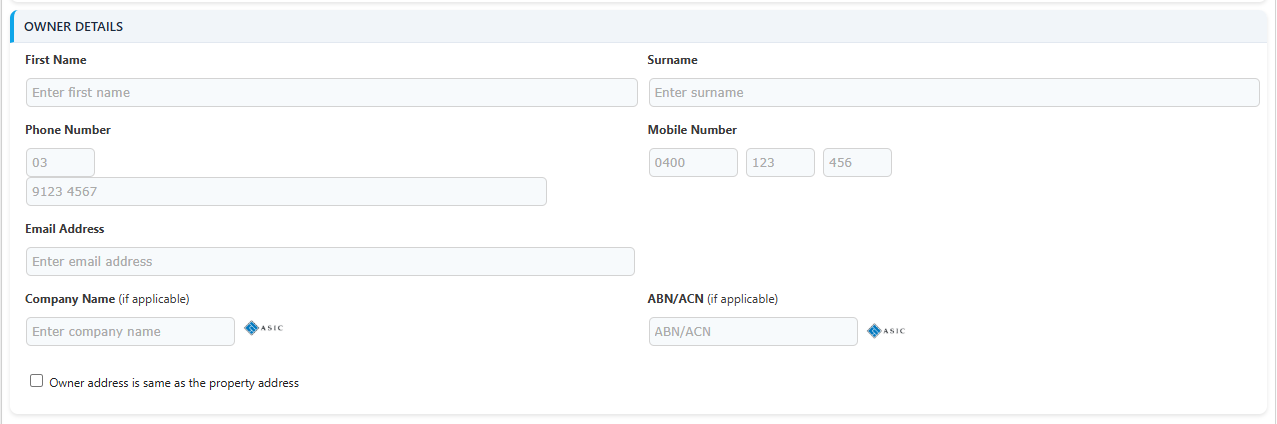
The old Billing Address section on the customer screens has been replaced by an Owner Details card, for jobs where the property owner is not the customer (for example a landlord or managing agent).
- Tick “Owner is different to the customer above” to record the owner’s first name, surname, phone, mobile and email, their company name and ABN/ACN (with ASIC lookups), and the owner’s address - complete with address search and validation, or a one-tick “same as the property address” option.
- The Billing address can now be set to Same as property, Same as owner or Different address.
- Available on both the New Job screen and Customer Details, when the owner details option is enabled for your program.
✏️ Other Improvements
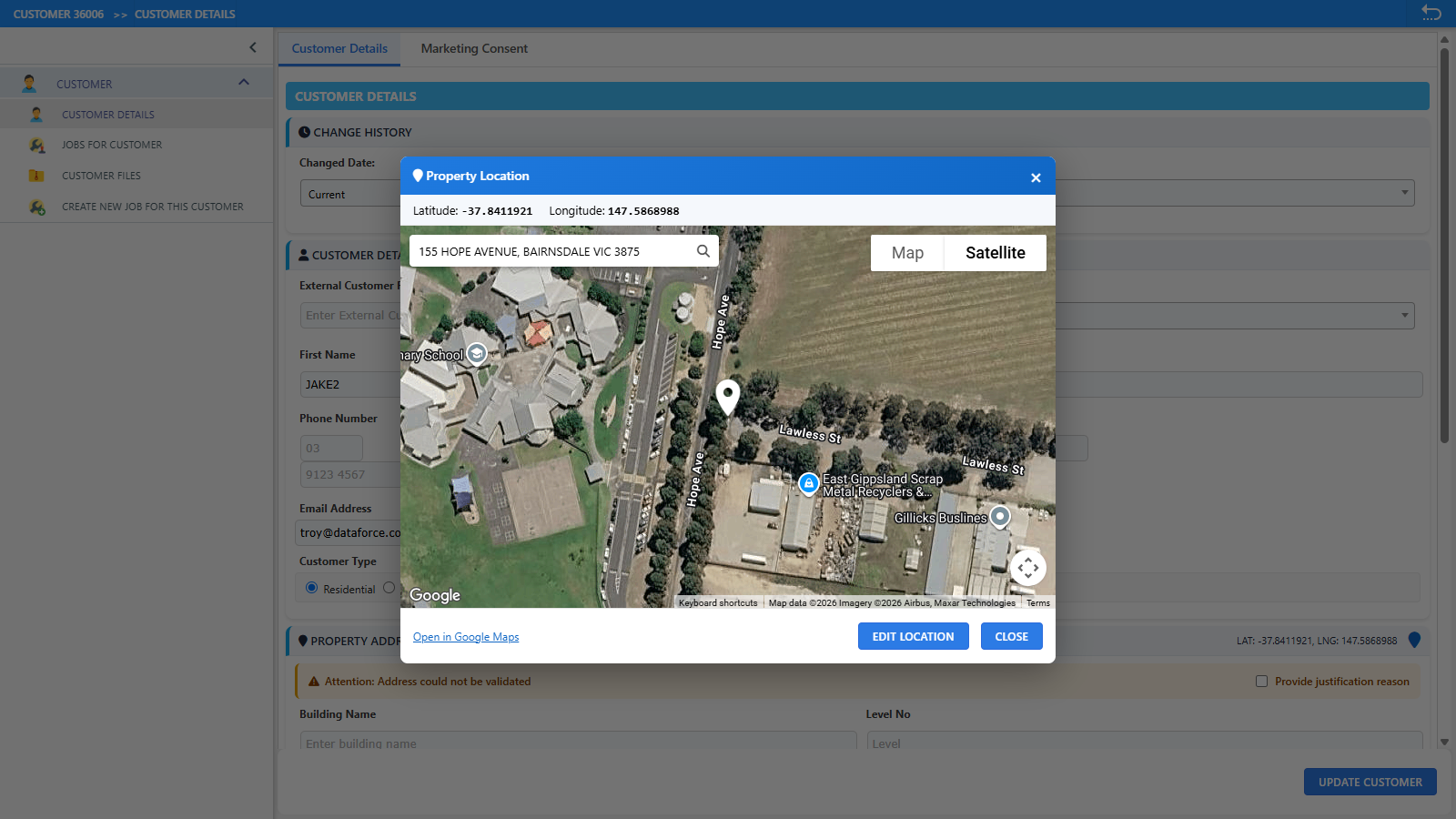
- Property map location - view and adjust an address’s latitude/longitude from the Customer Details screen by dragging the map under a fixed pin.
- Customer search on the new job screen now also matches Company Name and ABN/ACN.
- Recover Job Data - a new screen for retrieving the files of deleted jobs (Dataforce administrators).
- Webhooks - a new Webhooks Admin role permission grants access to the webhook screens, and the Webhook Event Log gains a Replay action for already-delivered events (alongside Retry for failed ones).
- Password generation on the user screen - Generate fills a policy-compliant password for a new user; Generate & Email sends an existing user a new password and forces a change at next login.
- Job list screens show an appointments column summarising each job’s work types and statuses.
- Glyphicon icons replaced with Font Awesome across the application; list screens support column reordering and organised right-click sub-menus.
- Timetable-style screens, RCTI invoices and the Submission Centre received layout and print refinements.
📑 Scheme Updates
- ESS July 2026 changes - new BESS1/BESS2 battery activities, D16/F4 air conditioning updates with multi-split support, D18/D20 solar water heater activities, and updated HEER/HEAB forms. See the ESS July 2026 changes page.
- VEU August/September 2026 changes - updated Activity 6 (air conditioning) and Activity 45 and 48 setup, an internal Activity 46 cooktop register (the official register has been retired), and automatic VEEC discrepancy checks on imports.
- ACT EEIS support - product registers and setup for air conditioning, hot water and showerhead activities.
- New and updated form data providers, a life support equipment consent form, and single/multi-split aware COES and VBA certificate text.
🛠️ REST API Updates
Additional endpoints and improvements in our REST API:
- Customer-level files - upload and list files stored against a customer without a job (
GET /customers/id/{id}/files) - Client create and update endpoints
- Appointment reschedule endpoint
- Agent creation validation improvements
The full API documentation is available at https://asap-api.dataforce.com.au/apps/swagger-ui