Release notes for the 2026.1 updates to Dataforce ASAP
The following release notes are for the 2026.1 release of Dataforce ASAP.
Scheduled for release in the week of 17 May 2026.
🔔 Notifications
- Operators can now subscribe to system events
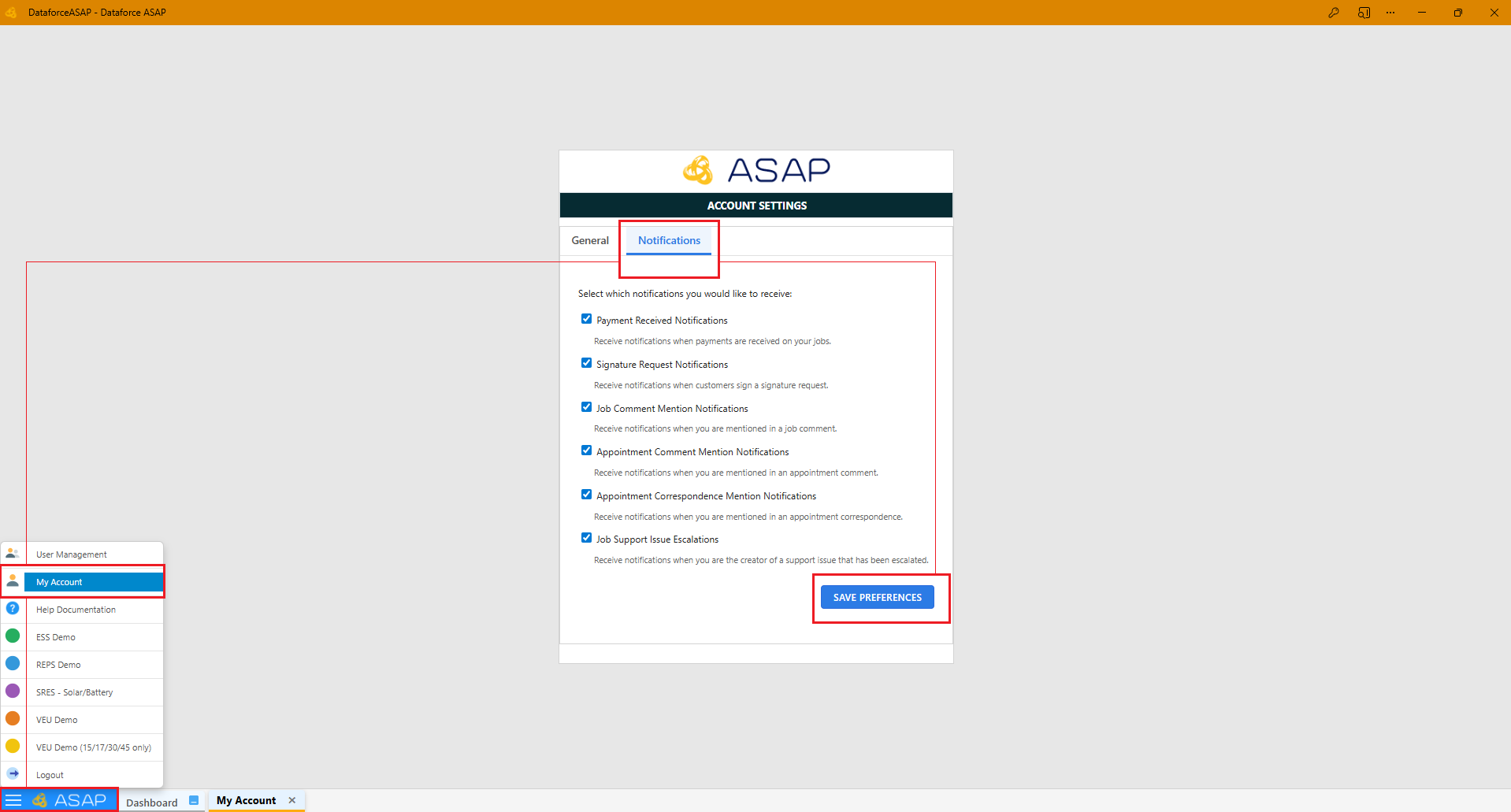
Notifications will be generated from the following triggers:
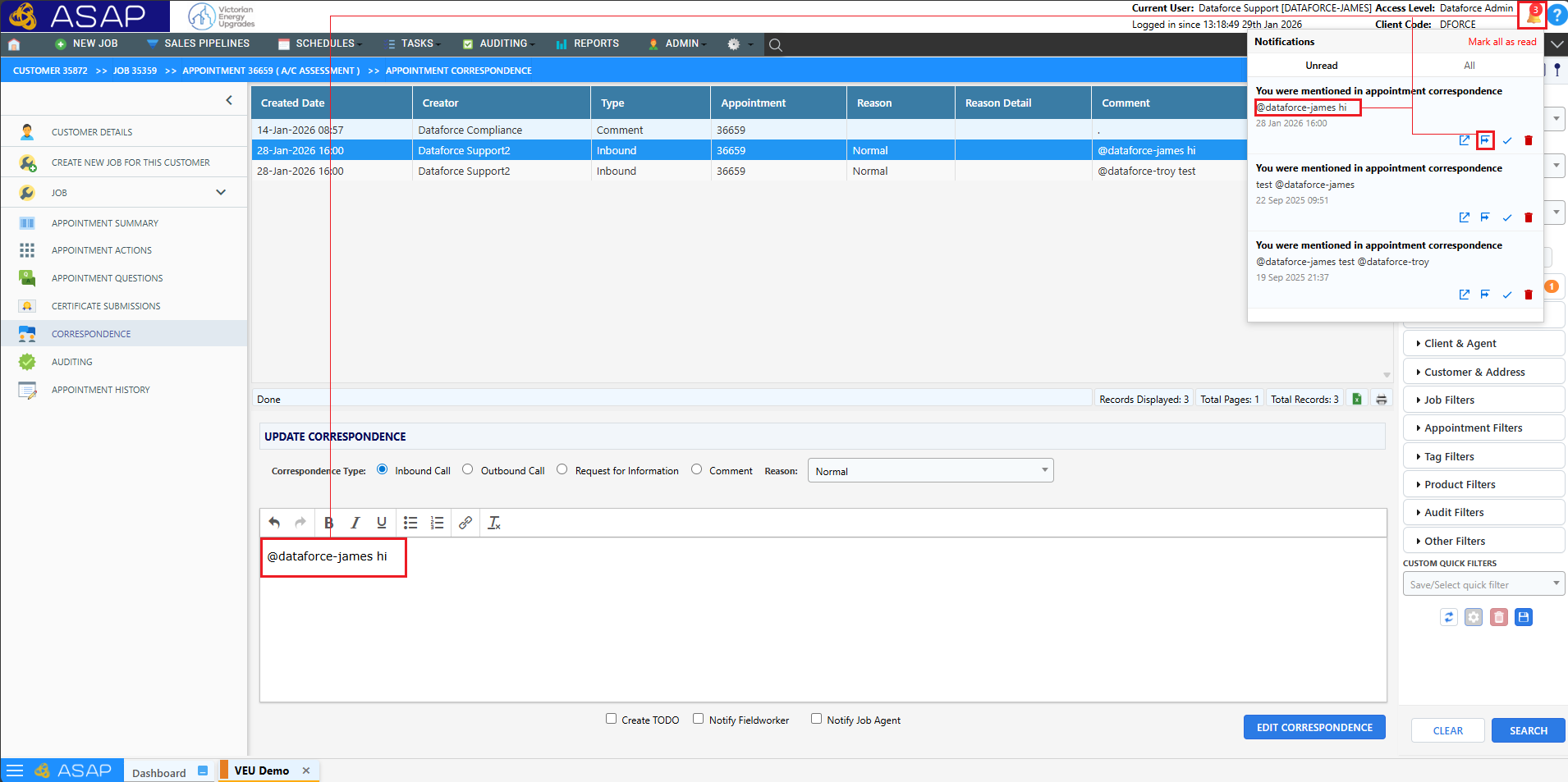
- Mentions using
@usernamein correspondence - Payment Received From Payment Request (Sent to the Job Creator, Job Owner & the User who sent the request)
- Signature Captured from Signature Request
Tip: For more information on Notifications please view the doc
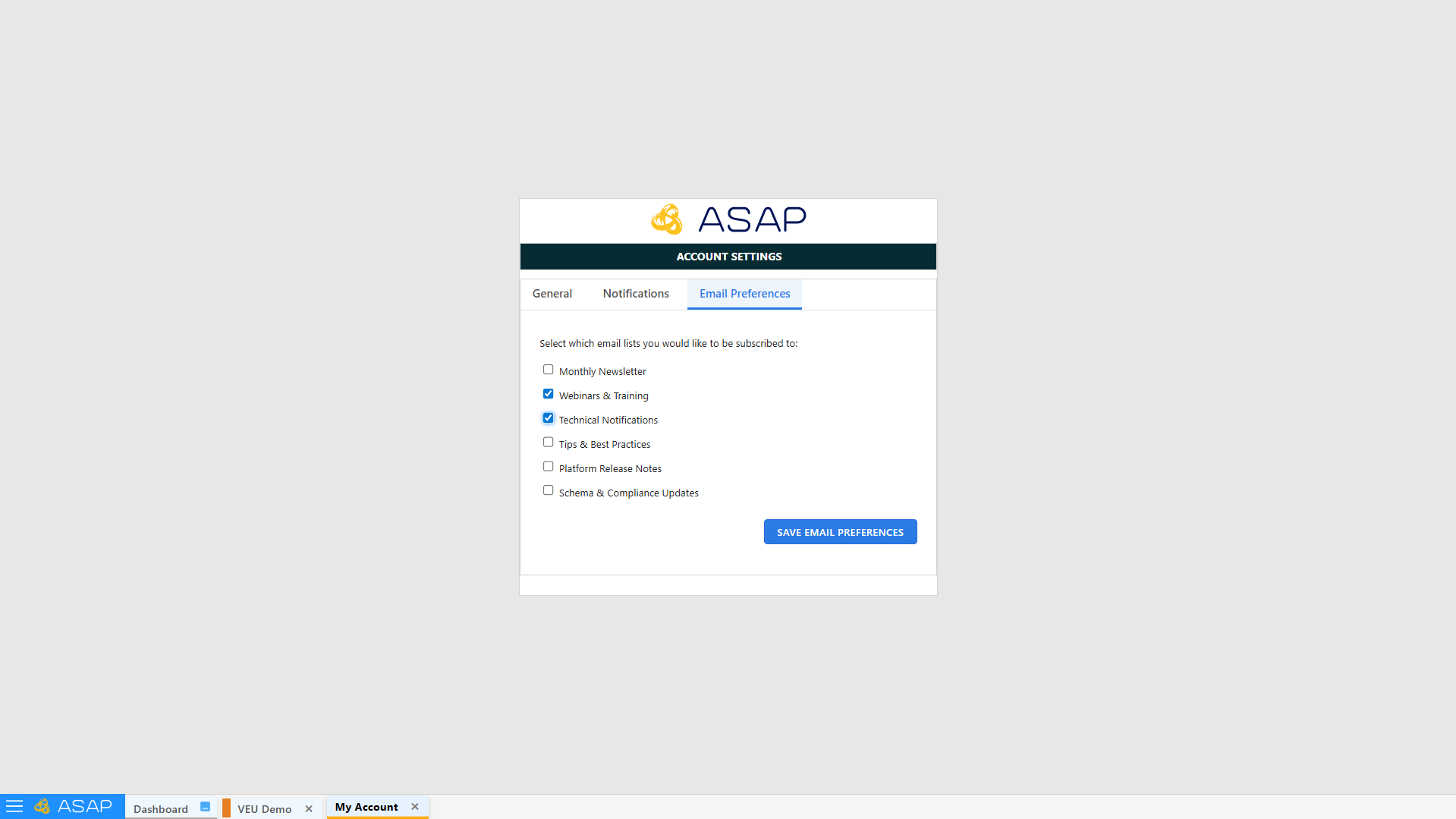
✉️ Email Preferences
- Operators can also subscribe to our mailing list, to receive important ASAP and scheme notifications.
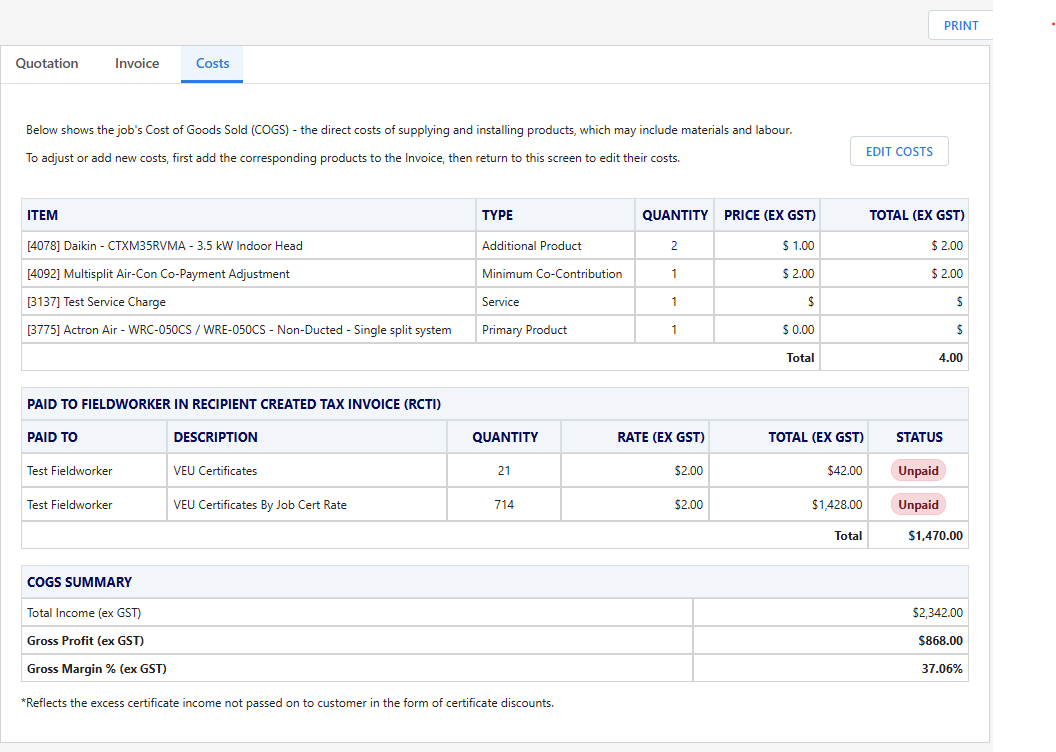
💰 Quote / Invoice Costs Tab
- Centralised cost management, allowing operators to quickly review and edit all job costs in one place using the Edit Costs button. For more information please refer to the Quote / Invoice page
📤 New Submission Status (Withdrawn / Registered)
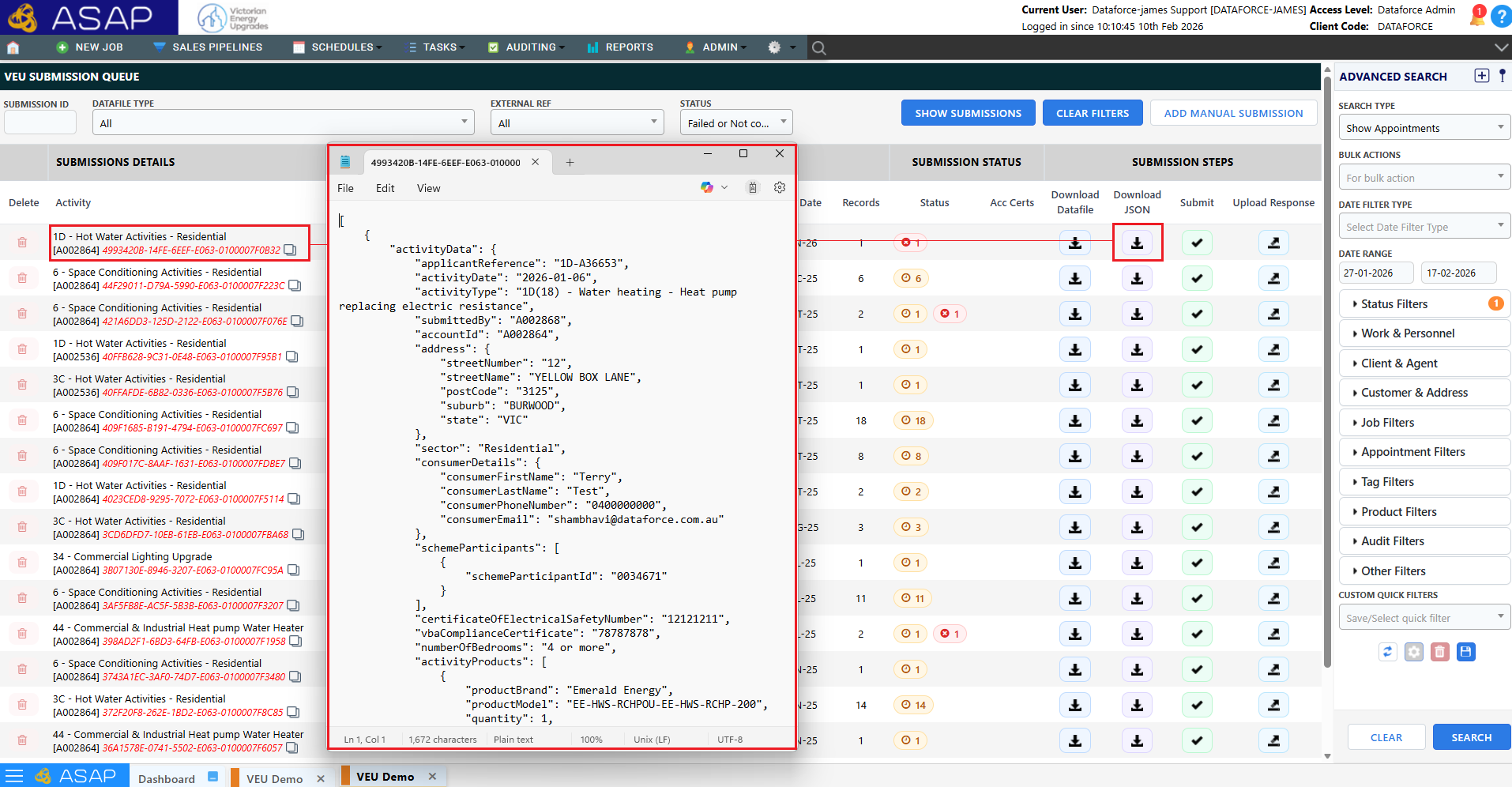
- JSON formatted payloads submitted to the VEU Portal are now stored and downloadable.
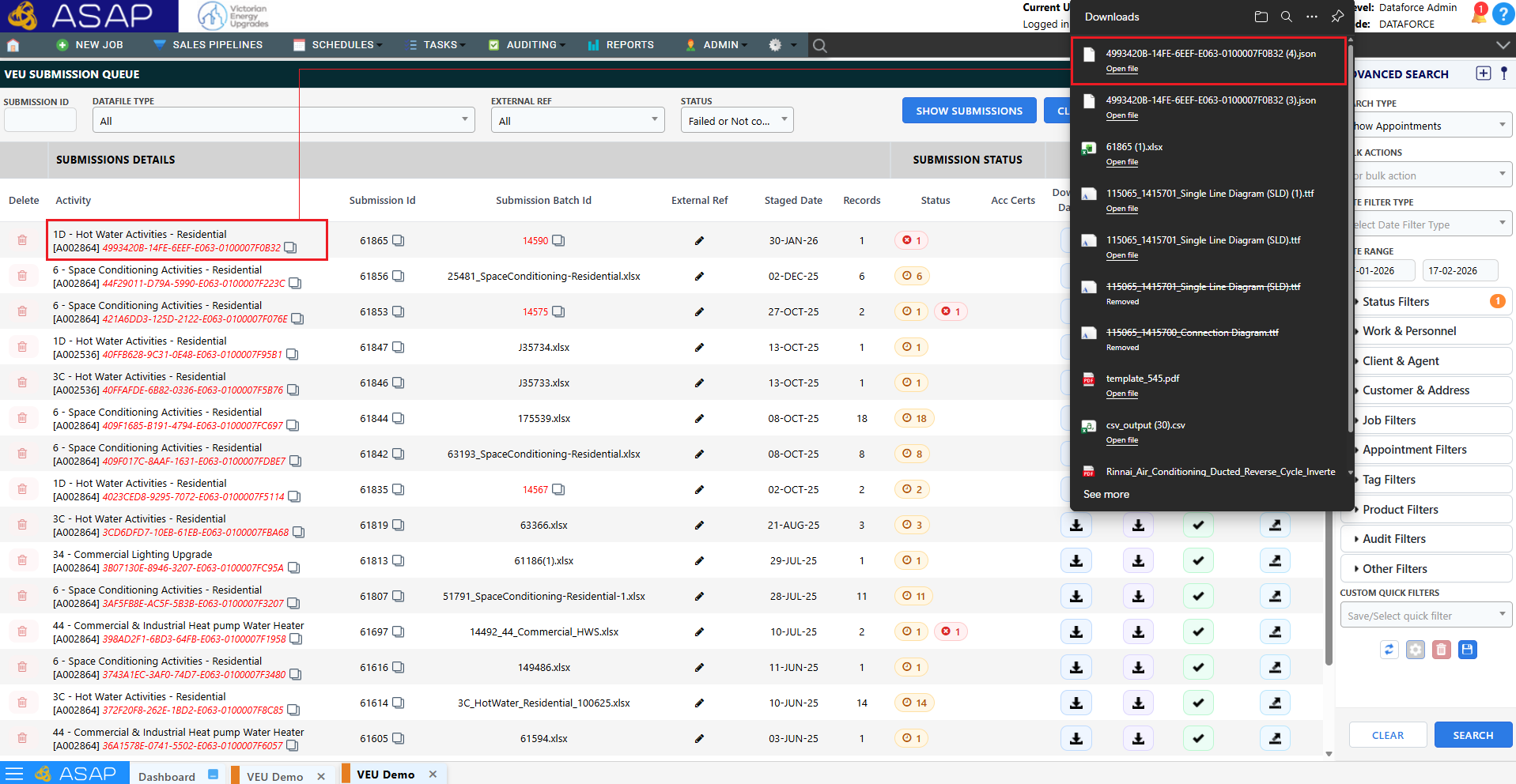
- VEU response file downloads now use the displayed Transaction ID.
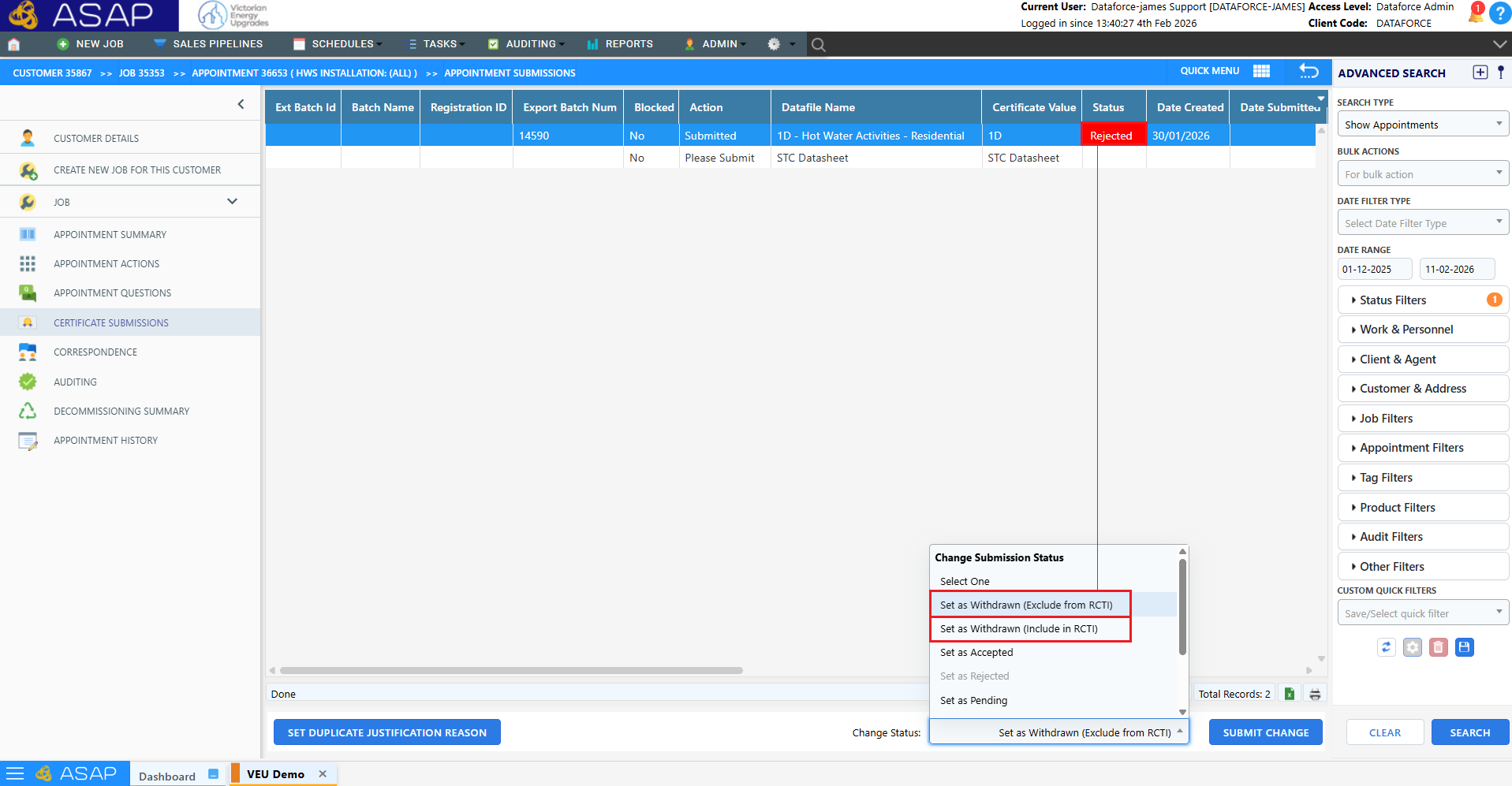
- Existing submission sub statuses have been changed from:
- Rejected (Paid) → Withdrawn (Include RCTI)
- Rejected (Unpaid) → Withdrawn (Exclude RCTI)
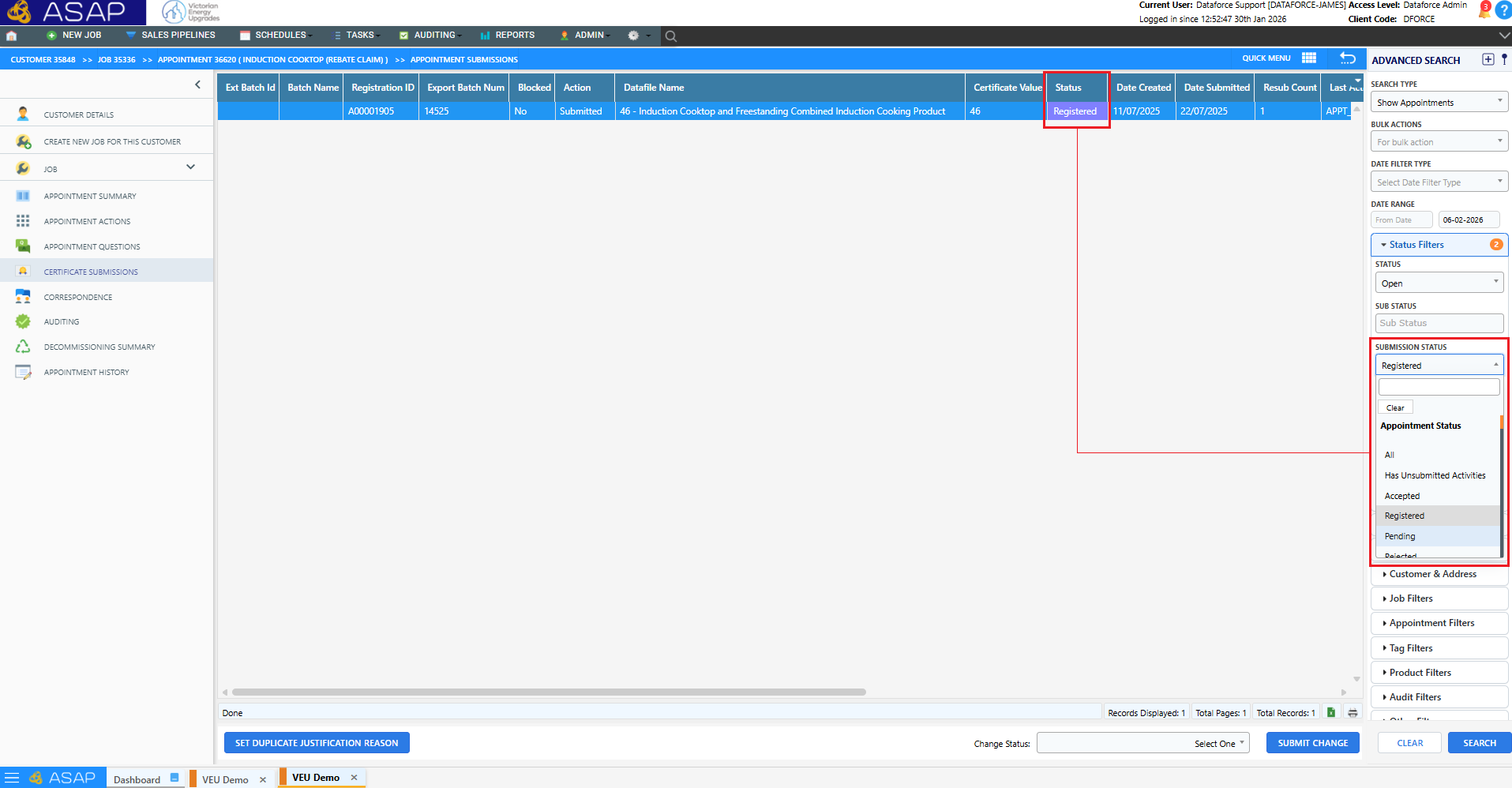
- New submission status Registered added. Intended as a final status for registered certificates.
🧾 RCTI Updates
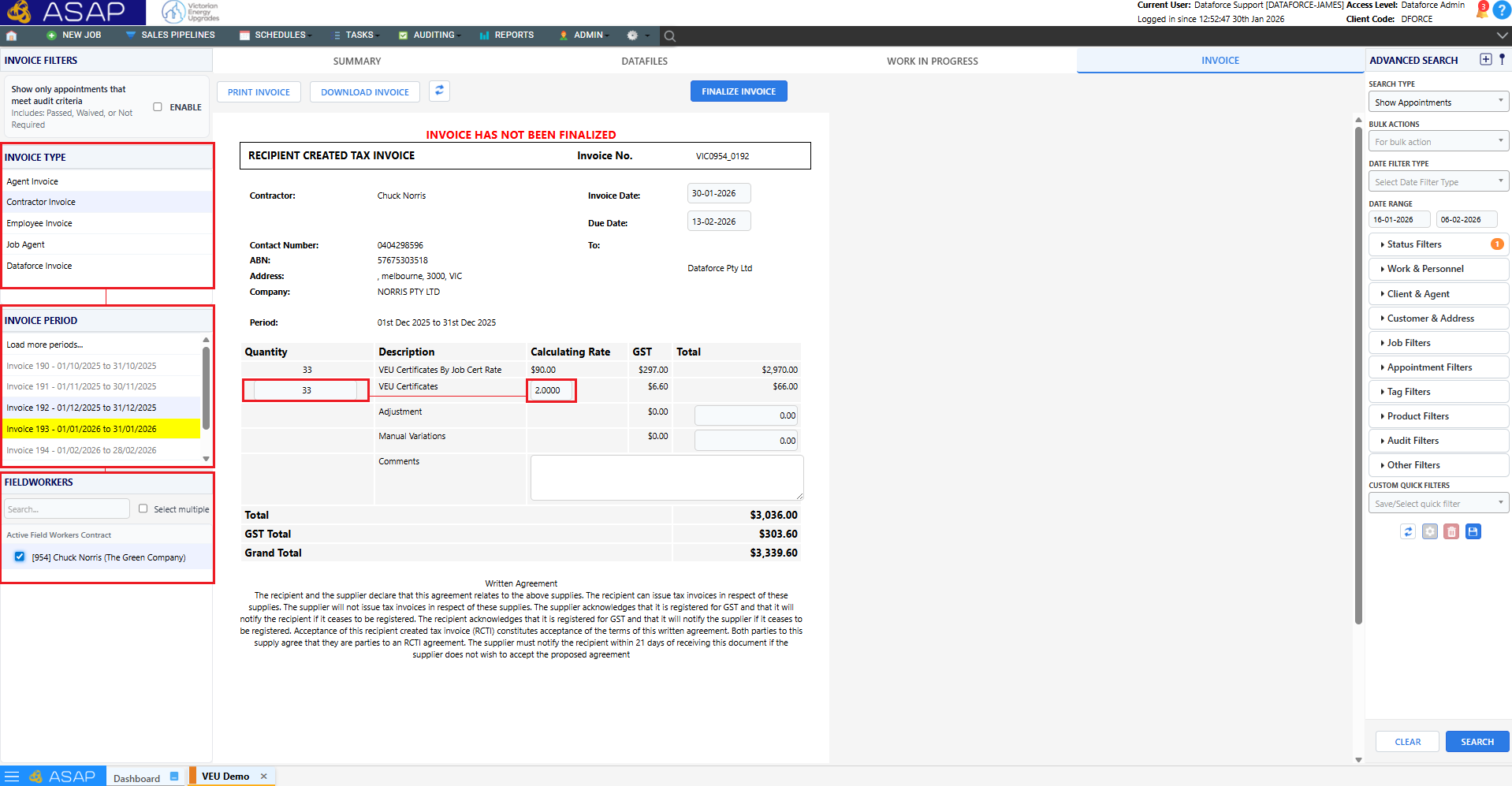
- Addition of GST column to invoice.
- Can now make manual changes to Quantity and Rate
- GST for invoice lines calculated based on agent / fieldworker GST status and linked account code.
- Invoice totals now dynamically update based on user input changes.
✉️ Automated Scheduled Emails
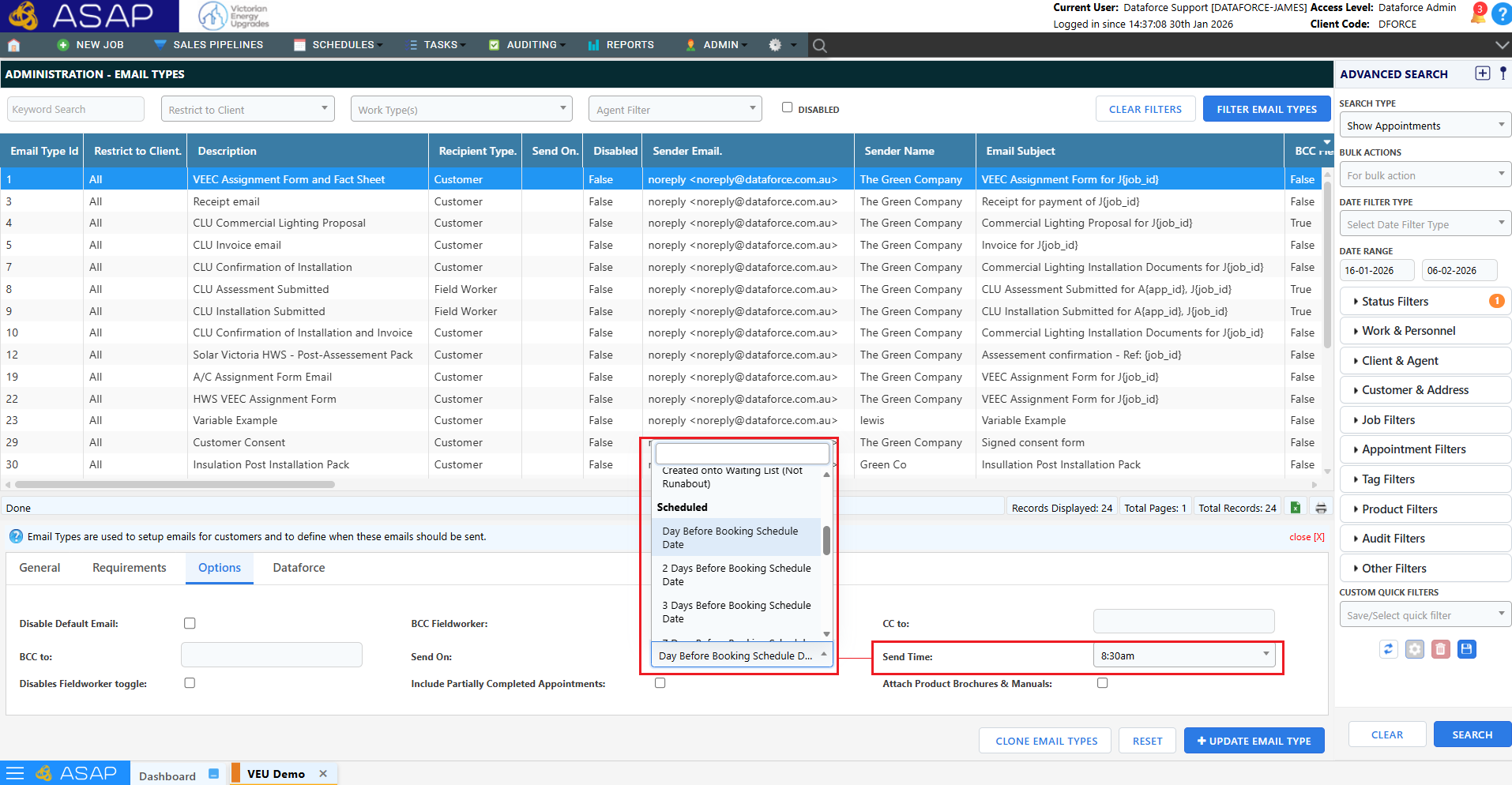
- Email Types can now be scheduled to send before (Booking) or after (Completion).
Note: You can find an explanation of the scheduling options in reference doc
✏️ Inline Editing (Appointment Summary / Job Summary)
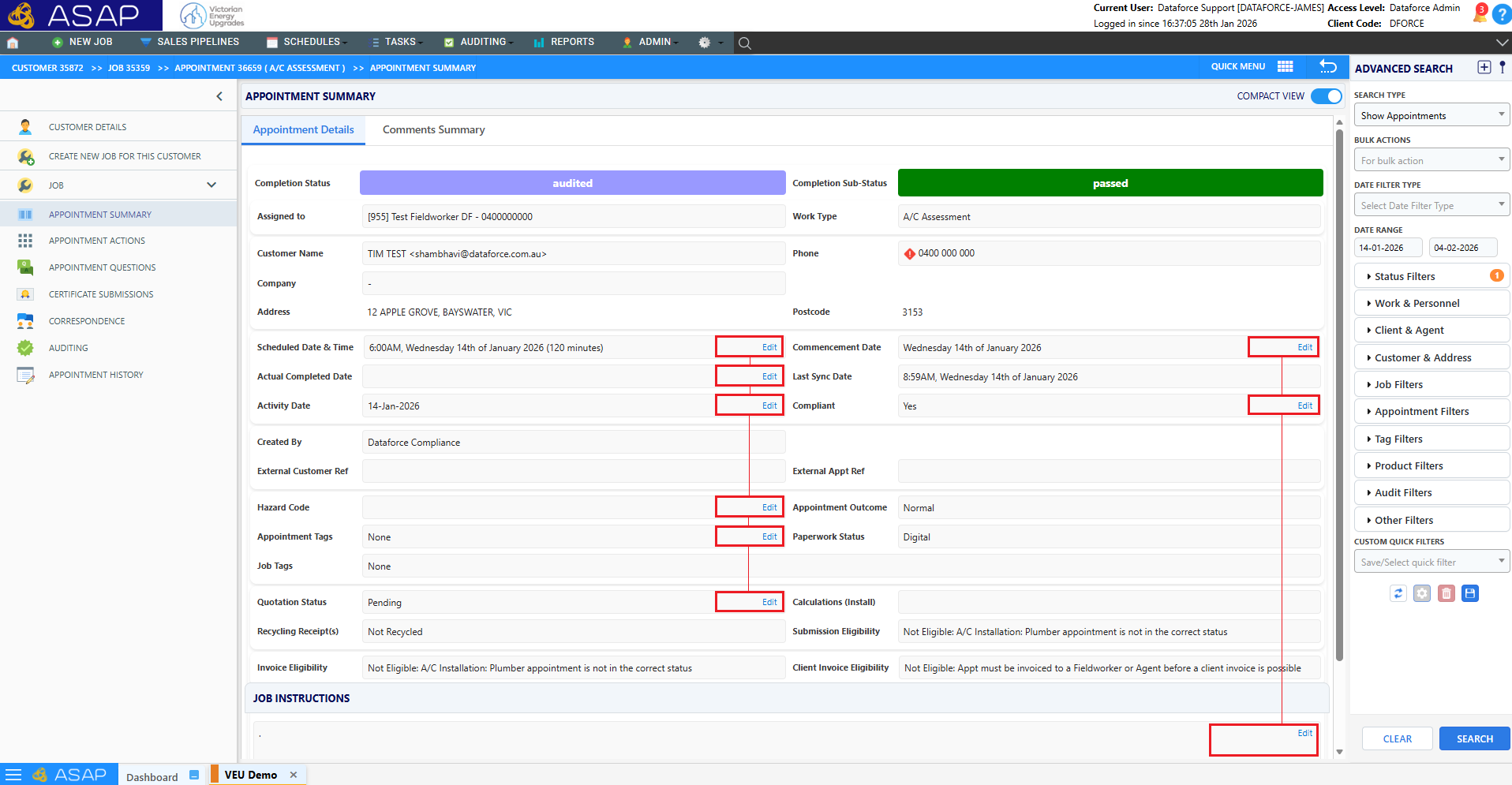
- Inline editing added for scheduling, dates, compliance, hazards, tags, and quote status.
- Job comments and correspondence now support text formatting.
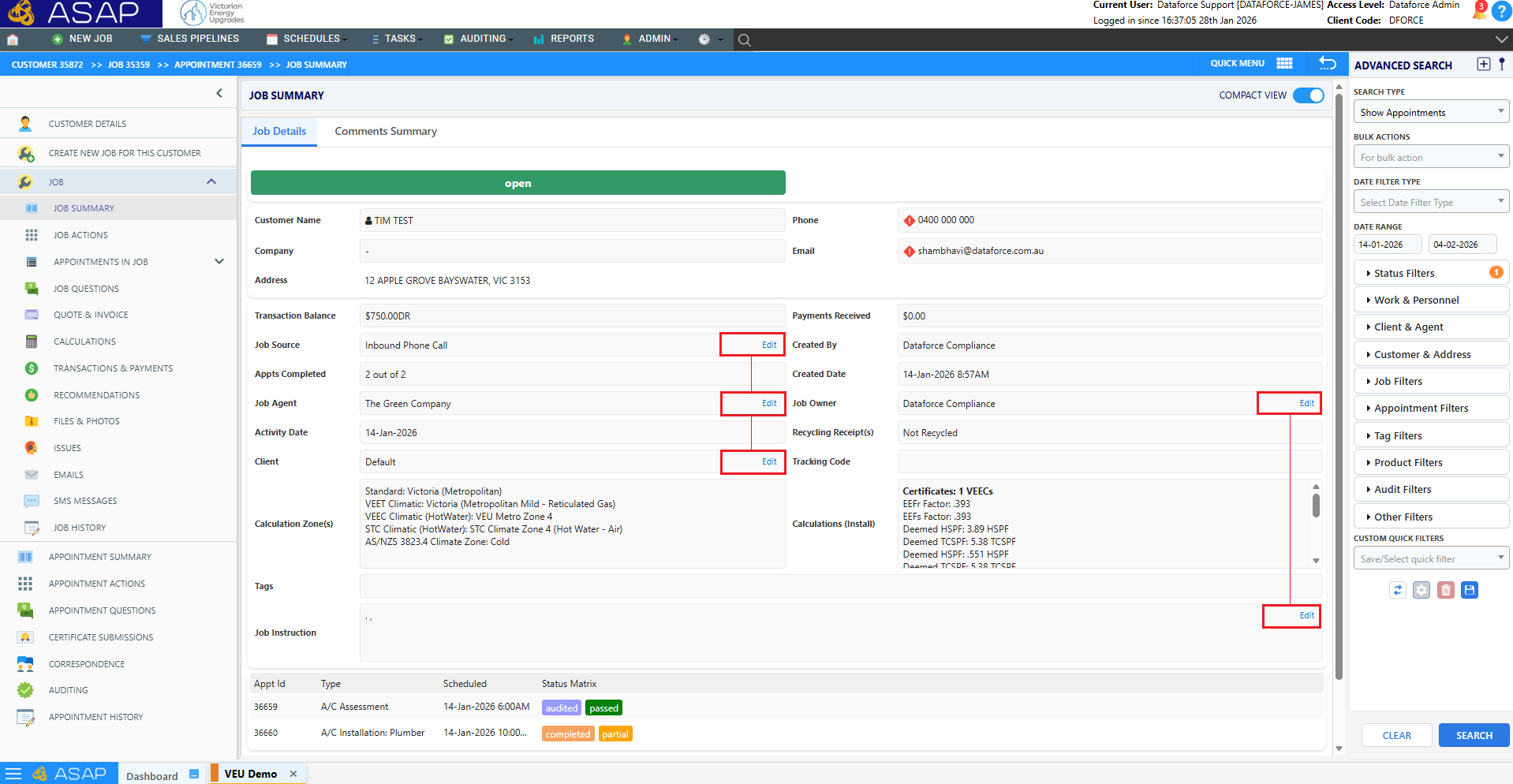
- Inline editing added for Job Source, Agent, Client, and Instructions.
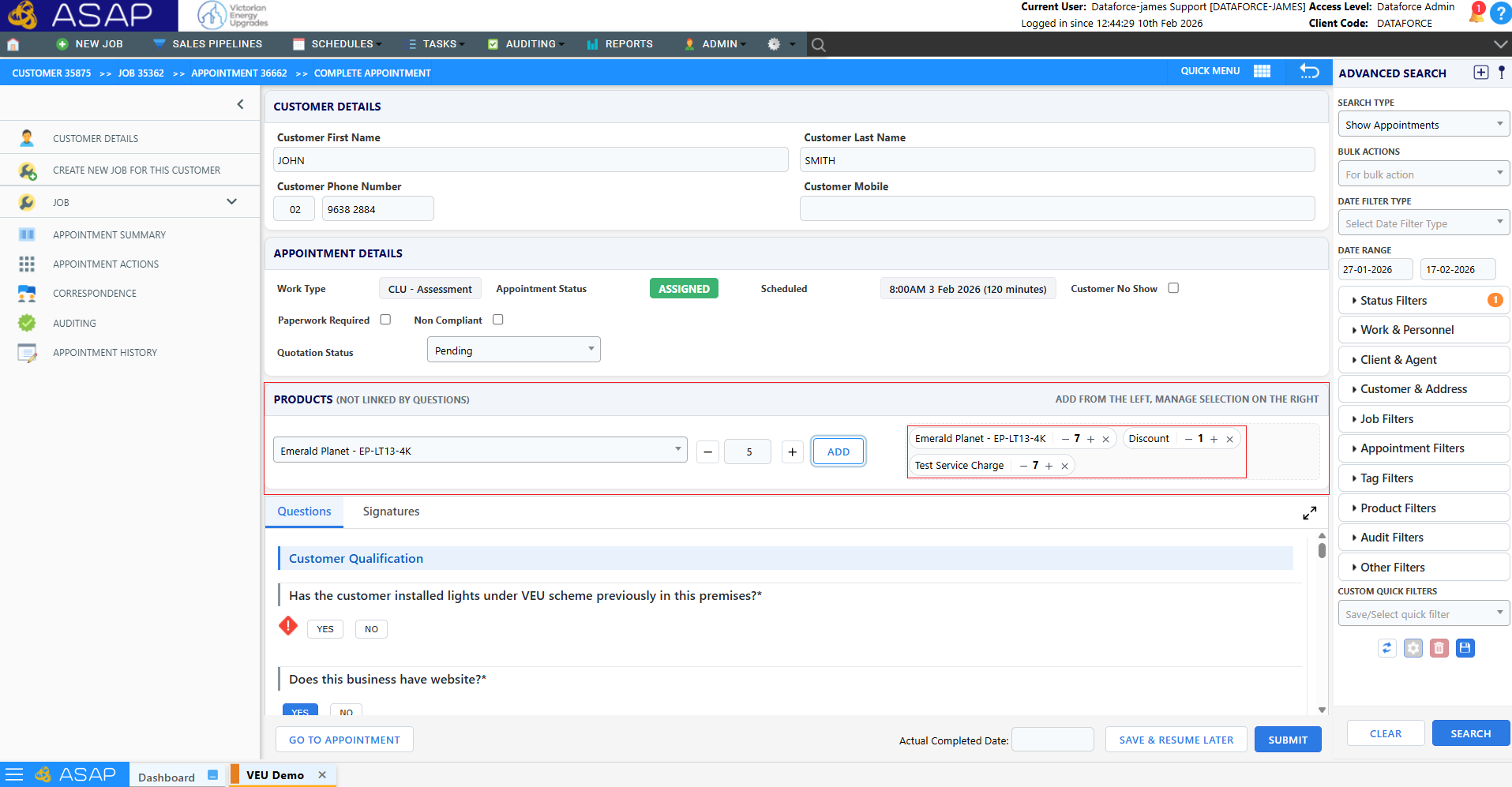
✏️ Inline Actions — Adding Products from Complete Appointment Screen
- Inline product addition when manually completing an appointment
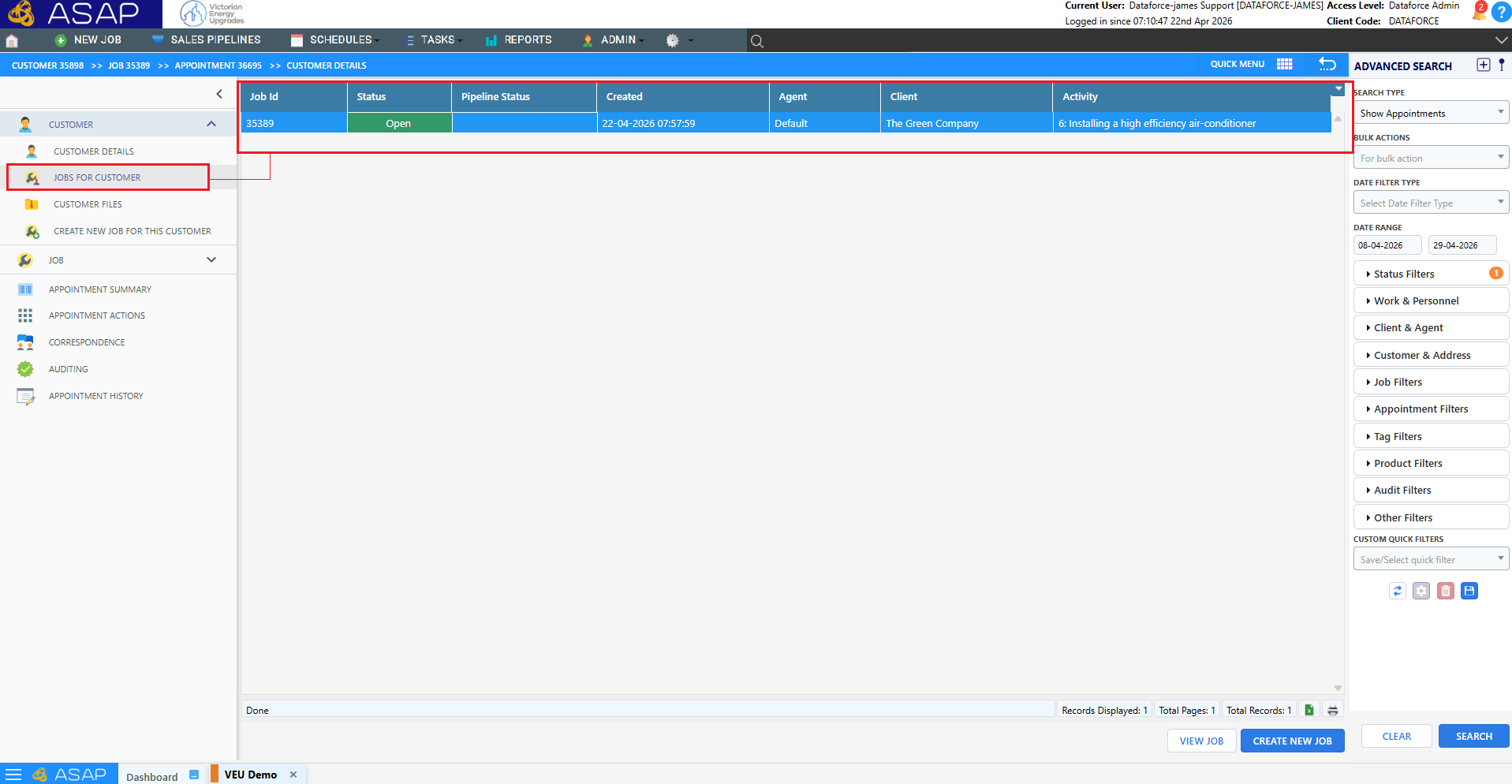
✏️ Jobs for Customer screen
- Previously, other jobs for a customer were displayed in the side navigation bar, which limited the amount of detail that could be shown for each job. A dedicated screen has been added to display a complete list of jobs for a customer, providing a more detailed and easier to navigate view.
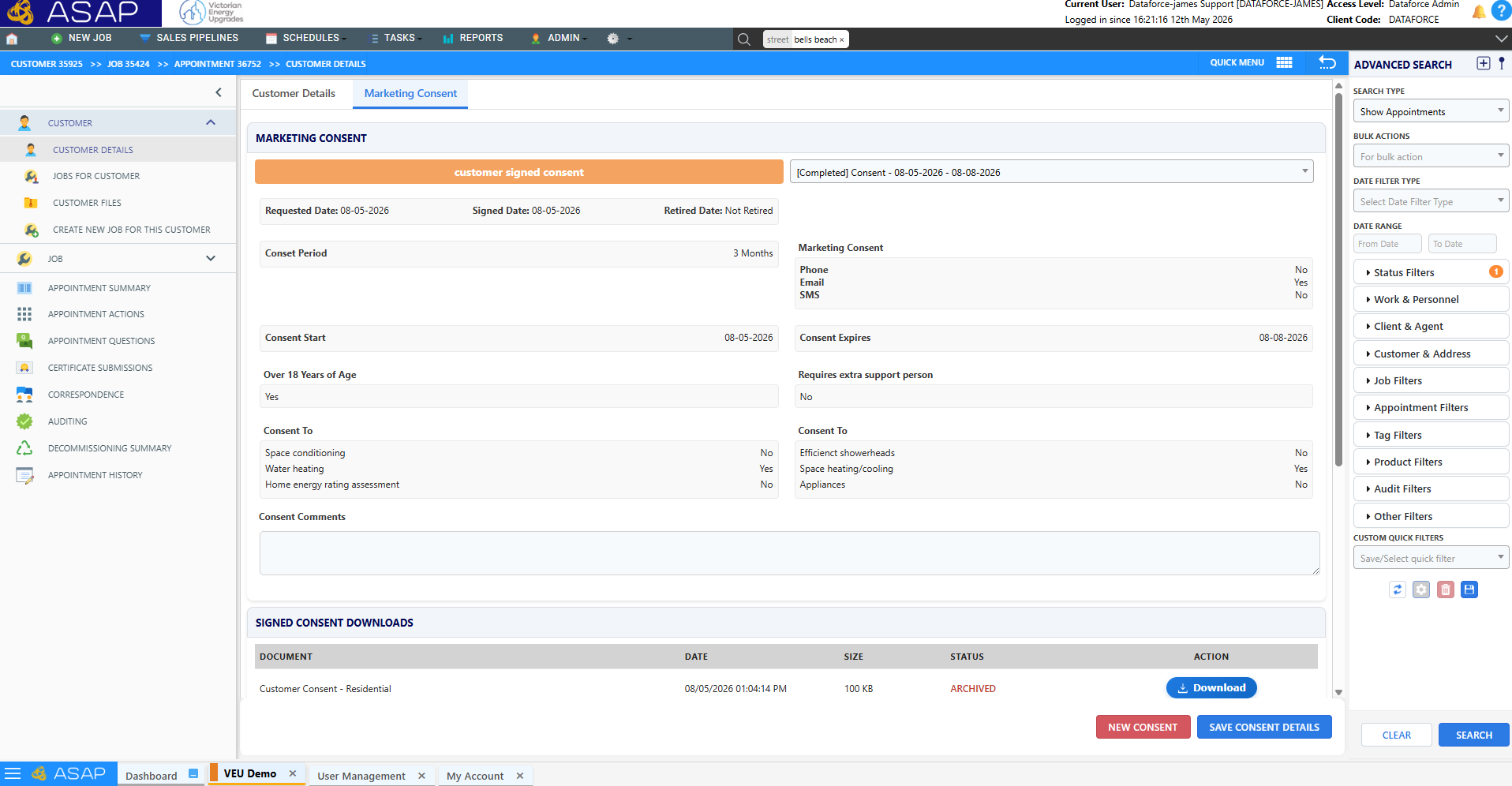
🧑 Customer Marketing Consent
- New screen related to managing customer marketing consent, allow operators to access signed consent records and other consent information required by the VEU
Tip: For more information and a detailed guide to this screen please see the Customer Consent guide
💳 Support for Partial Refunds and Stripe Refunds
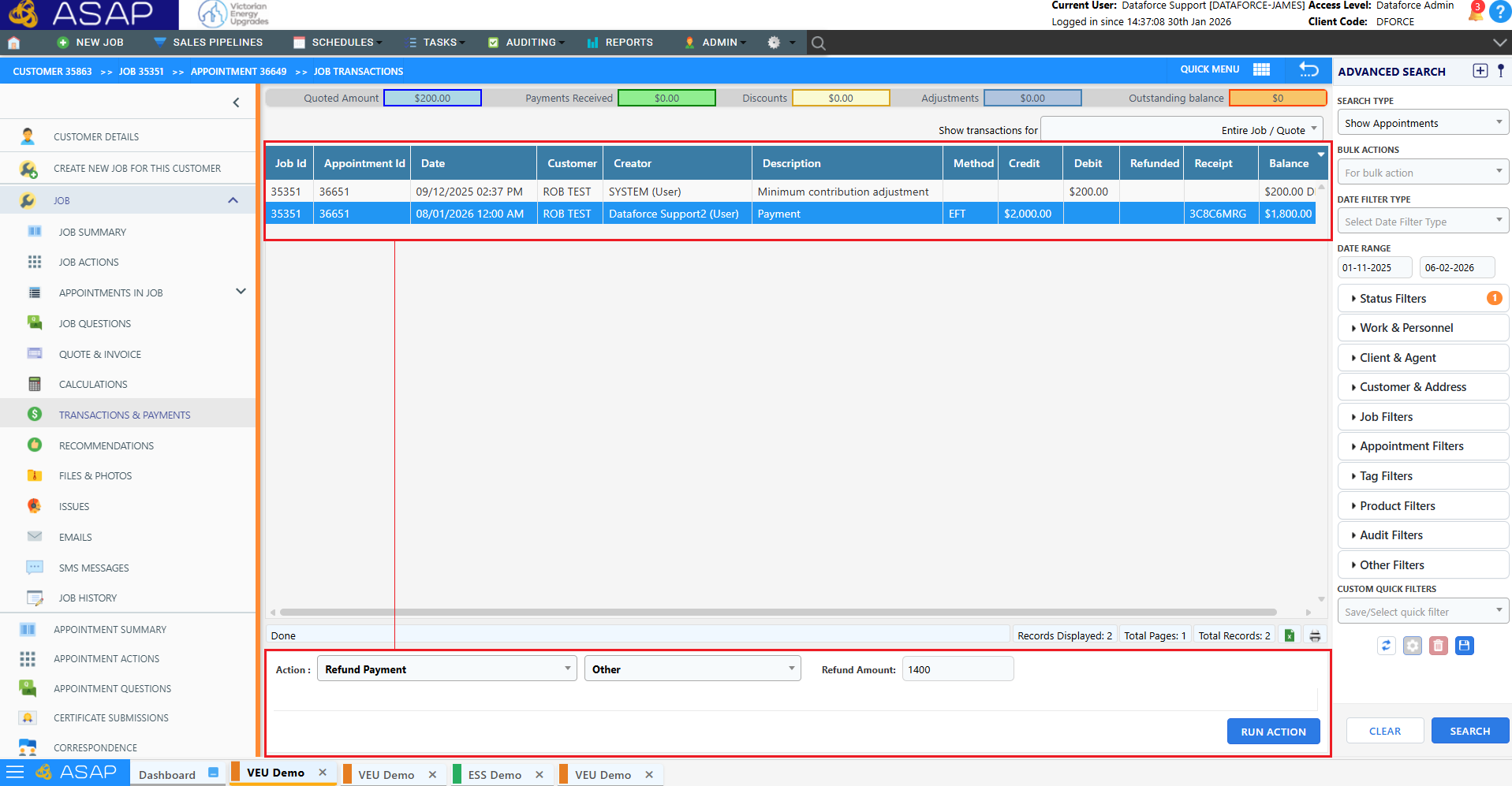
- Stripe refunds can now be processed from the transactions screen.
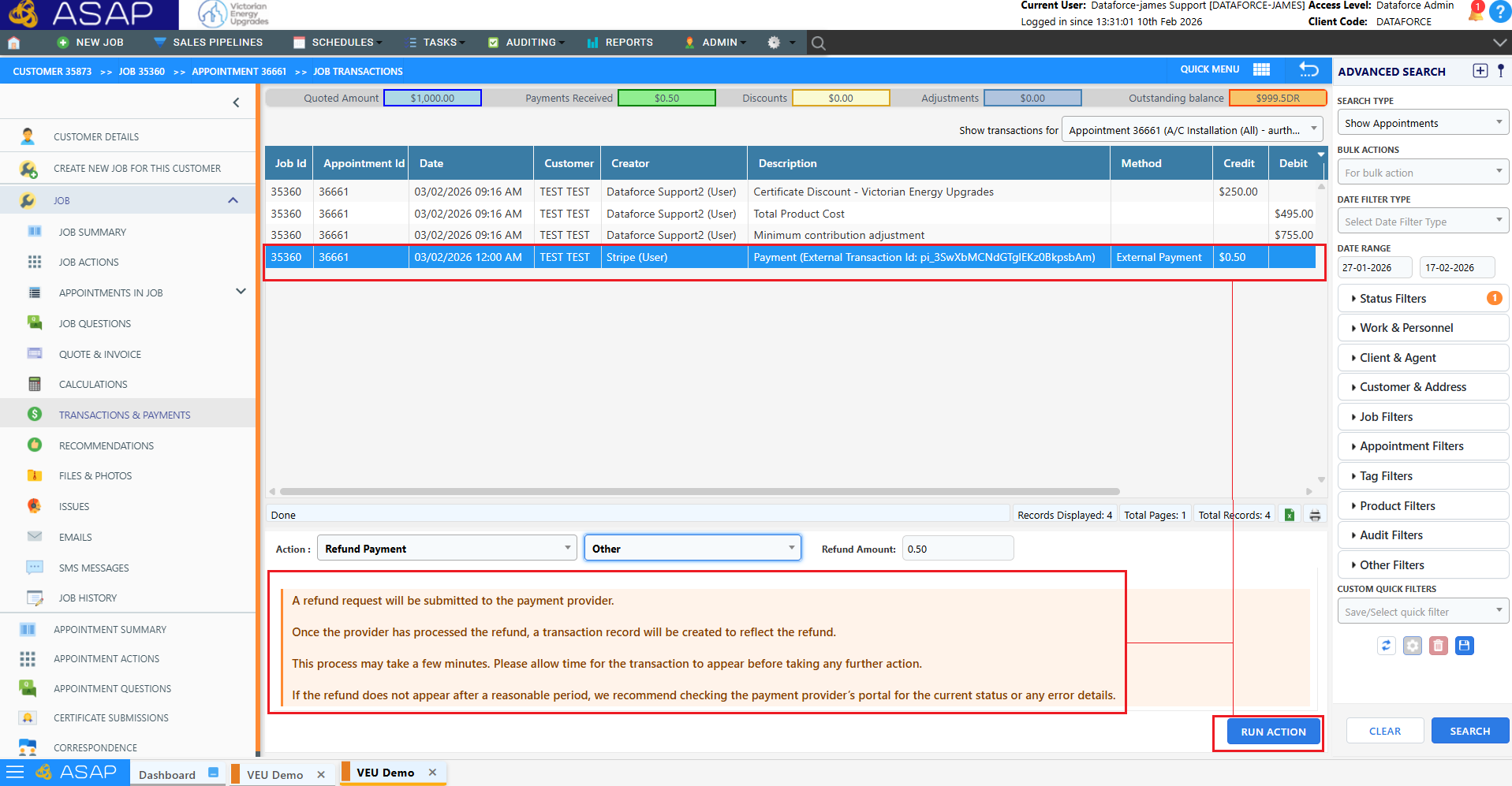
- Partial refunds are now supported for all Credit Card Payment Gateways, allowing multiple refunds per payment.
💳 Dual Payment Provider Configuration
- You can now configure a Payment Link Provider (Stripe) alongside a Payment Gateway Provider (SecurePay, Eway, BPointDirect) on the Agent level, allowing customers to pay online via a payment link while staff can also process card payments directly through your existing merchant gateway.

🧑🔧 ABN Lookups in Fieldworker and Agent Register
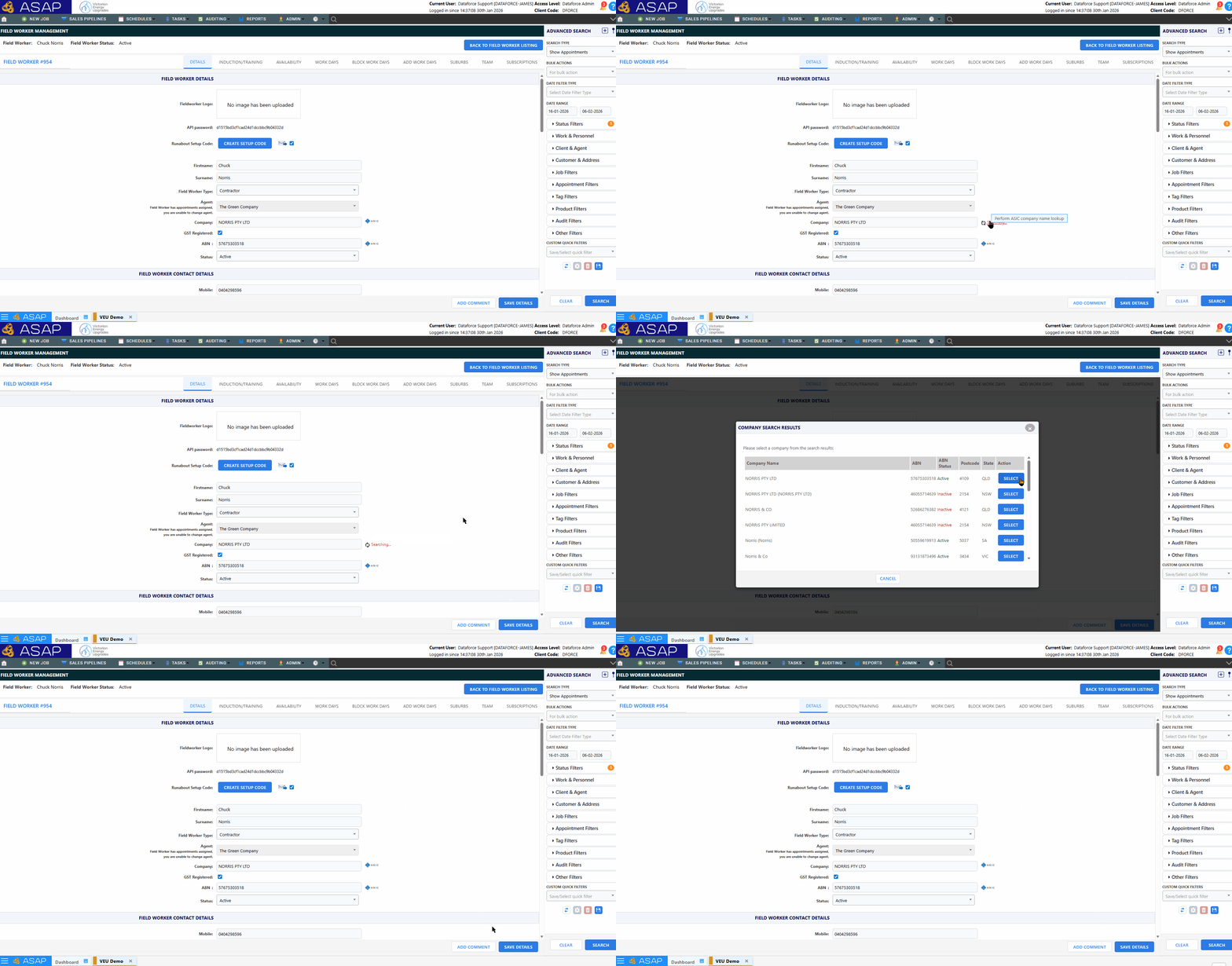
- ASIC / ABN lookup added for ABN and company name fields on Fieldworker and Agent screens.
🧑🔧 License Number Attribute Verification in Fieldworker Register
Tip: For more information on Fieldworker Attributes please go to the doc page
- New Field Type “NSW Trade License” in Fieldworker Attributes and linked Expiry Attribute

- Plumber, Refrigerant and Electrician license numbers can now be verified in the Fieldworker Profile against the NSW Government Register.
- Victorian Plumbing license numbers can now be verified against the BPC register

✉️ Email Sender Verification
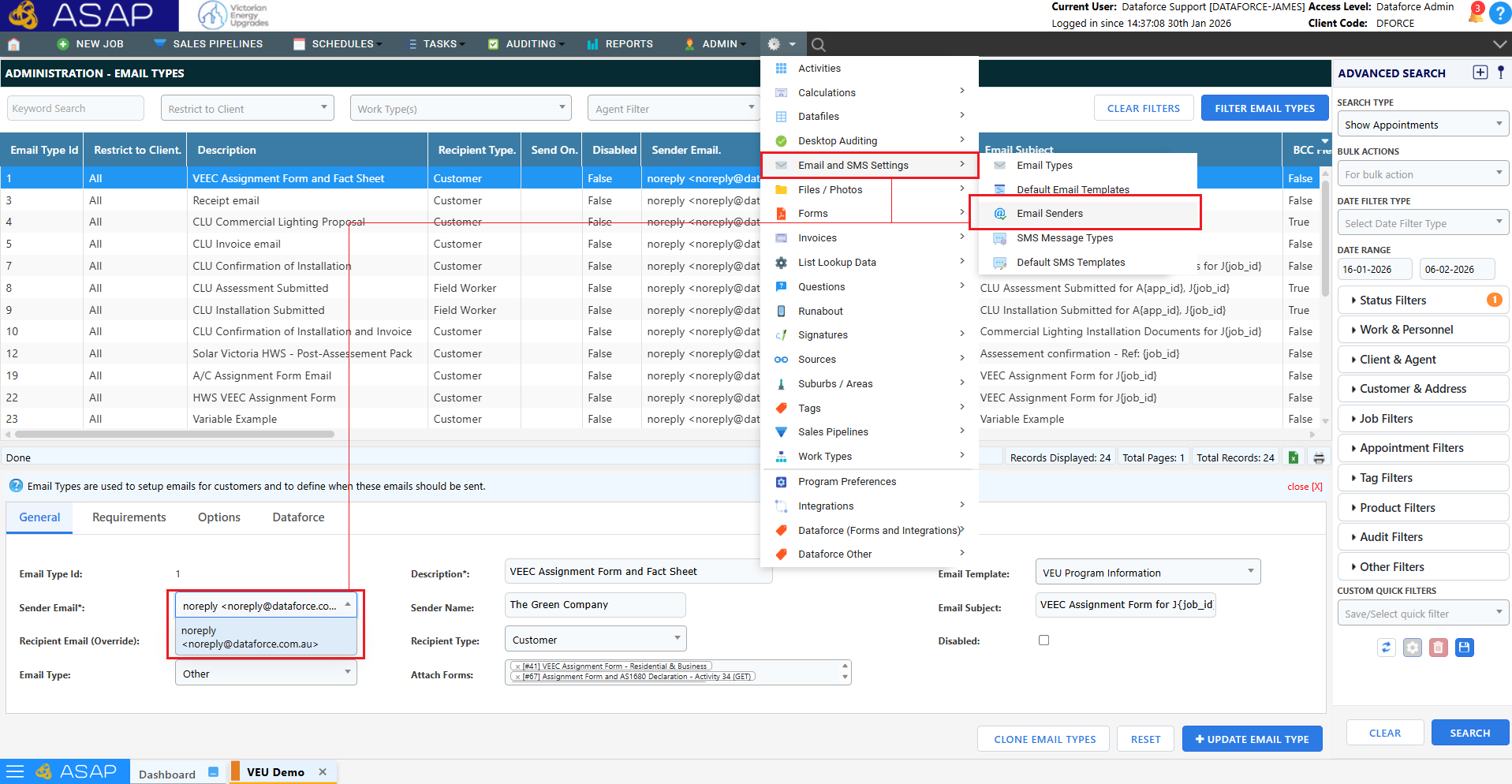
- Email sender is now selectable via dropdown and configurable in Email Senders.
Tip: To learn how to manage Email Senders please go to the doc page
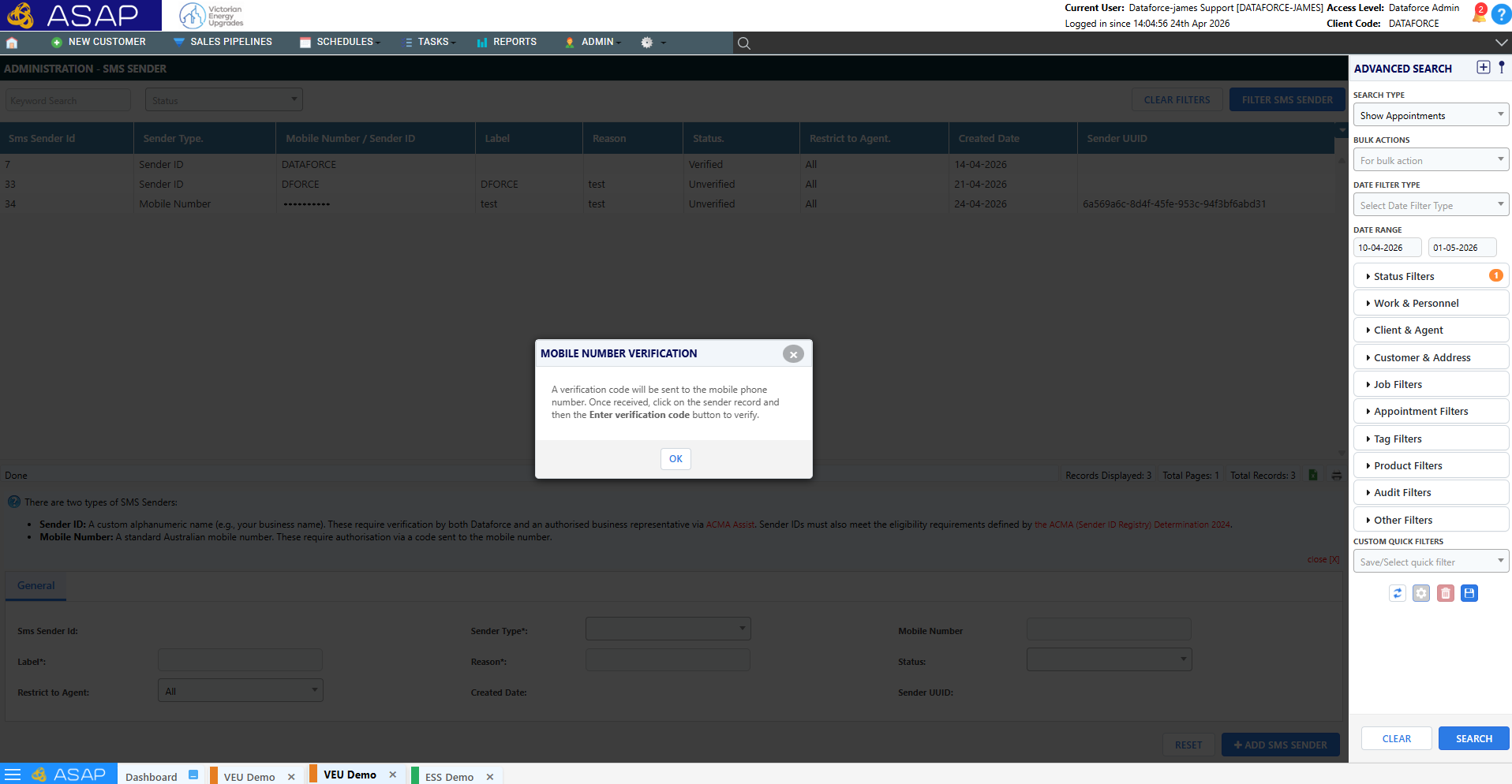
📞 SMS Sender Verification
Important: For more information on setting up SMS Senders please view the following doc page
- Sender ID registration requests via ACMA (Australian Communications and Media Authority) are now actionable in ASAP through the Verified SMS Senders screen.
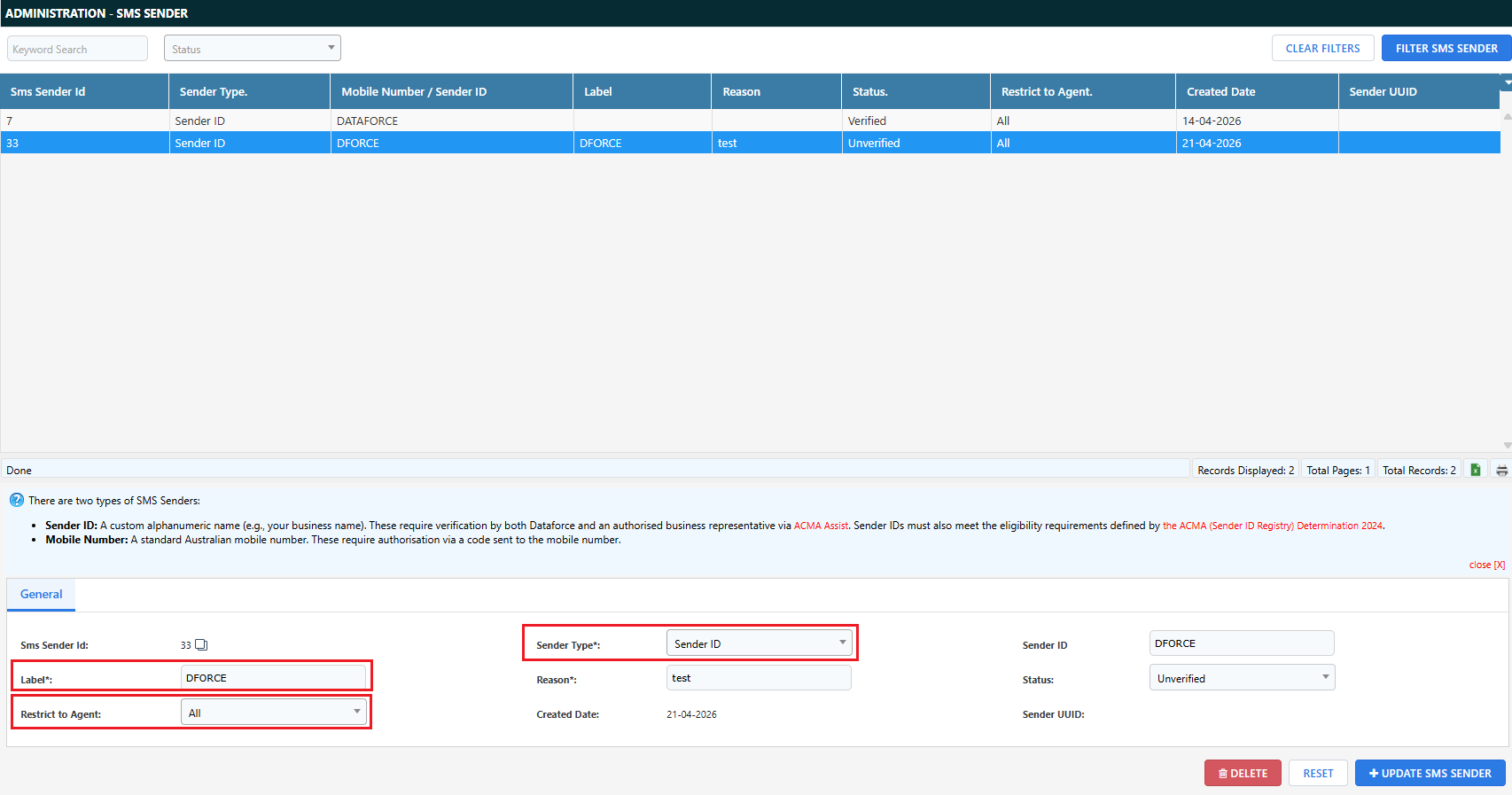
- Verified SMS Senders can now be set up and restricted to Agents.
📦 Simplified Product Access
- Client-based product access has been removed.
- Agent product access is now opt-in per product.
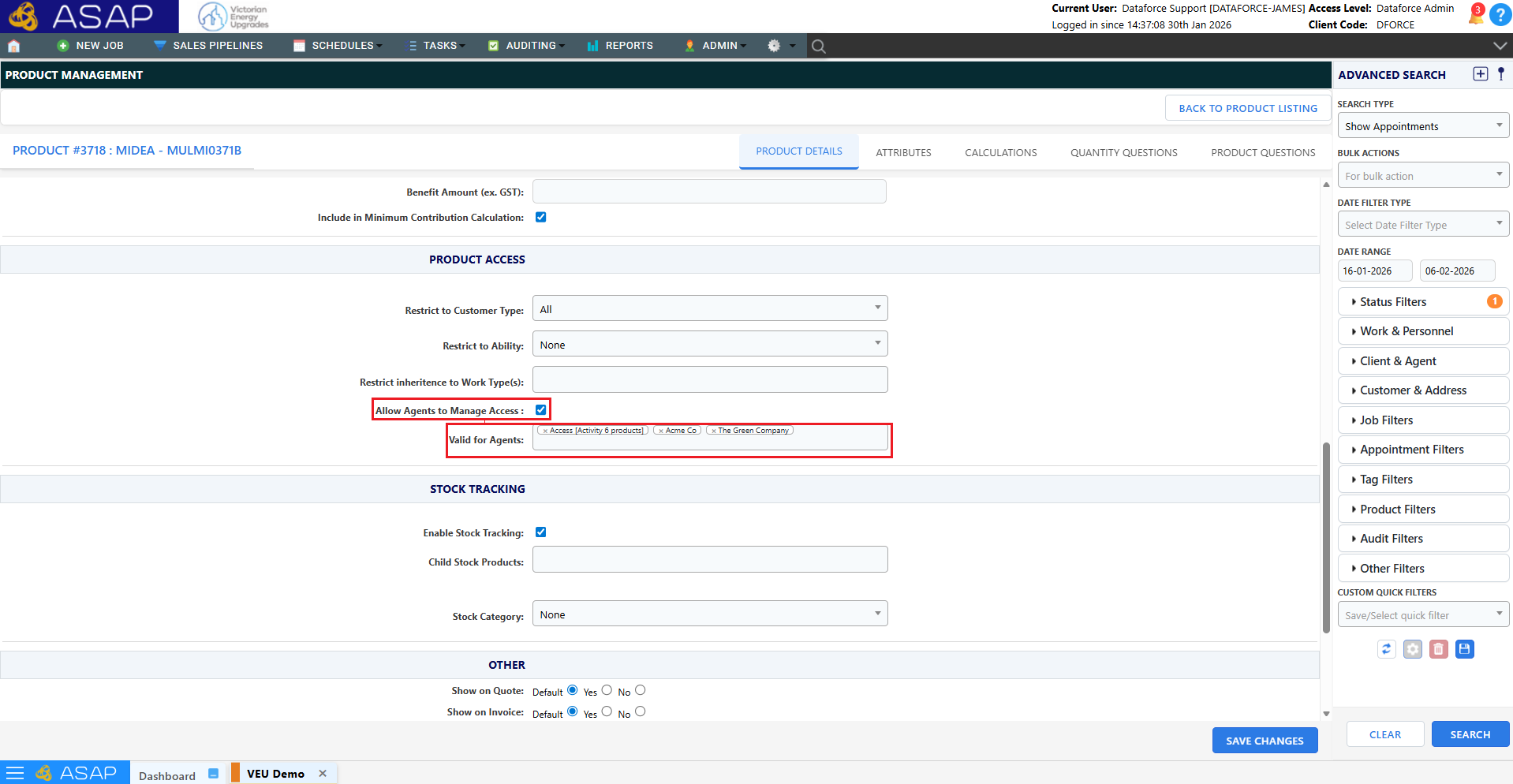
- Agent and Client access restrictions removed for product types:
- Certificate Surcharge
- Minimum Co-Contribution
- Decommissioned products
Tip: To set a default on the Allow Agents to manage Access flag, you will find the setting in program preferences (Other)

❓ Question Editor Improvements
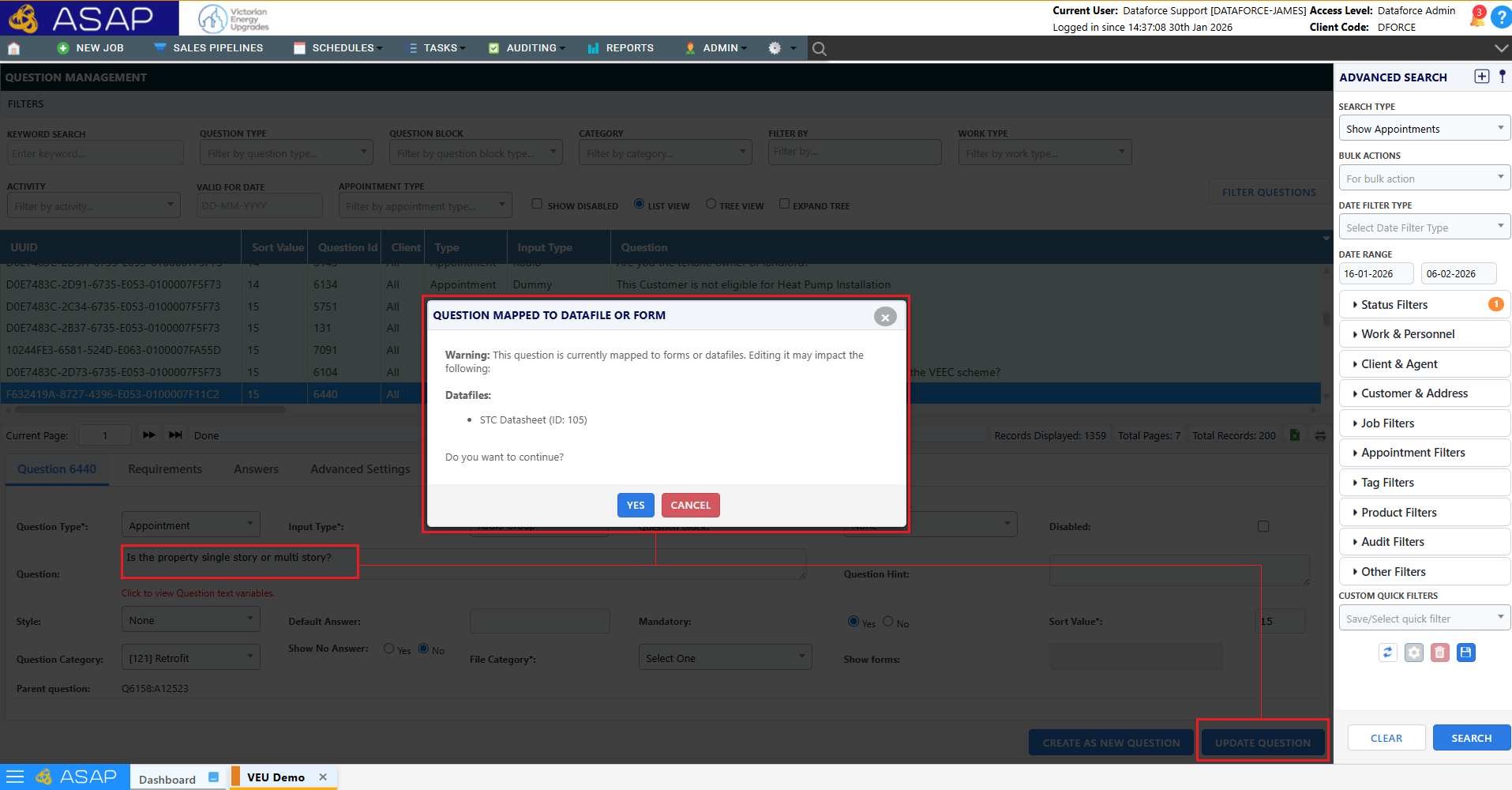
- Warning shown when editing questions mapped to datafiles or form template sets.
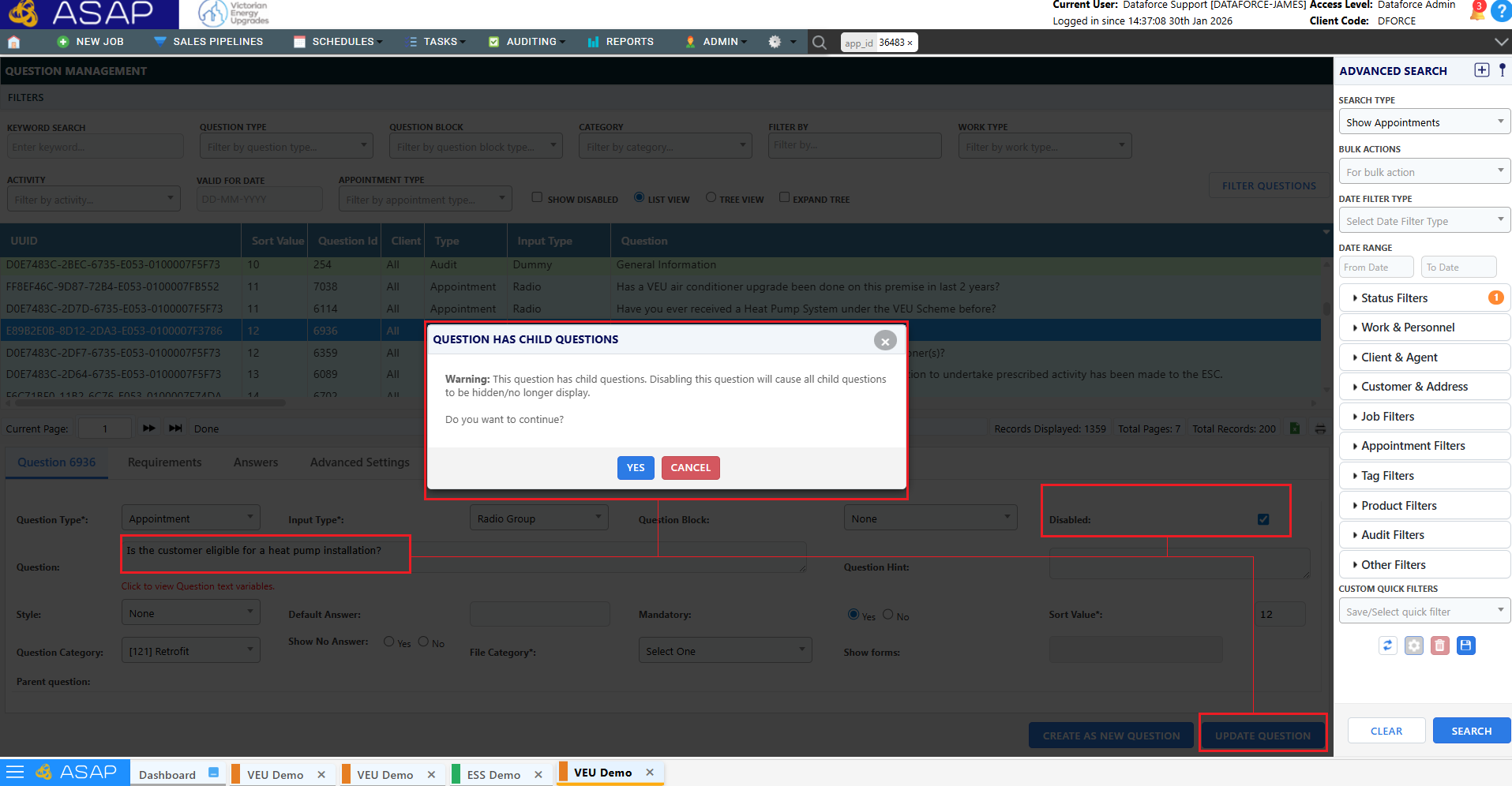
- Warning shown when disabling a question that has child questions.
- Audit questions can now be linked to Form Template Sets, allowing form downloads during audits.
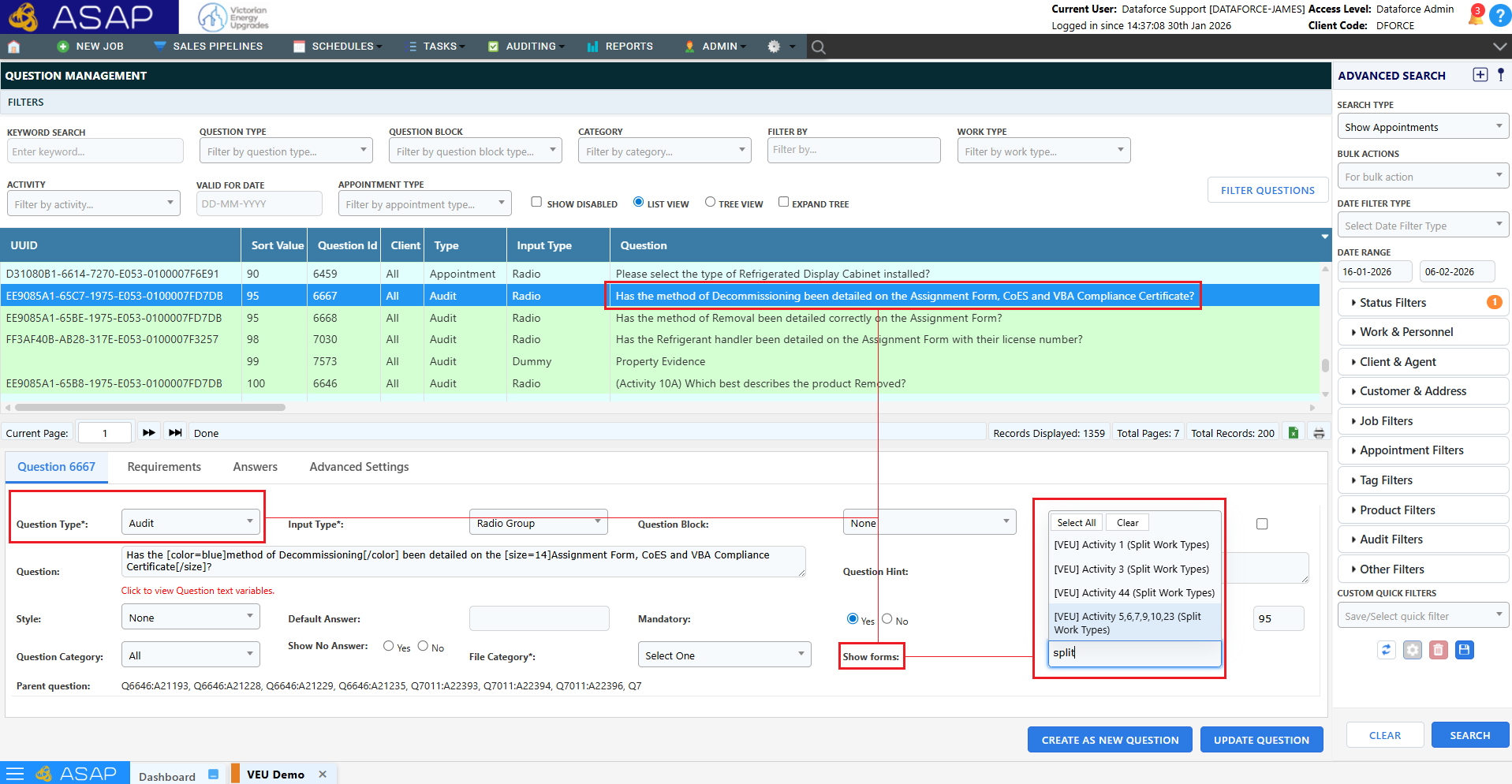
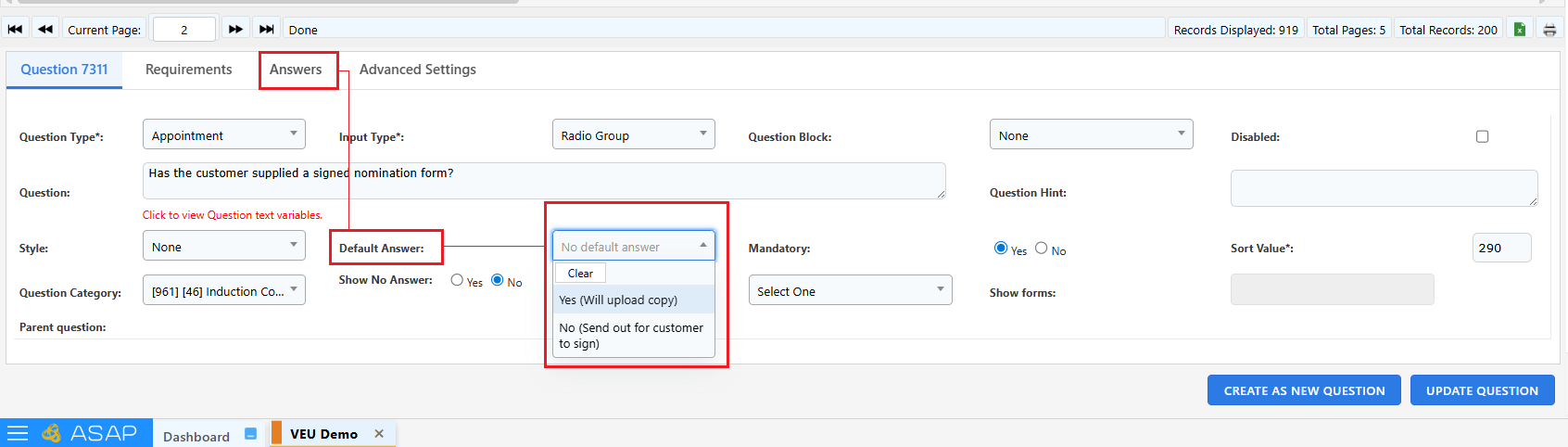
- Default answers has become a radio selection of the answers configured in the answers tab
🎨 UI Updates
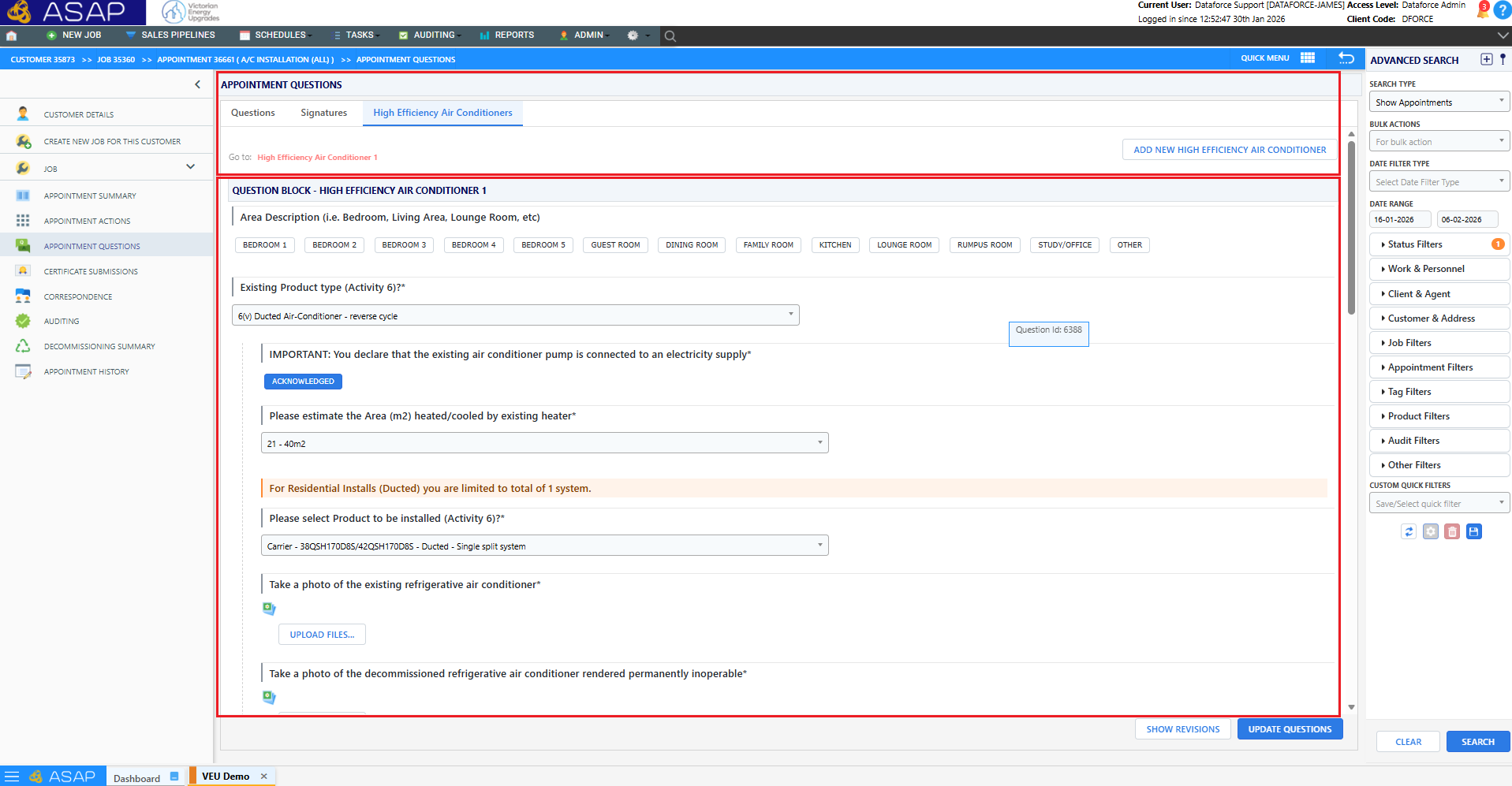
- UI refresh applied to Appointment and Job screens.
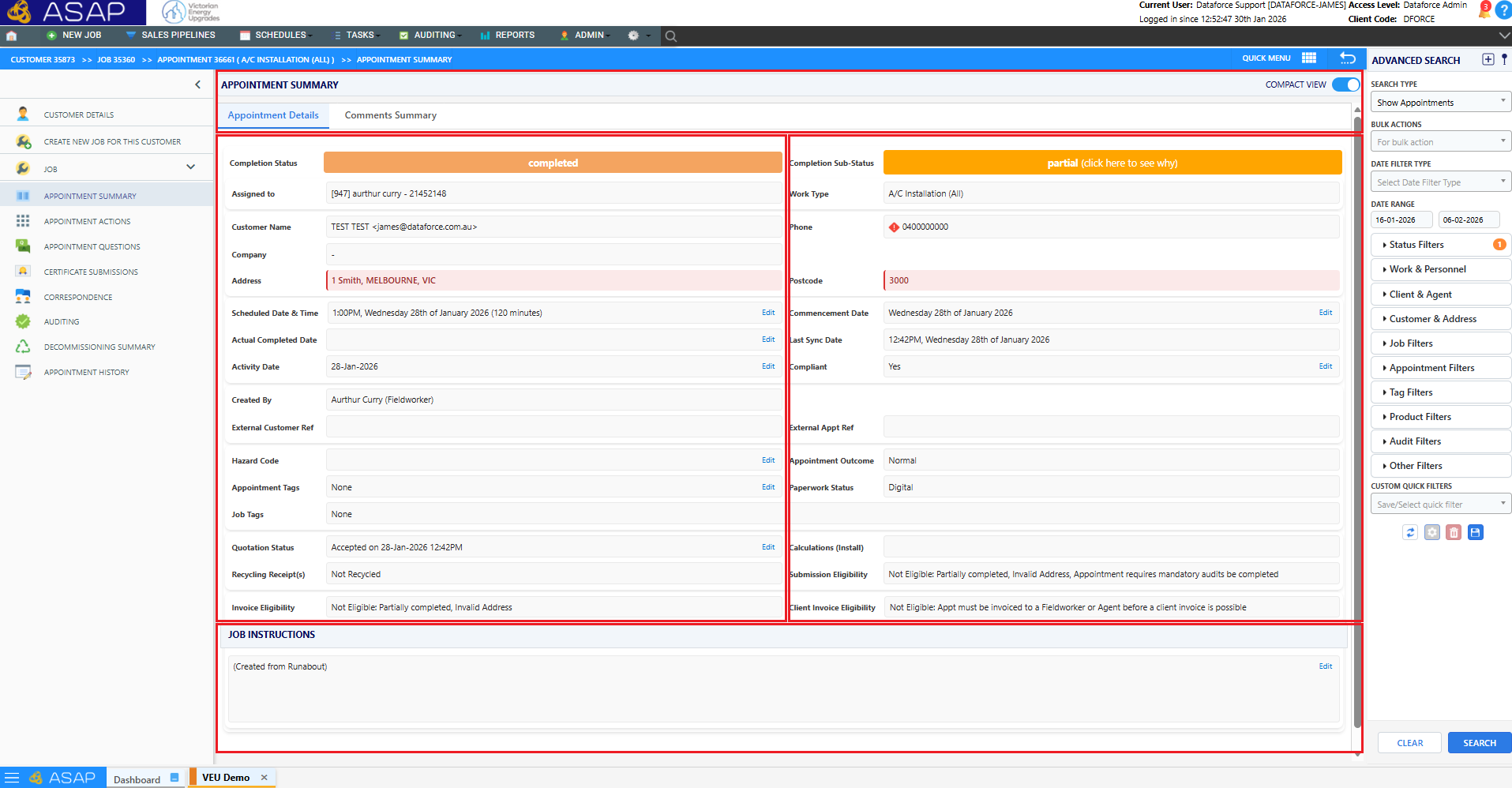
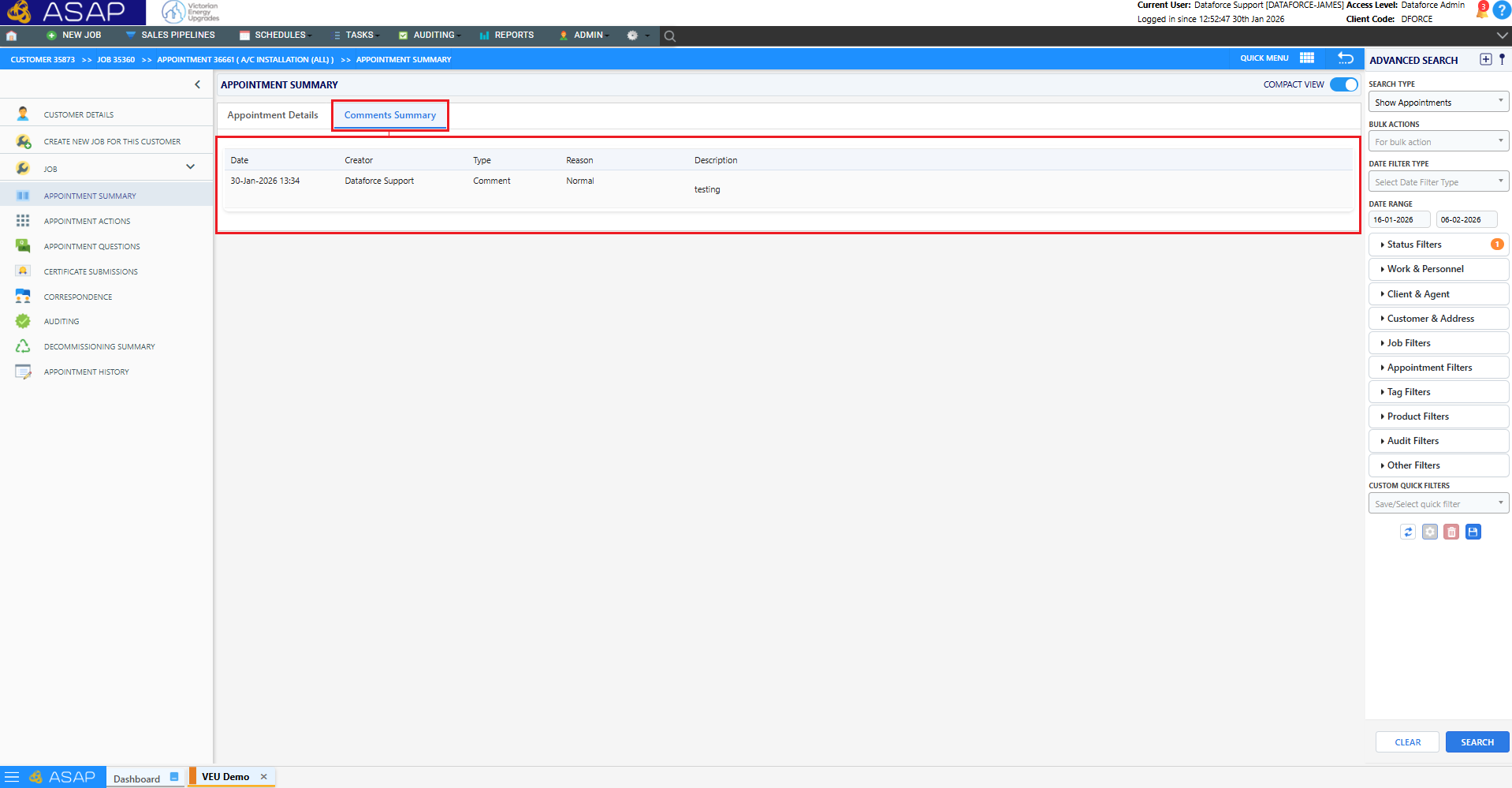
- Comments on Job Summary and Appointment Summary screens moved into Job Comments and Appointment Comments tabs respectively.
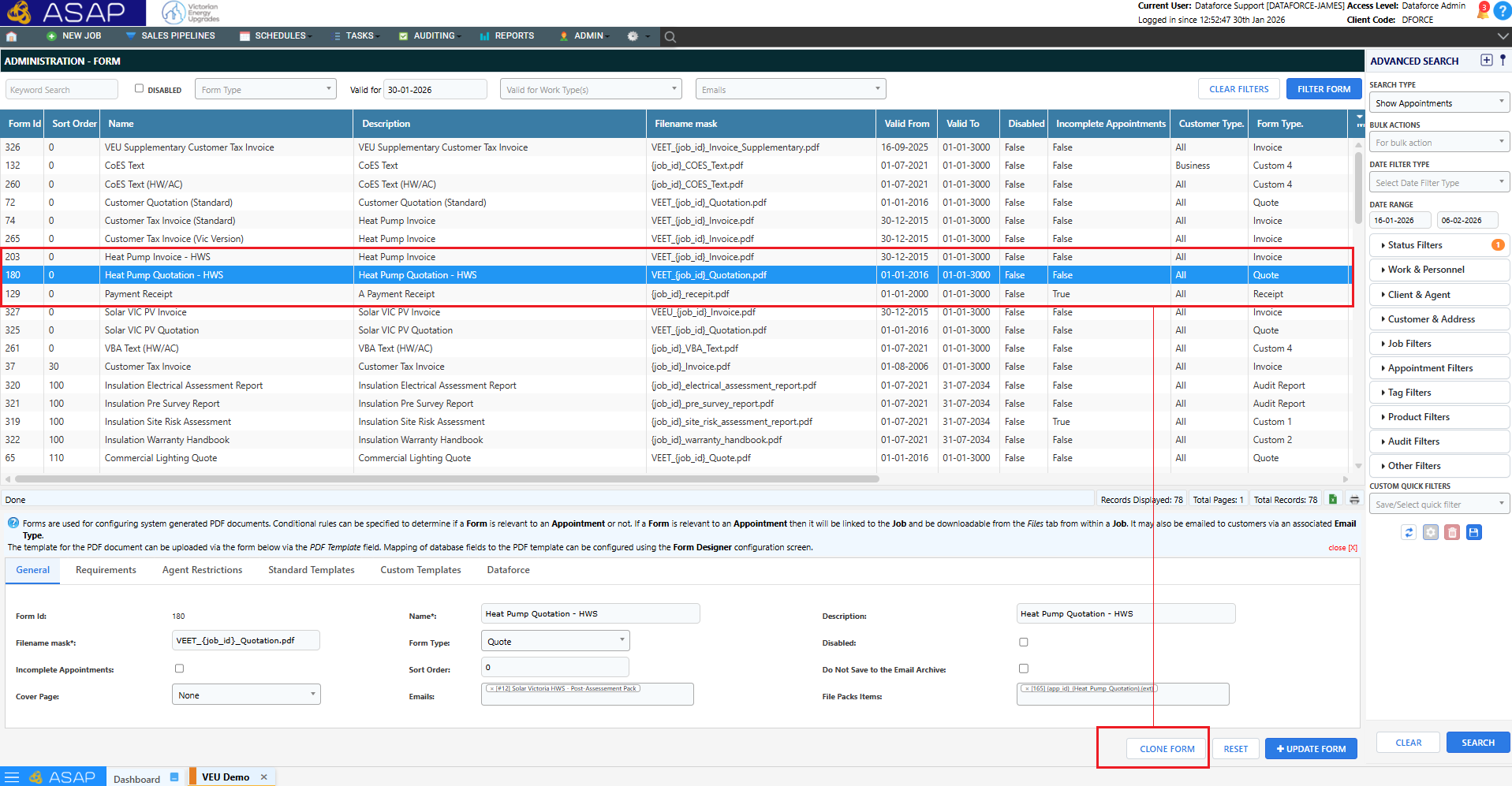
- Updates to configuration screen editors (Form Types, Email Types etc.)
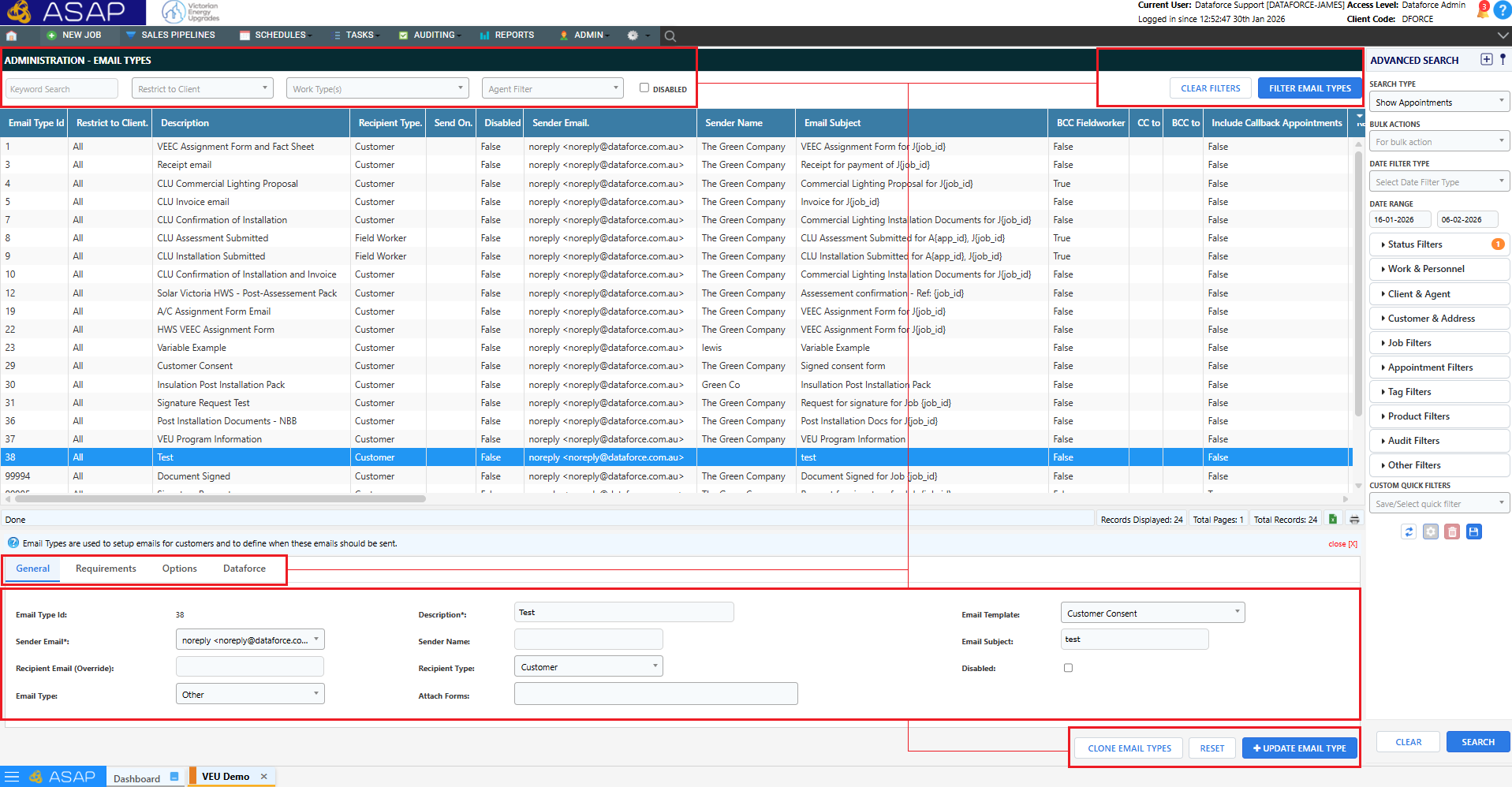
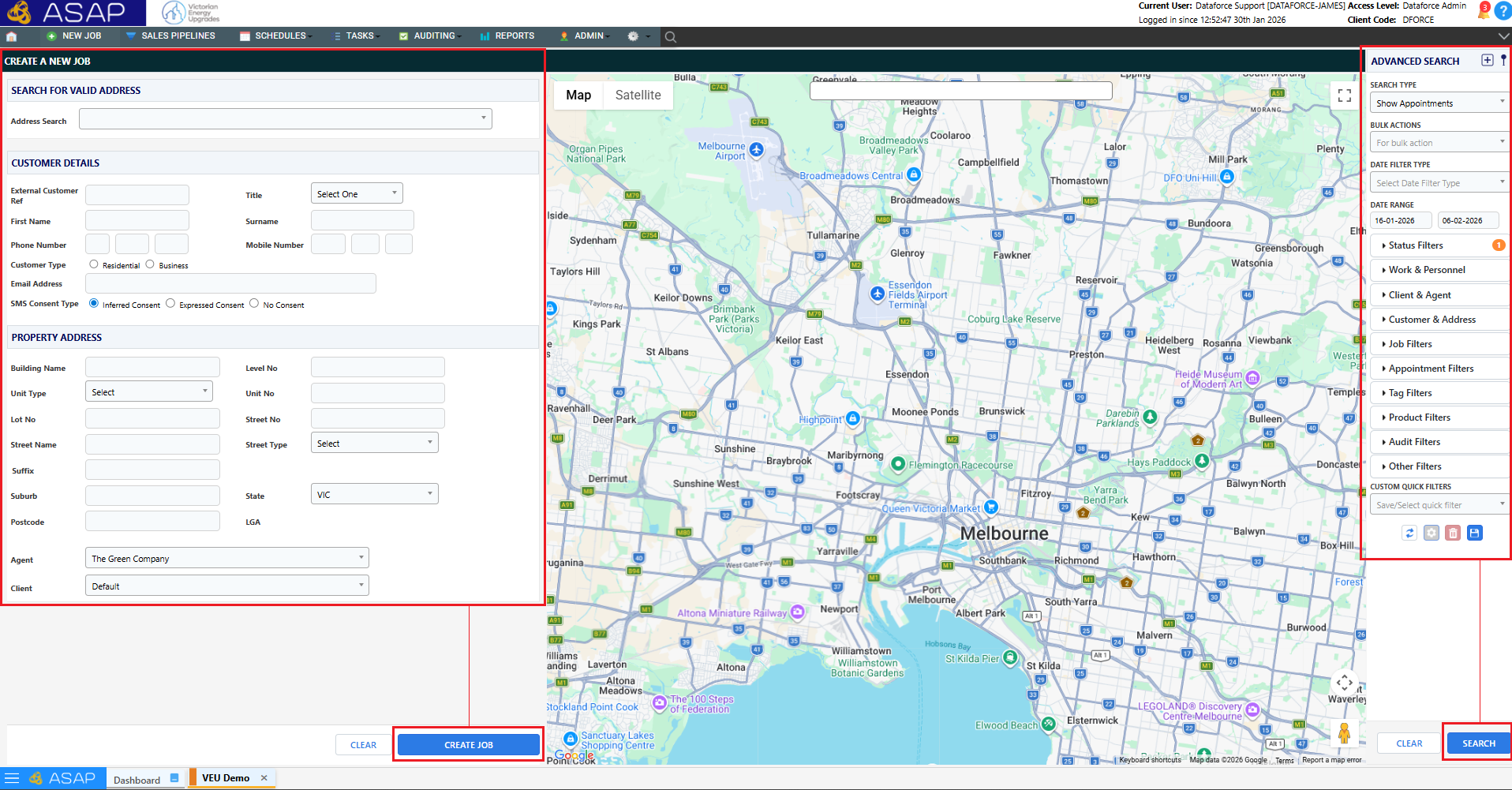
- New Job screen and enhanced Appointment search.
- Clone button added to GUI editors.
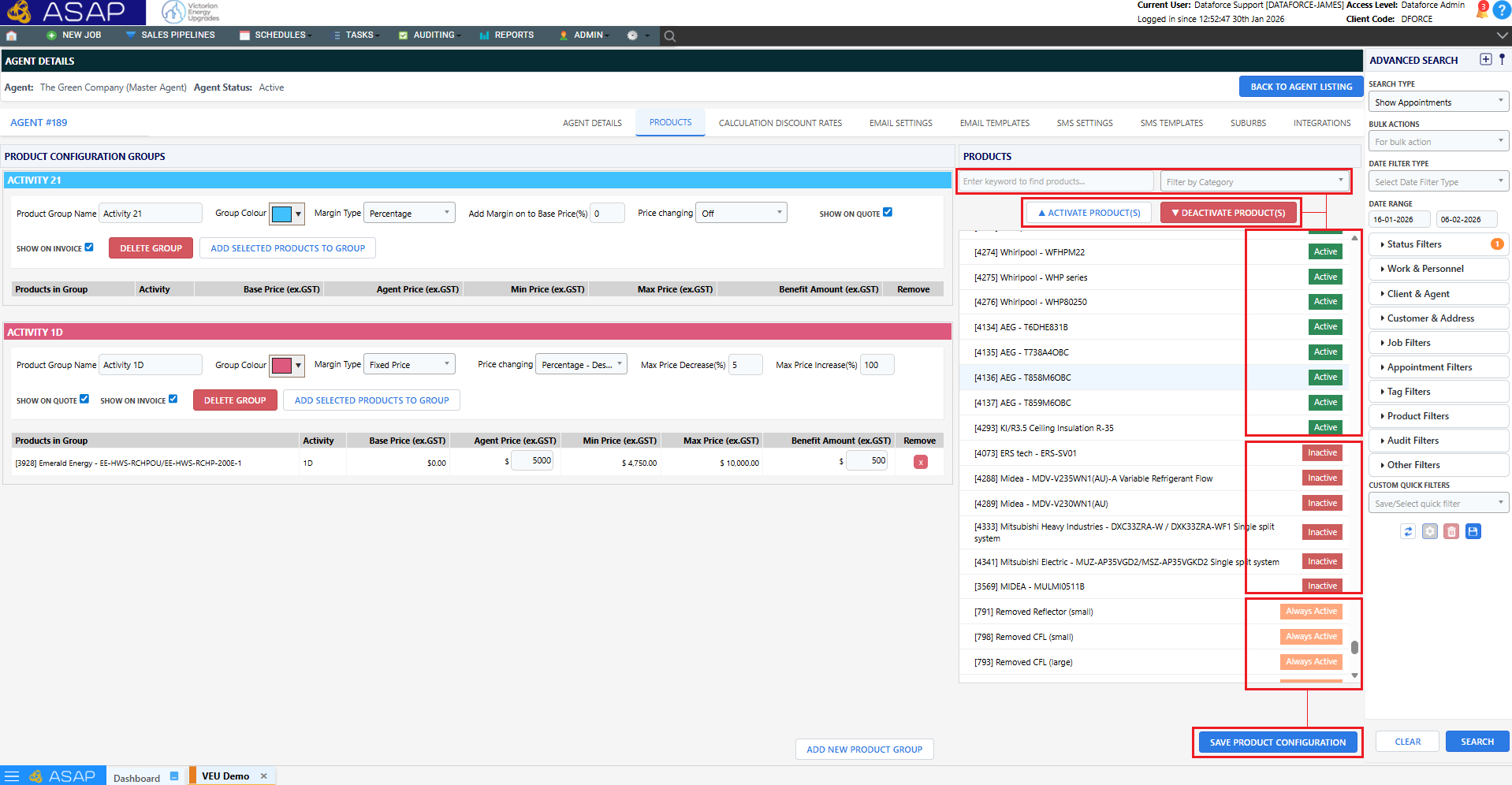
- Redesigned Agent Products screen for faster access control.
- Updated base styles for Appointment, Audit, and Job question screens.
- Search filter added to User Roles screen.
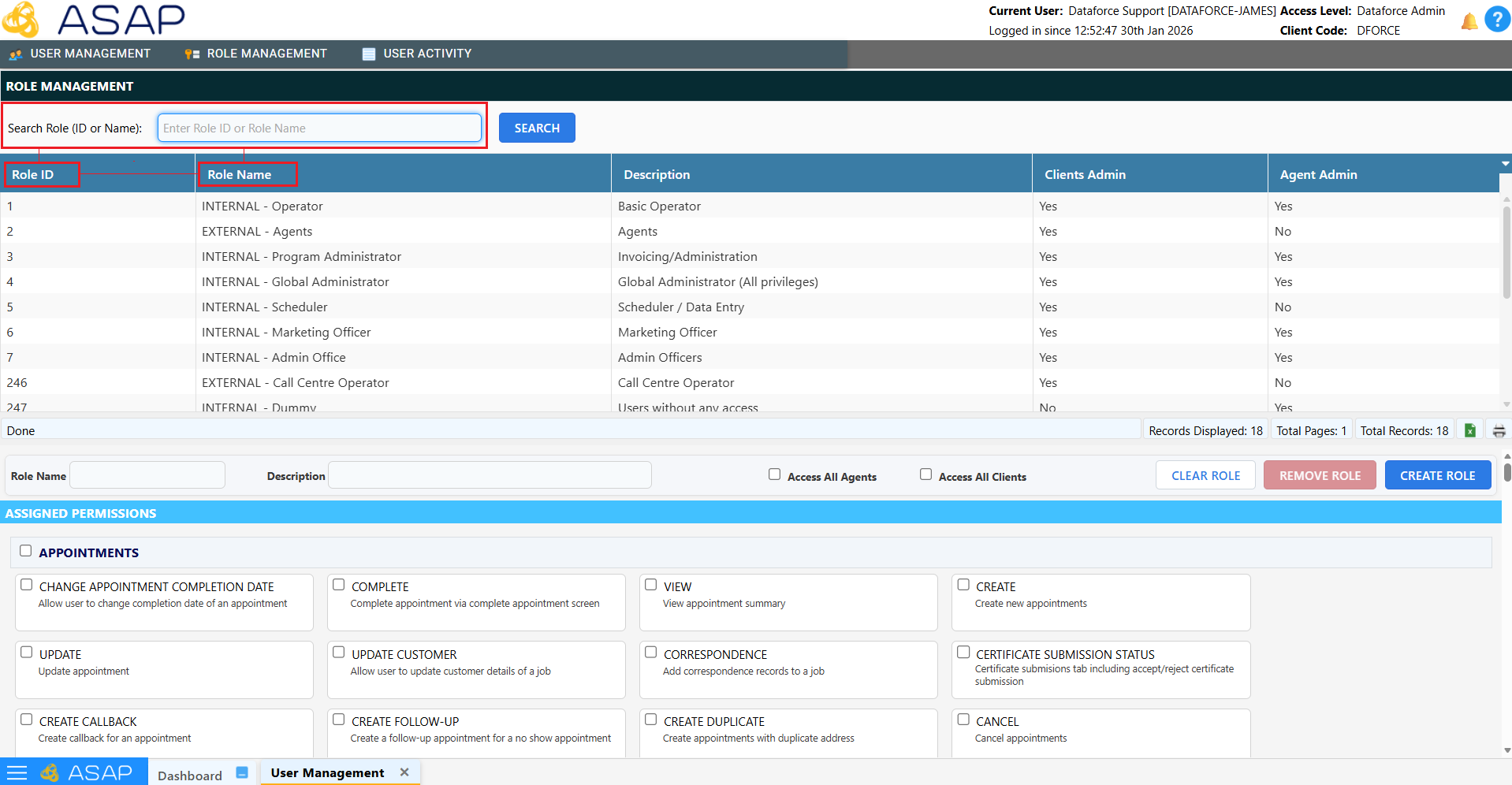
- Client code now displayed in the header.

🔗 Webhooks
Support for webhooks has been added to Dataforce ASAP, allowing real-time notifications to external systems when events occur.
Tip: For more information on webhooks, please see the Webhook Configuration and API Webhooks documentation.
🛠️ REST API Updates
Additional endpoints have been added to our REST API to support:
- Appointment Tags
- Appointment Submissions
- Submission Batches
- Customer Consent
The full API documentation is available at https://asap-api.dataforce.com.au/apps/swagger-ui