What are Accounting Tracking Options?
An Accounting Tracking Option is one of the values of an Accounting Tracking Category. If the category is Region, its options might be North, South and West; if the category is Program, its options might be VEU and ESS.
Options are attached to Invoice Line Items. When a finalised fieldworker or agent invoice is synced to the accounting integration (for example Xero), each invoice line carries the category name and option name of every option attached to its line item, so the bill lines can be reported on by region, program or whatever segments you track.
Opening the Tracking Options screen
Navigate to (Configuration icon) Invoices Accounting Tracking Options
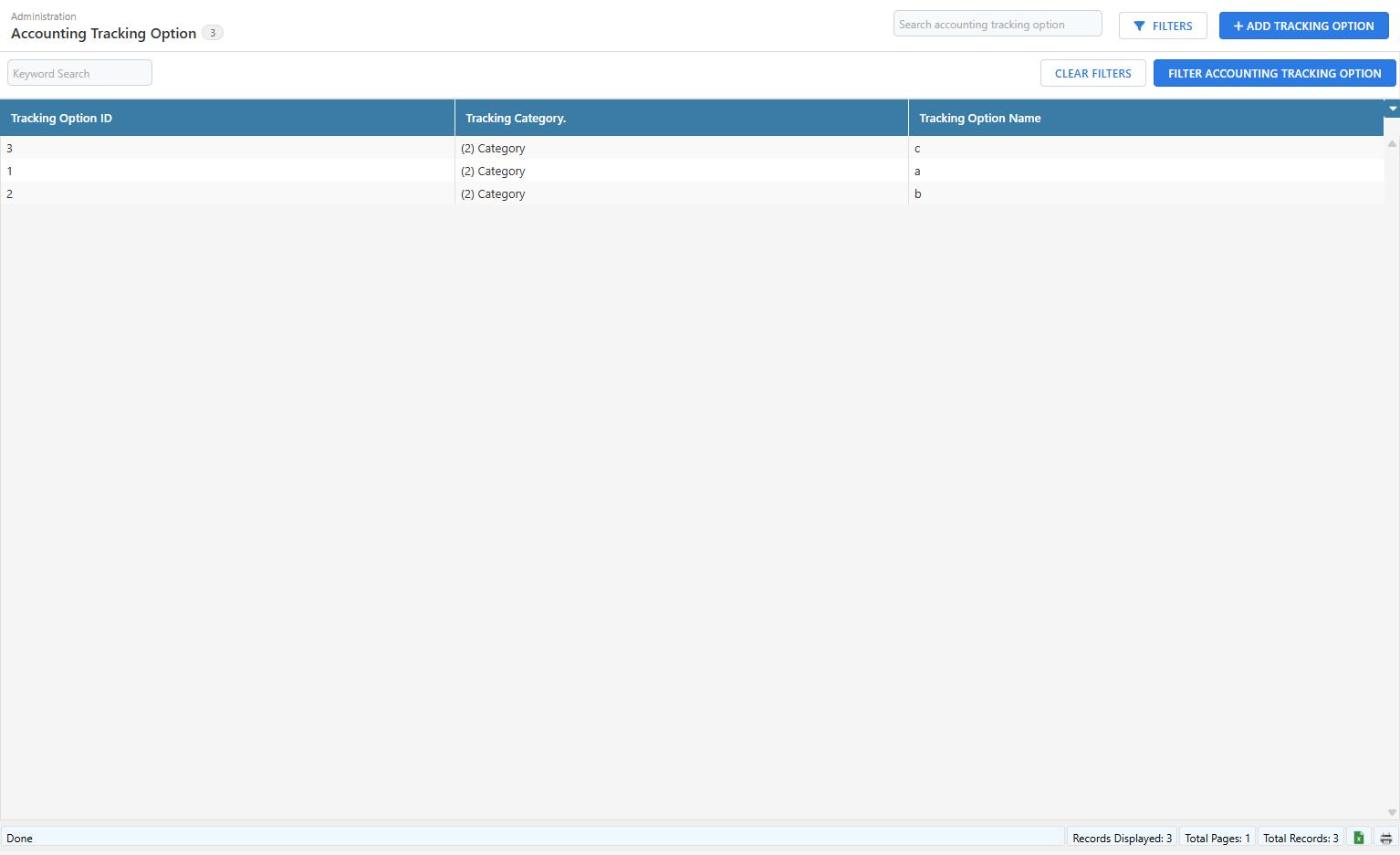
The list shows every option with the category it belongs to.
Adding a Tracking Option
- Click Add Tracking Option in the top right of the screen.
- Select the Tracking Category the option belongs to.
- Enter the Tracking Option Name.
- Click Add Tracking Option.
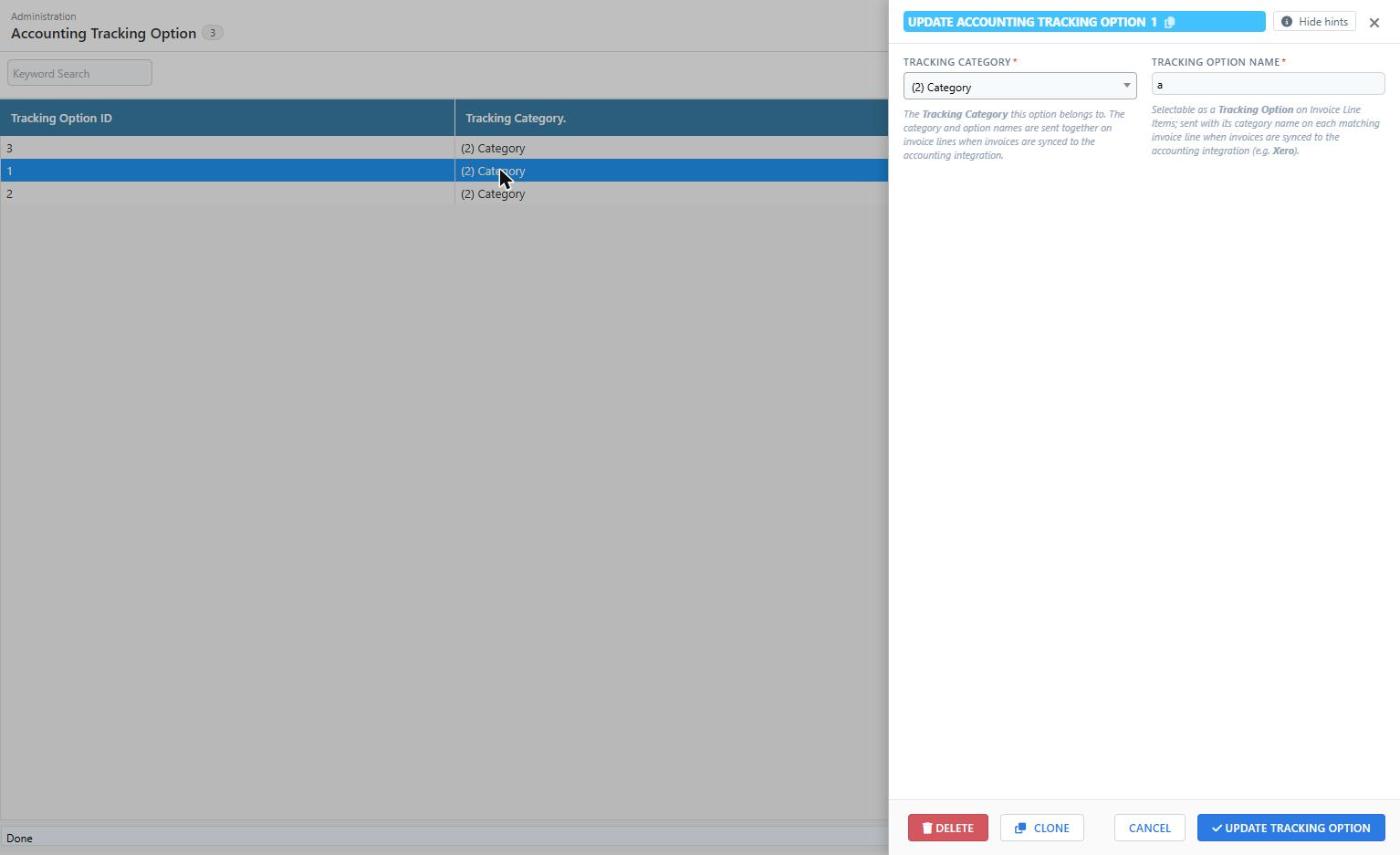
| Field | Description |
|---|---|
| Tracking Category | The Tracking Category this option belongs to. The category and option names are sent together on invoice lines when invoices are synced to the accounting integration. |
| Tracking Option Name | The option name exactly as it is set up in your accounting system, for example North. Selectable as a Tracking Option on Invoice Line Items and sent with its category name on each matching invoice line. |
Click a row to open an option, edit it and click Update Tracking Option. Clone copies the open option, which is handy when adding several options to the same category. Delete removes the option; any Invoice Line Items that had it attached simply lose that tag.
Attaching Tracking Options to an invoice line
- Open (Configuration icon) Invoices Invoice Line Items.
- Click the line item to open it.
- In the General section, pick the options in the Tracking Options field. The options are grouped under their category names.
- Click Update Invoice Line Item.
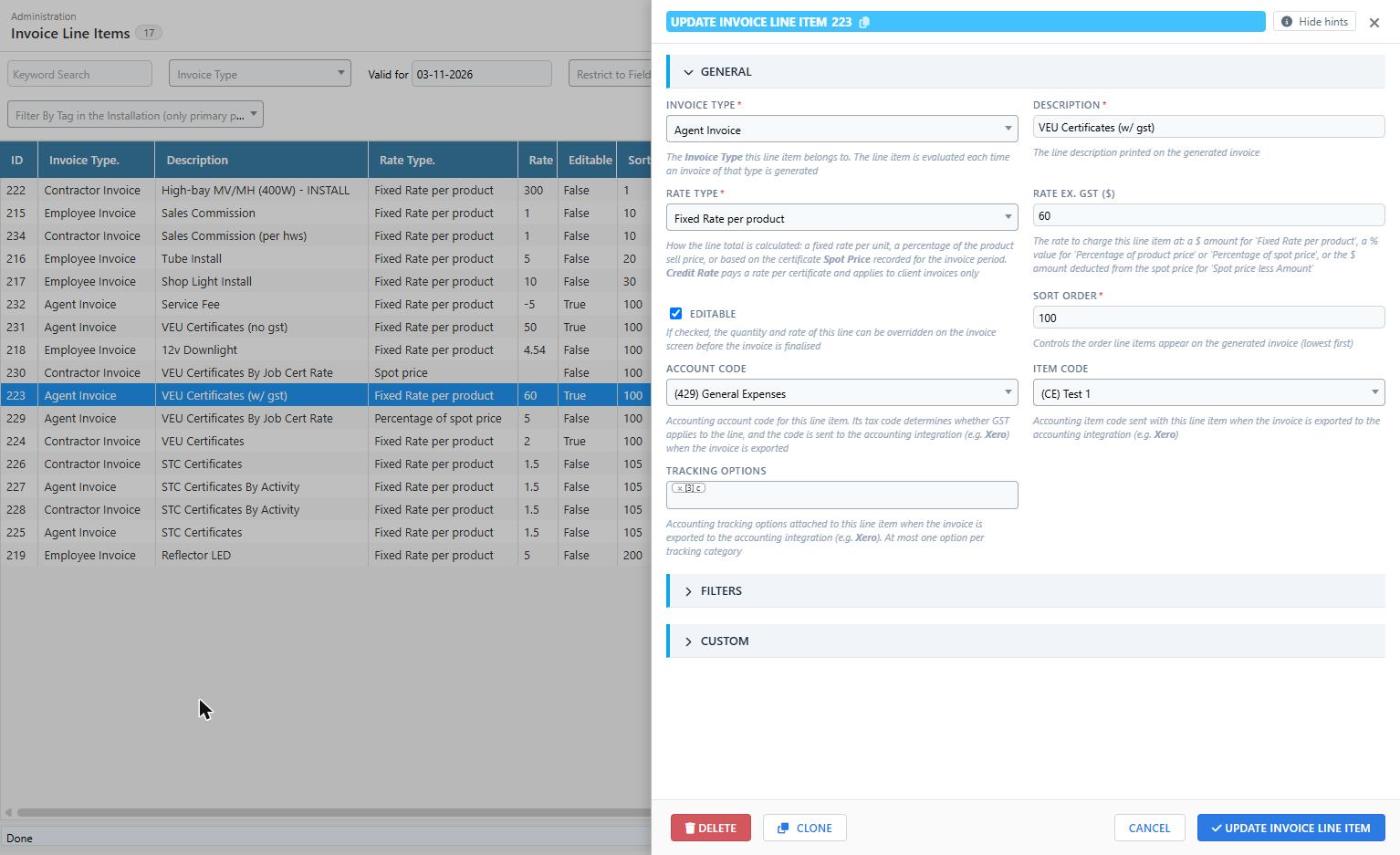
A line item can carry one option from each category, so with a Region and a Program category a line can have at most two options. The same tracking applies to every invoice line generated from that line item; if the same work needs different tracking for different fieldworkers or agents, create separate line items restricted to those fieldworkers or agents.
How Tracking Options relate to Xero
In Xero, tracking options are the values listed under each tracking category at Accounting Advanced Tracking categories. When the Xero integration creates a bill for a finalised fieldworker or agent invoice, every bill line is sent with the tracking category and option names attached to its Invoice Line Item, and Xero records them on the line exactly as if they had been chosen when entering the bill by hand.
- Both the category name and the option name must match Xero exactly. Xero rejects a bill line that refers to an option it does not have, so add the option in Xero first and copy the name across.
- Archived options in Xero cannot be used on new bills. If you archive an option in Xero, delete it here or remove it from your Invoice Line Items.
- Xero accepts at most two tracking categories, and one option per category, per line.